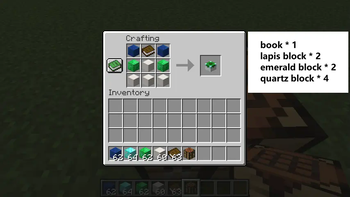

Enchantment Custom Table
The random acquisition of enchantments has always annoyed me, and since my favorite mod "Disenchantment Edit Table" is no longer supported, I created its modern version for Minecraft 1.21 and newer. This block allows you to customize enchantments on tools according to your preferences.
If you're also tired of relying on luck when enchanting, try this workstation!
Content of the Modification
Enchantment Custom Table
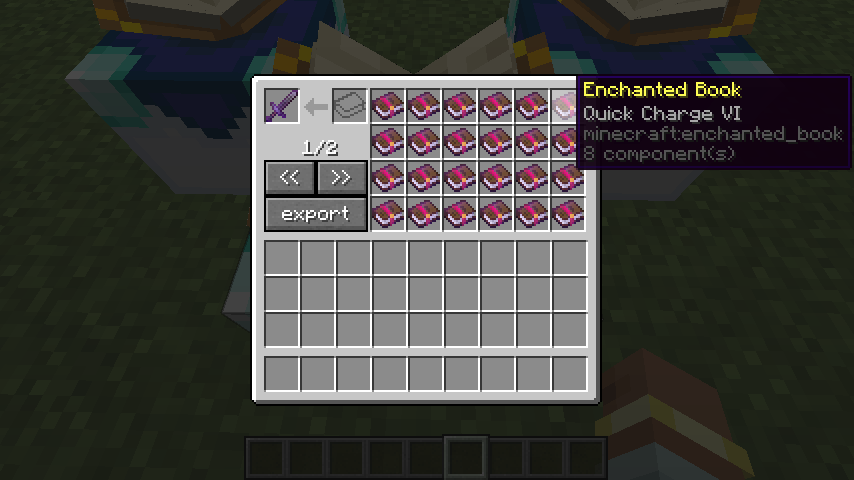
Place a tool or an enchanted book with multiple enchantments in the top-left slot. All enchantments from that item will appear as individual enchanted books in the 4×6 grid on the right.
- If you remove an enchantment book, the corresponding enchantment will disappear from the tool.
- If you add an enchantment book, the corresponding enchantment will appear on the tool.
- Enchantments of the same type combine their levels. For example, if you take a diamond sword with Sharpness I and a book with Sharpness II, you'll get a diamond sword with Sharpness III.
Single Input Slot
For the single slot to the right of the tool slot: all enchanted books placed in this slot are instantly consumed, applying their enchantments to the tool. This gives players the ability to quickly add multiple enchantments to the tool using Shift + LMB.
Export Button
Clicking this button removes all enchantments from the tool and combines them into one enchanted book, which the player receives.
Note: If the player's inventory is full, the combined enchanted book will drop in front of them.
Enchantment Conversion Table
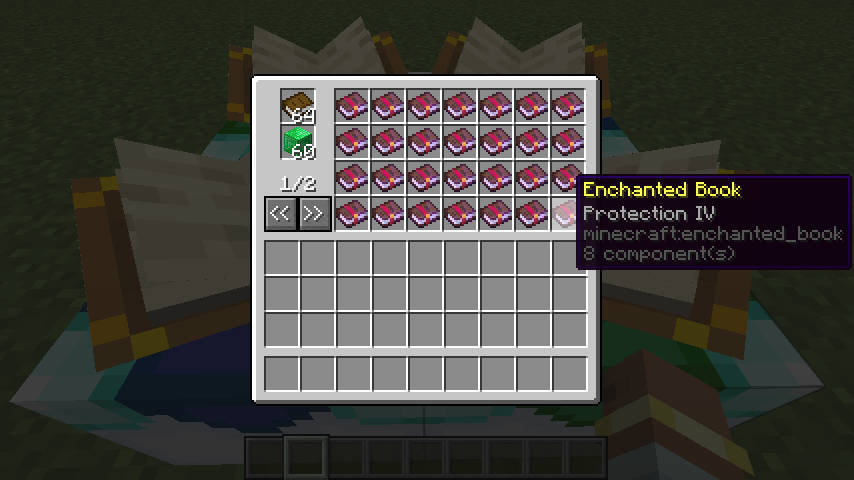
Place a book and emeralds or emerald blocks in the designated slots on the left. When the minimum resource requirement is met (by default: 1 book + 36 emeralds or 4 emerald blocks), all available enchantments at their maximum level will appear in the 4×7 grid on the right. You can then exchange books and emeralds for the corresponding enchanted books.
Balance Considerations
When creating this mod, I didn't focus on game balance as I don't greatly value it myself. But I understand that some players value gameplay challenges and balance.
If you have suggestions regarding balance — for example, adding settings to change costs or modify behavior — you can submit them at any time.


