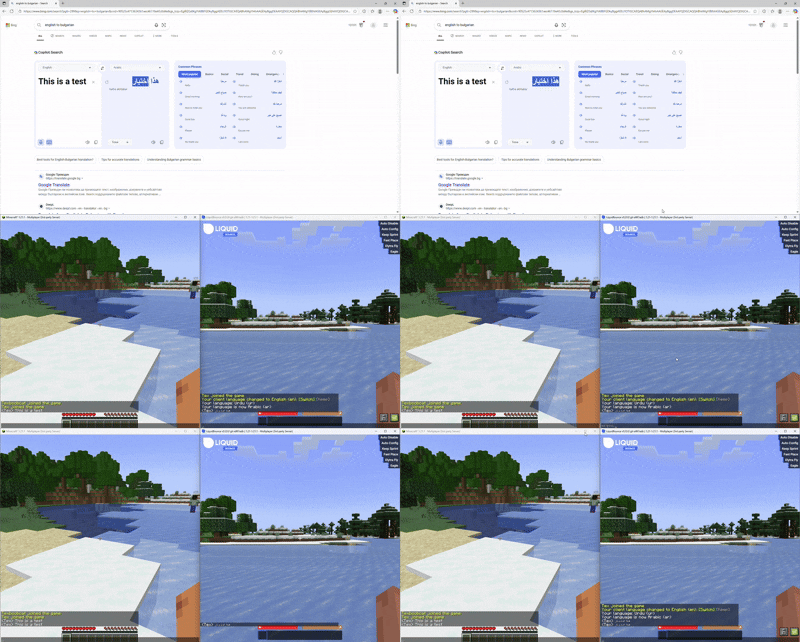

AutoLang - Automatic Chat Translation in Minecraft
AutoLang is an advanced Minecraft plugin that eliminates language barriers between players by providing instant two-way chat message translation. This high-performance and customizable solution integrates seamlessly with your existing server and offers administrators a wide range of personalization options.
Key Features
Intelligent Language Detection
AutoLang's system employs a multi-layered approach to language recognition:
- Primary algorithm relies on the Lingua library, which analyzes text characteristics for accurate language identification
- Fallback recognition method activates if the main system is unavailable or server load reduction is needed
Translation Architecture
- Asynchronous Processing: All translation operations run in the background, preventing server slowdown
- Smart Caching: Built-in cache system stores frequently requested translations, reducing repeated requests
- Two-Way Translation: Context preservation ensures translation accuracy between any supported language pairs
Player Comfort
- Easy integration with existing chat plugins and permission systems
- Automatic detection of player client language (available for Paper servers)
- Option to disable translation or view original messages
- Preservation of formatting, colors, and interactive elements in translated messages
Quick Start
System Requirements
- Minecraft Server: Paper/Spigot version 1.21.1 or higher (recommended for full functionality)
- Java: 21 or newer version
- Memory: minimum 4 GB RAM (6+ GB for large servers)
- Disk Space: 1 GB free space
Installation Process
- Download the latest AutoLang JAR version
- Place the file in your server's
plugins/folder - Start the server to generate default configuration
- Stop the server and configure the
plugins/AutoLang/config.ymlfile according to your preferences - Restart the server to apply changes
Configuration
# Default server language
default-language: "en"

# Maximum translation threads
max-translation-threads: 4

# Enable/disable translation
translation:
  enabled: true

# Language detection
detection:
  type: "lingua"  # or "heuristic"
  confidence-threshold: 0.75

# Translated message format
formatting:
  format: "&7[%lang%] &f%player%&7: &r%message%"
Available Commands
/lang- show current language/lang set <code>- set language/lang list- list supported languages/lang reload- reload configuration
Permission Settings
autolang.use- use language commandsautolang.admin- plugin administrationautolang.bypass- view original messages
Troubleshooting
Connection Issues
- Ensure remote connections are allowed in settings
- For self-signed certificates, enable the appropriate option
- Check server logs for connection errors
Performance
- Adjust the number of translation threads depending on server CPU
- Enable caching to reduce load
- Consider local hosting of translation solution
Supports all popular languages including English, Russian, Spanish, French, German, Chinese, Japanese, and many others.


