BasicallyParticleModels
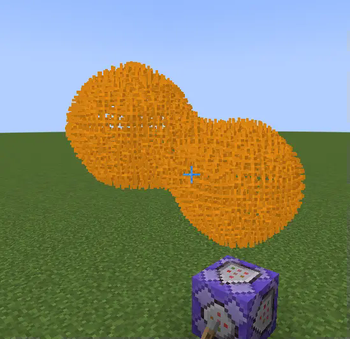
This Fabric mod operates on the server side and enables the creation of captivating three-dimensional models using Minecraft's particle system.
Getting Started
After installing the mod on the server, a folder for models is automatically created. Upload 3D model files to this directory, then use the particlemodels list command to view all available models directly in the game.
Displaying Models
The main command for showcasing models:
/particlemodels display <model file with extension> <particle type> <model scale> <force/normal> <edge density> <players>
The command format is similar to vanilla /particle command, making mod usage intuitive and straightforward.
Positioning and Rotation
The model appears at the command execution point with support for two-axis rotation. Use /execute positioned and /execute rotated/facing commands for precise positioning and orientation of models in space.
Usage Example:
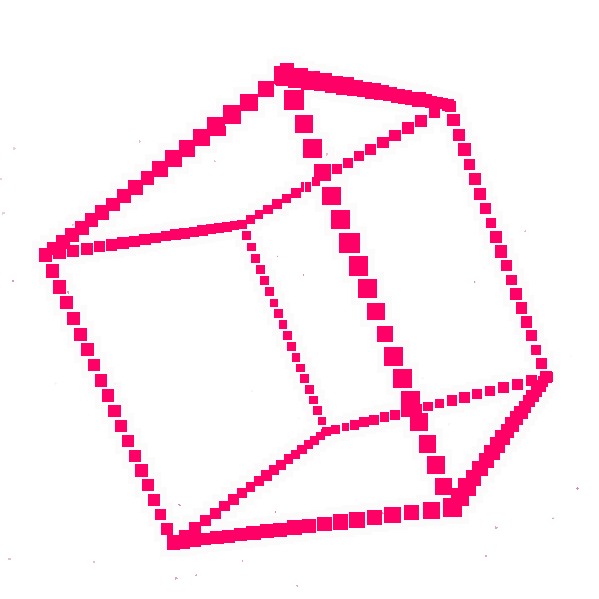
/execute positioned 0 64 0 facing entity @p[distance=..15] run particlemodels display cube.obj minecraft:bubble 1 force 1 @a
This command displays a cube model at coordinates 0, 64, 0, oriented towards the nearest player within a 15-block radius. The model will consist of bubbles (bubble particles) - an excellent choice for moving constructs due to the short lifespan of these particles. The forced parameter ensures effect visibility even for players who have disabled particle display in settings.
Technical Limitations
⚠ Warning: Using the mod may cause lag on the server and/or client.
To prevent performance issues, a limit on the number of vertices in a model has been implemented - default 512 (configurable). Currently, the mod displays only model vertices and edges. Implementation of full faces is unavailable since displaying solid surfaces with particles creates excessive load even for small models.
For creating textured models with complete faces, alternative solutions are recommended.
Supported Formats
- .obj format
- .stl format (ASCII only)
- .ply format (ASCII only)
Blender Tips
If your model consists exclusively of edges and vertices without faces, Blender might export an empty file. Solution: select all elements and press F to create faces. Note that .stl format automatically triangulates faces, adding extra edges. For such cases, it's preferable to use OBJ or PLY formats.
When exporting, uncheck all unnecessary options, but be sure to select "ASCII" for .stl and .ply formats - otherwise the mod cannot read the files.
Alternatively, you can use any CAD software that supports export in .stl format.