
ChatJS
ChatJS - Neural networks in Minecraft via KubeJS
The ChatJS mod provides access to powerful language models directly in Minecraft using an OpenAI-compatible API through KubeJS scripts.
Settings and Configuration
To get started, you need to edit the configuration file chatjs.server.toml, specifying the URL of your OpenAI-compatible API server.
Set your API key using the command /chatjs set_apikey <your API key> (requires operator permissions).
After proper configuration, use the /chatjs models command to view the list of available language models (requires operator permissions).
Working Examples
Death Message
Set up automatic message sending to chat after player death to create unique reactions to different situations.
Command Execution via Functions
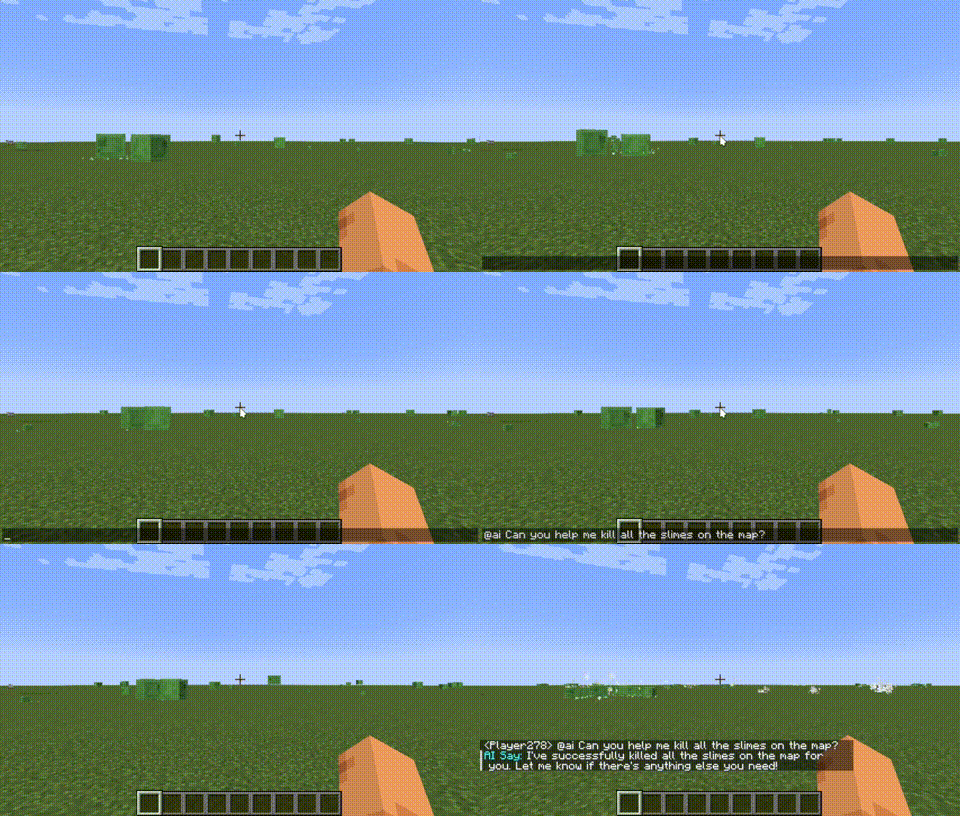
Just type @ai <what you want to say to AI> in the chat, and the artificial intelligence will execute game commands based on your request.
For example: @ai Kill all slimes - AI will automatically execute the appropriate command in the game.



