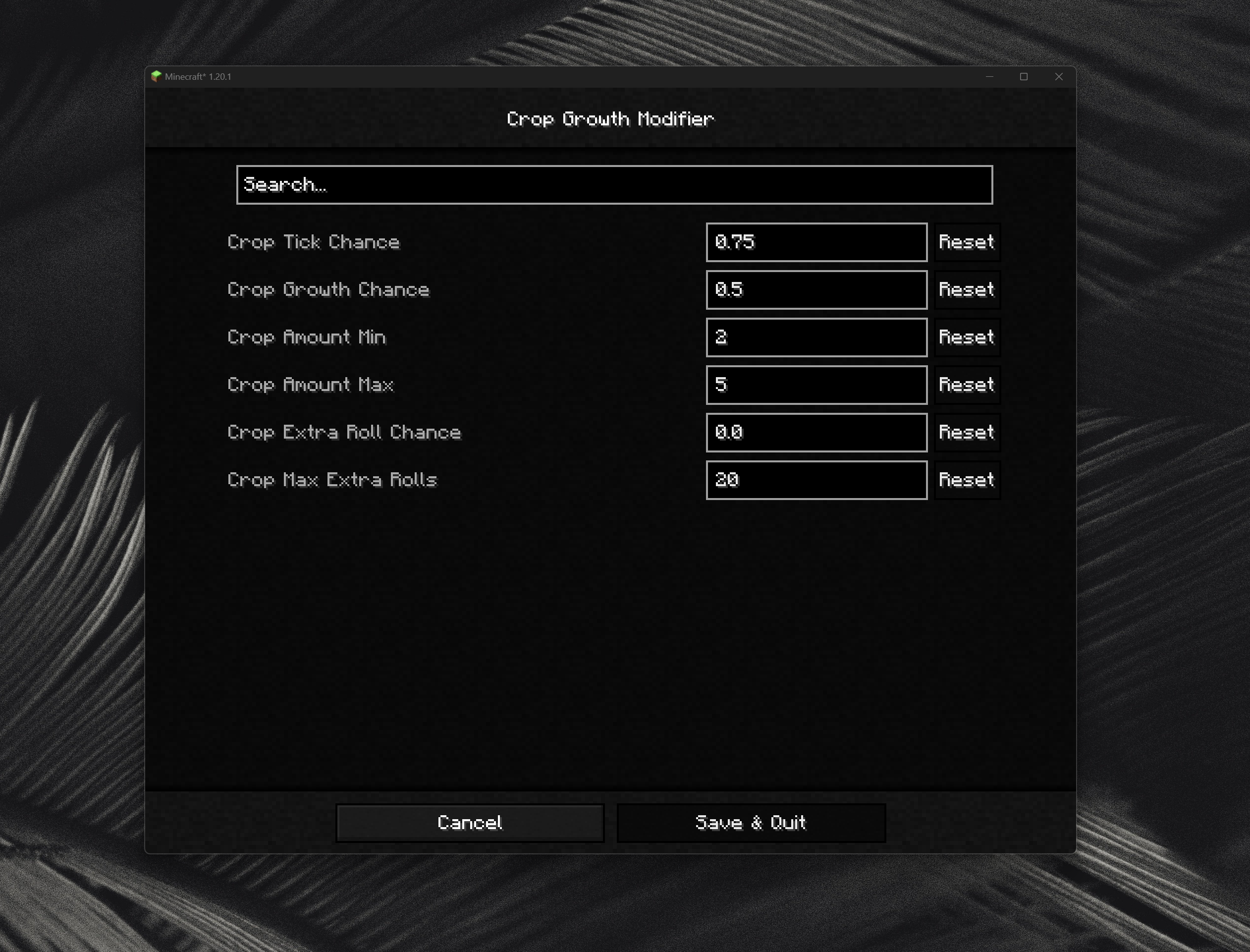

Crop Growth Modifier - Plant Growth Speed Control
This modifier provides complete control over the maturation speed of agricultural crops in your Minecraft world. You can either slow down or accelerate the plant growth process according to your preferences and gameplay style.
Main Features
In Minecraft, plants develop through a system of random ticks where the game periodically checks if a plant is ready to advance to the next growth stage. This mod integrates into the randomTick mechanics of the CropBlock class and adds an additional check to determine whether a tick should be processed or ignored. For example, setting the tick probability to 0.5 means only half of all random ticks will be processed, resulting in twice as slow growth.
The modifier also allows separate configuration of the number of growth stages a plant advances through with any stimulation method - whether it's player use of bone meal or automated systems. Additionally, the function of scheduling extra growth checks is supported, giving the plant more chances to mature in one cycle.
Slowing Natural Growth
To reduce plant development speed, configure the crop tick probability parameter (cropTickChance) to a value below the standard 1.0 (corresponding to vanilla speed). Setting the value to 0.5 will slow growth approximately twice, 0.25 - four times, and so on.
To further reduce the number of growth stages per successful event, you can lower the minimum growth value (cropGrowthAmountMin) from the vanilla value to 1 and the maximum value (cropGrowthAmountMax) to 4 or 3. Changing these parameters is not mandatory.
Accelerating Natural Growth
To accelerate plant development, leave the crop tick probability (cropTickChance) at the standard value of 1.0 and increase the probability of additional checks (cropExtraRollChance). Setting the value to 0.5 means that in half of the cases when a plant could grow, it gets an additional chance for development, resulting in a cumulative 75% growth probability.
For additional acceleration, you can increase the minimum and maximum growth values (cropGrowthAmountMin and cropGrowthAmountMax) above standard values, although total growth is limited by the maximum number of stages supported by a particular crop. Changing these parameters is not mandatory.
It is recommended to set a limit on the number of additional checks through the maximum additional checks parameter (cropExtraRollMax). Setting the probability of additional checks to 1.0 leads to scheduling an additional tick for every occurring tick, so a limit is necessary to prevent infinite growth.
Bone Meal Growth Control
To reduce the effectiveness of bone meal, you can lower the crop growth probability (cropGrowthChance). A value of 1.0 (standard setting) means that with each use of bone meal, a random growth stage is applied to the block. This parameter can also be used to completely disable crop growth from bone meal by setting the value to 0.0.
Configuration and Compatibility
All parameters are easily configurable through the in-game mod menu using Cloth Config. The mod was created as an alternative to "Let Them Grow" by Lothrazar, which is not available for Fabric.