Diverse Fishing - Diverse Fishing in Minecraft
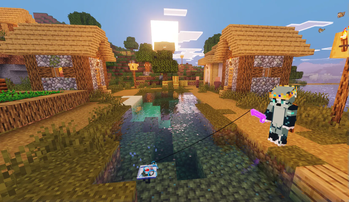
🎣 This datapack fundamentally changes the fishing mechanics, making it more exciting and rewarding!
⚠️ WARNING: ALPHA VERSION, BUGS POSSIBLE! ⚠️
Main Features
The loot system now depends on biomes and structures! (IN DEVELOPMENT)
Loot tables include items that are usually non-renewable (such as armor trims), making them renewable resources provided you fish them up.
Vanilla game style preserved - no new items or enchantments added.
Loot is distributed into appropriate categories: some junk items, treasures, and fish have been moved to suitable biomes and structures.
🎣 List of biomes and structures with modified loot tables
### 🍂 Biomes - Birch Forest - Badlands - Cherry Grove - Deep Dark - Dripstone Caves - Lukewarm Ocean - Deep Lukewarm Ocean - Plains - River - Beach - Cold Ocean - Deep Cold Ocean - Dark Forest - Pale Garden - Forest - Jungle (& variants) - Lush Cave - Swamp - Warm Ocean ### 🏢 Structures - Village - Ancient City🪙 Loot Examples
### 🌼 Birch Forest Loot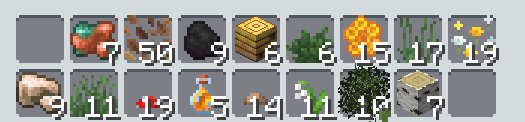 ### 🛖 Village Loot
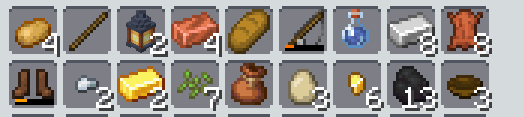 We'll leave the rest of the loot for you to discover yourself - we don't want to spoil the surprise and immersion in the game! :)
⛏️ Development Plans 🏗️
This section will be removed after version 1.0 release
- Support for other Minecraft versions besides 1.21.5 ✅
- Adding weight/rarity system for each biome 🟡
- Completing loot tables for all biomes and structures 🟡
Guides and Additional Information
❓ How to Install
For existing worlds:
- Download the datapack.
- Open your Minecraft world and click "Edit" in the world selection menu.
- Click "Open World Folder".
- Open the "datapacks" folder and drag the downloaded .zip file into that folder.
- Rejoin the world (recommended) or enter the command: [ /datapack enable "file/FileNameHere ] to enable the datapack (NOT recommended).
For new worlds:
- Click "Create New World".
- Find the "More" option, then "Data Packs", where you can drag and drop the datapack directly in the game menu or click "Open Pack Folder" and place it there.
For Fabric: Requires Fabric API to work, drag into the "mods" folder.
For Forge & NeoForge: Simply drag into the "mods" folder.
ℹ️ To check if the datapack has been installed correctly, enter the command "/loot give @s fish diverse_fishing:gameplay/fishing/loot_table/ANYBIOMEHERE ~ ~ ~ mainhand". If installation was successful, you will receive loot from that biome.


