
Effortless Structure
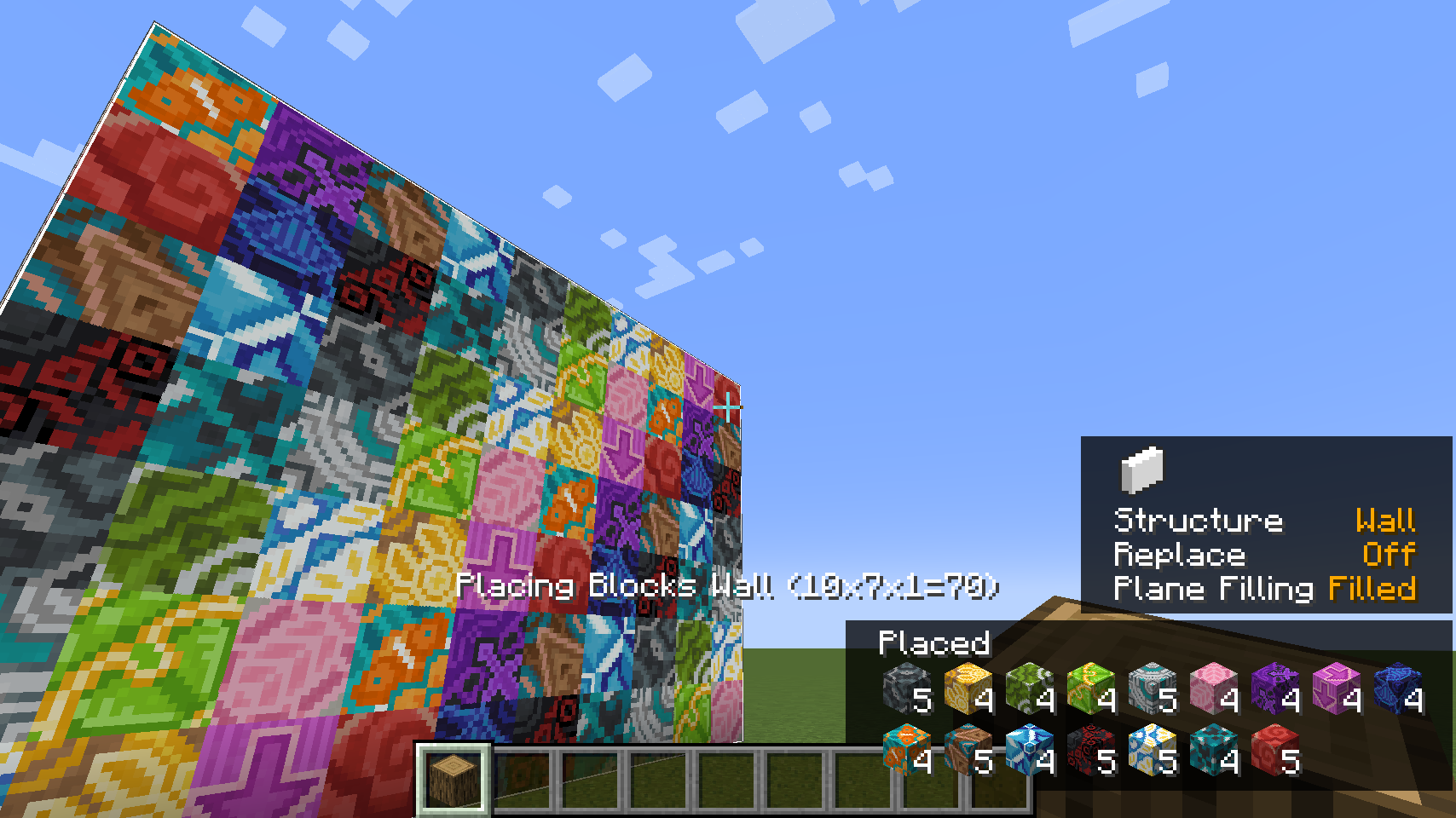
Effortless Structure is a cross-platform Minecraft mod that significantly simplifies the process of building and breaking blocks. It provides players with various building modes, allowing them to create complex structures and designs with minimal effort.
Main Features
The mod offers full compatibility with vanilla gameplay without adding new items or making incompatible changes. One of the key features is the item randomizer, which allows for random placement of blocks and entities from a predefined list. Clipboard functionality is also available for copying and pasting structures between worlds.
Supported Platforms
The mod requires installation on both client and server. You can use the same .jar file on different platforms:
| File | Versions | Fabric | Quilt | Forge | NeoForge |
|---|---|---|---|---|---|
| effortless-1.21.3-3.2.0.jar | 1.21.3, 1.21.2 | ✓ | ✓ | ✓ | |
| effortless-1.21.1-3.2.0.jar | 1.21.1, 1.21 | ✓ | ✓ | ✓ | ✓ |
| effortless-1.20.6-3.2.0.jar | 1.20.6, 1.20.5 | ✓ | ✓ | ✓ | ✓ |
| effortless-1.20.4-3.2.0.jar | 1.20.4, 1.20.3 | ✓ | ✓ | ✓ | |
| effortless-1.20.2-3.2.0.jar | 1.20.2 | ✓ | ✓ | ✓ | |
| effortless-1.20.1-3.2.0.jar | 1.20.1, 1.20 | ✓ | ✓ | ✓ | |
| effortless-1.19.4-3.2.0.jar | 1.19.4 | ✓ | ✓ | ✓ | |
| effortless-1.19.3-3.2.0.jar | 1.19.3 | ✓ | ✓ | ✓ | |
| effortless-1.19.2-3.2.0.jar | 1.19.2, 1.19.1, 1.19 | ✓ | ✓ | ✓ | |
| effortless-1.18.2-3.2.0.jar | 1.18.2 | ✓ | ✓ | ✓ | |
| effortless-1.18.1-3.2.0.jar | 1.18.1, 1.18 | ✓ | ✓ | ✓ | |
| effortless-1.17.1-3.2.0.jar | 1.17.1 | ✓ | ✓ | ✓ |
Plugin Compatibility
The mod works with popular territory management plugins:
- Open Parties and Claims - allows claiming chunks and managing build permissions
- FTB Chunks (Fabric/Forge) - chunk claiming and permission control functionality
- ViaFabric/ViaForge - support for connecting to servers with different Minecraft versions
How to Use
Hold the LEFT_ALT/LEFT_OPTION key to open the radial building mode menu. The left side of the interface contains buttons for undo/redo actions, block replacement, settings, pattern work, and clipboard.
Basic Actions:
- ATTACK/DESTROY - start breaking blocks
- USE_ITEM/PLACE_BLOCK - place and interact with blocks
- LEFT_BRACKET - undo last operation
- RIGHT_BRACKET - redo last operation
Building Modes
13 different shape modes are available for structure creation:
- Disable - standard vanilla placement
- Single - increased placement distance
- Line - create lines along any of three axes
- Wall - build walls along X or Z axes
- Floor - create floors along Y axis
- Diagonal Line - lines at any angle
- Diagonal Wall - walls at arbitrary angles
- Slope Floor - sloped floors
- Cube - classic cubic construction
- Circle - circular shapes along any axis
- Cylinder - cylindrical constructions
- Sphere - spherical structures made of blocks
- Pyramid - pyramid constructions
- Cone - conical shapes
Block Replacement Settings
- Disable - replace only air and replaceable blocks
- Blocks and Air - replace air and blocks destroyable by tools
- Blocks Only - replace only destroyable blocks
- Offhand Only - replace only blocks held in offhand
Patterns and Transformers
Create complex shapes using transformer combinations:
- Mirror - create mirrored copies for symmetrical builds
- Array - multiple copying in specified direction
- Radial - circular placement around central point
- Item Randomizer - random block placement from list
Clipboard
Copy and paste functionality allows transferring structures between different worlds while preserving all build details.


