
EZAC
Simple and effective anticheat tool for Forge servers that allows administrators to control mods and resource packs installed by players.
How it works
The modification functions as follows: when connecting to the server, the client transmits a list of all installed mods and resource packs. The server automatically registers all items present on the player's side but missing on the server side. When the corresponding function is activated and configuration is properly set, the system can automatically respond to the use of undesirable mods.
Main purpose
The primary task of EZAC is rapid identification of undesirable modifications through systematic logging. This approach is especially effective on small servers requiring constant monitoring by administration. For process automation and operator assistance, blacklist and whitelist functionality is provided, allowing identification of common or known mods.
Limitations
It's important to understand that this module is not intended to counter experienced hackers. This is a basic solution focused on protection against simple threats and beginner violators. Its goal is to simplify the control process, not to completely eliminate server hacking possibilities.
Configuration
The configuration file is located at [minecraft folder]/config/ezac-common.toml. All parameters are accompanied by detailed comments, making the configuration process intuitive and accessible even for inexperienced users.
Below is a configuration example using BLACKLIST mode, where only mods from the list array are permitted on the server. Since the array is empty, all client mods missing on the server will be flagged. The action is set to RESTRICT, meaning players with flagged mods cannot connect until removal.
["Server Configuration"]
    # List of all mods for addition to blacklist or whitelist
    list = []
    # How to handle mods in the list?
    # BLACKLIST - flags all client mods in the list
    # WHITELIST - flags all client mods not in the list
    # IGNORE - ignores mods in this list
    #Allowed Values: BLACKLIST, WHITELIST, IGNORE
    mode = "BLACKLIST"
    # What action to take when using flagged mod?
    # NOTIFY - logs flagged mods in console (and sends message to operators)
    # RESTRICT - same as NOTIFY, but additionally blocks player connection with flagged mods
    # BAN - stricter measure that permanently bans player until operator removes ban
    # Works only with BLACKLIST or WHITELIST modes
    #Allowed Values: NOTIFY, RESTRICT, BAN
    action = "RESTRICT"
Access restriction screen information
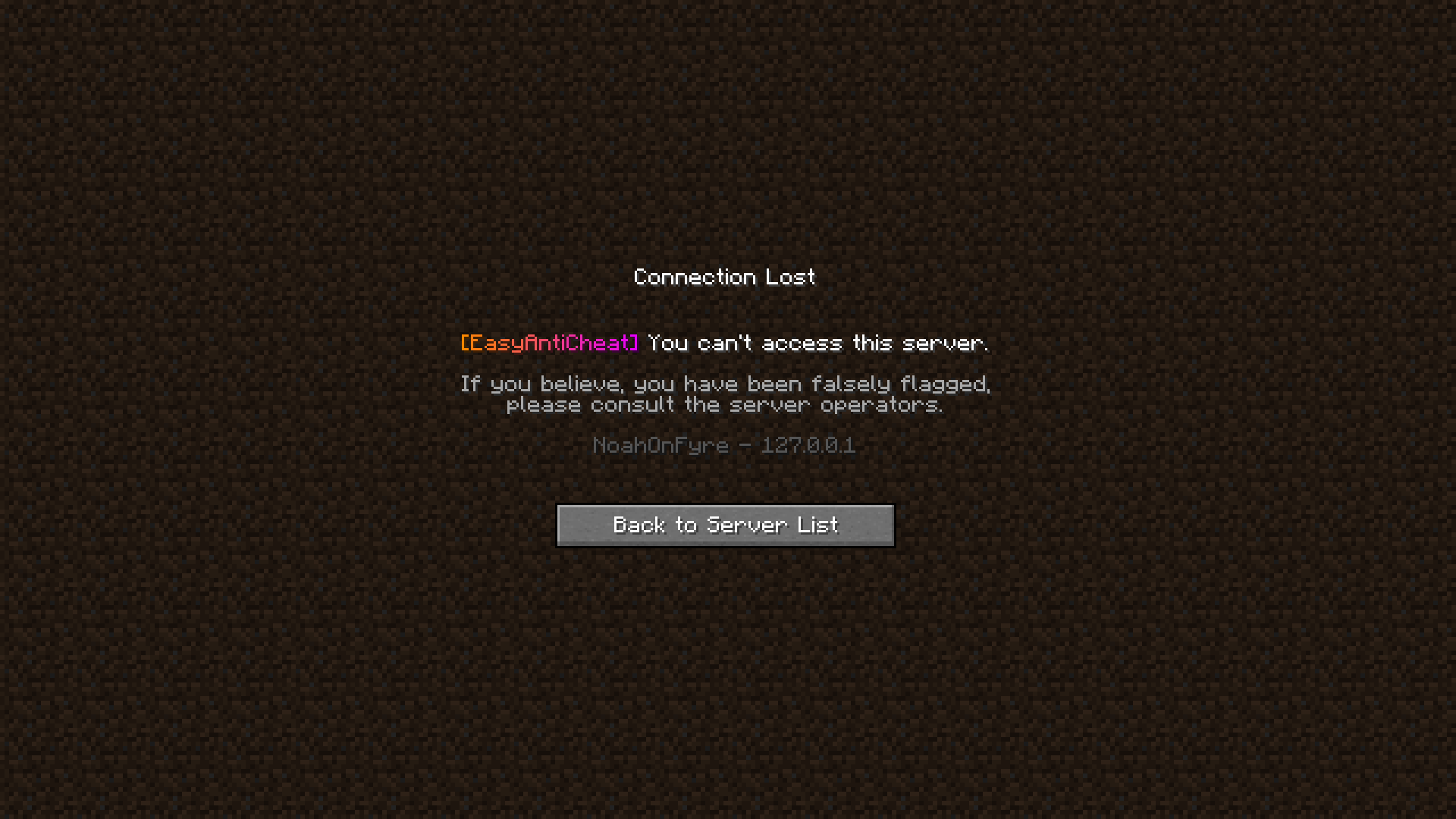
The top line of the access restriction screen displays the type of action/punishment being applied, for example: "You cannot connect to the server". This message changes depending on the selected mode.
The middle line informs players about the possibility of contacting server administrators if they have questions regarding blocking or need to submit an appeal for erroneous access restriction.
The bottom line is specifically designed for such cases. Through this information, administrators can ensure that user-provided data fully matches information stored on the server. Player data (UUID and username) is used to confirm account ownership, while IP address helps determine user's approximate location. This is particularly useful when players claim account hacking and assert that blocking was caused by third-party actions.


