Frostbyte's Item Model Modifier
Transform Item Appearance in Minecraft
This mod provides a powerful tool for changing the visual design of any items in the game. Using the special /model command, you can assign completely new models to any items, opening up endless customization possibilities.
Main Features of the /model Command
The /model command works with the item in the player's main hand and offers four usage options:
/model get- displays the identifier of the item's current model/model set <identifier>- sets the specified model for the item/model reset- restores the item's standard vanilla model/model gui- opens a convenient interface for visually browsing all available models
Intuitive Graphical Interface
When using the /model gui command, a special remodeling window opens. At the top of the screen are two slots: the left one displays the original item, and the right one shows its preview with the selected model.
Below is a search bar and a scrollable list of all loaded item models, sorted alphabetically. The interface includes three control buttons:
- Blue circular arrow (left) - resets the item model to standard
- Green check mark (center) - applies the selected model
- Red cross (right) - closes the interface
When clicking on any model in the list, the preview automatically updates, and the button with the green check mark becomes active, allowing you to apply the changes.
Important Features
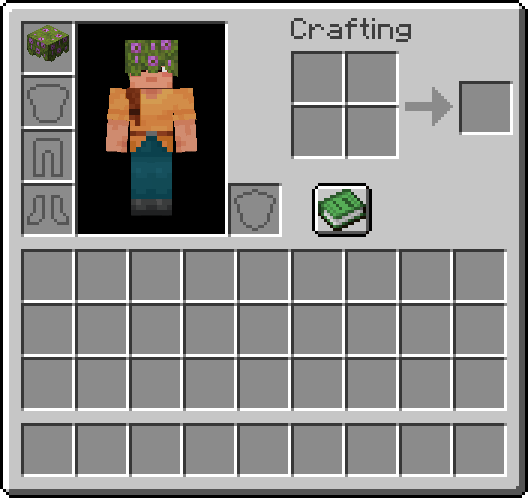
Modified items remain completely vanilla - custom models are displayed even for players without the mod installed (provided the model is standard or part of a shared texture pack). If a helmet is modified, its new model will be displayed instead of the standard armor texture.
After applying changes:
- Items contain no mod-dependent data - custom models persist even after uninstalling Frostbyte's Item Model Modifier
- Stackable items now only combine with other items with identical NBT data
- Helmets with modified models display the new visualization instead of the standard armor texture
Frequently Asked Questions
- Will there be an update for version 1.x.x? - Yes! I plan to support this mod for as long as possible. After major Minecraft updates, expect a new mod version within a few weeks.
- Will there be a Forge version? - No. I don't create mods for Forge, but you can make your own (unofficial) port with proper attribution.
- Can this mod be used in a modpack? - Absolutely! I created this mod specifically for people to use!


