Loot Explorer
Overview
The Loot Explorer mod for Minecraft greatly simplifies the work of content creators by adding containers with loot tables to the creative mode inventory. Compatible with Minecraft 1.21 and requires FabricAPI installation.
Main Features
Loot Chests
- Creative Inventory: A new tab appears in the creative mode inventory containing various containers with pre-configured loot tables.
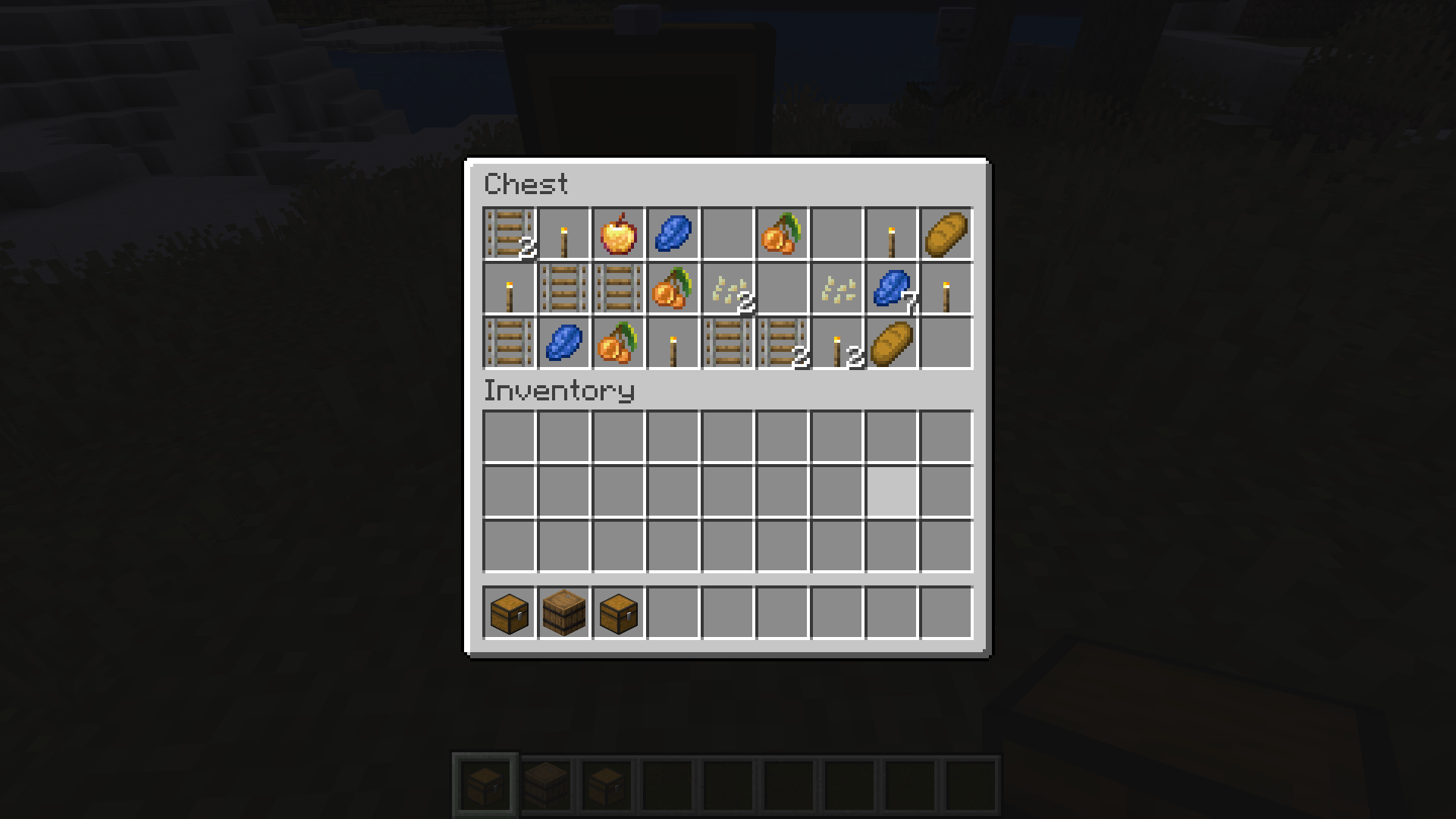
- Container Varieties: Available are three standard chest types, barrels, and trapped chests with corresponding loot tables.
- Data Copying: Using the special Copy Lore hotkey, you can easily copy information about any item, including the location of container loot tables.
- Data Pack Compatibility: The mod automatically detects and creates containers for loot tables from custom data packs.
Installation
- Download the Loot Explorer mod file
- Make sure you have Fabric Loader installed
- Place the mod file in your Minecraft
modsfolder - Launch Minecraft using the Fabric profile
Dependencies
- Required: FabricAPI
Configuration
Configuration File
Currently, the mod does not have a configuration file due to its simplicity and minimalistic nature.
Usage
Obtaining Containers
- Creative Inventory: A new "Loot Tables" tab will appear in the creative mode inventory with all available containers for each found loot table.
- Random Generation: When placed, chests will generate random loot according to the assigned loot table.
- Information Copying: While holding a chest in your hand, press the assigned key for data copying, and the chest information will be copied to the clipboard.
Contributions
We welcome any suggestions for improving the mod! If you have ideas for new features, optimizations, or bug fixes, you can create an issue or submit a pull request in the mod's GitHub repository.
For proper detection of loot chests, the directory must follow the format "namespace/loot_table/chests" or "namespace/loot_table/loot"