
Not Enough Management
A server-side Fabric mod for Minecraft 25w35a / 1.21.9+ that significantly expands the capabilities of Minecraft's built-in Server Management Protocol (MSMP). This protocol provides a WebSocket-based API that allows receiving real-time updates, changing parameters, and requesting various information from the Minecraft server. All communication is bidirectional using JSON objects.

🧩 Main Features
The basic functionality of the Server Management Protocol is described in the Minecraft wiki.
Notification System
| Path | Description | Parameters | Example Response |
|---|---|---|---|
/chat_message |
Player's chat message | message: Message object | {"jsonrpc":"2.0","method":"notification:chat_message","params":[{"id":"e68e2363-f1bb-446c-aeef-cccd23aeafb7","name":"DanMizu","message":"Hello World!"}]} |
Data Structure
Chat Message
- 🆔
id: string - 👤
name: string - 💬
message: string
⬇️ Installation
First, enable the Server Management Protocol in your server's server.properties file:
-
management-server-enabled- default value:
false - set to:
true
- default value:
-
management-server-host- default value:
localhost - recommended to keep:
localhost
- default value:
⚠️ IMPORTANT WARNING The ideal approach is to maintain the
localhostvalue and run required services on the same machine. If you trust all devices on your local network (though you shouldn't!), you can set the value to0.0.0.0for access from other computers on the network.
management-server-port- default value:
25585 - set an available port if the default is already in use by another service
- default value:
🚫 SECURITY WARNING DO NOT PORT-FORWARD THIS PORT. The built-in server management lacks authentication, and anyone who can connect gains full control over your server. It's recommended to use services on the same machine and maintain
management-server-hostwith thelocalhostvalue.
Next, download the mod, ensuring the version matches your Fabric server. Place the downloaded .jar file in your server's mods folder and start/restart the server.
▶️ Usage
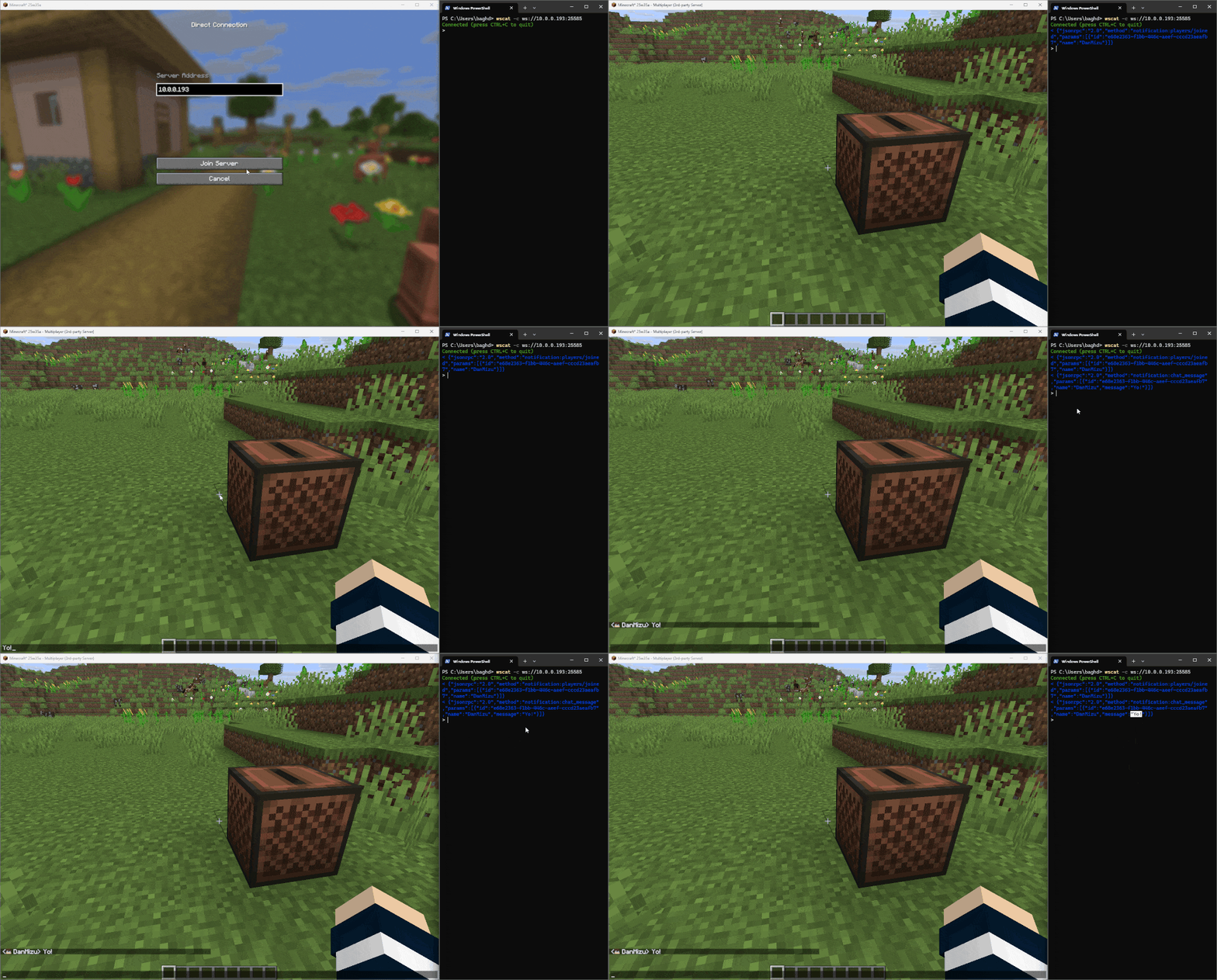
The modification can be used with any tools supporting WebSocket connections. This example demonstrates using Node.js, specifically the wscat package.
To reproduce this example, you need to install Node.js and NPM (typically installed with Node.js):
- Install the mod on the Fabric server as described in the installation section and run the server
- Open a terminal
- Install wscat globally using NPM:
npm install -g wscat - Execute the command:
wscat -c ws://<management-server-host>:<management-server-port> - Log into the Fabric Minecraft server with your Microsoft account
- Send a chat message in-game, after which a notification with relevant information should appear in the terminal


