
Packed Inventory
A Minecraft mod that solves the problem of ever-growing inventory clutter by allowing you to manage the contents of shulker boxes, ender chests, and other containers directly from your inventory.

Main Features
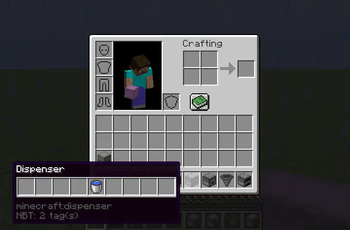
- Manage shulker box contents without placing them
- Access ender chest directly from inventory
- Quick item transfer to and from containers
- Use crafting tables, stonecutters and other workstations from inventory
- Informative tooltips for shulker boxes, ender chests and maps
- Support for NBT items obtained in creative mode
- Simple API for mod developers
Bundle-Like Functionality
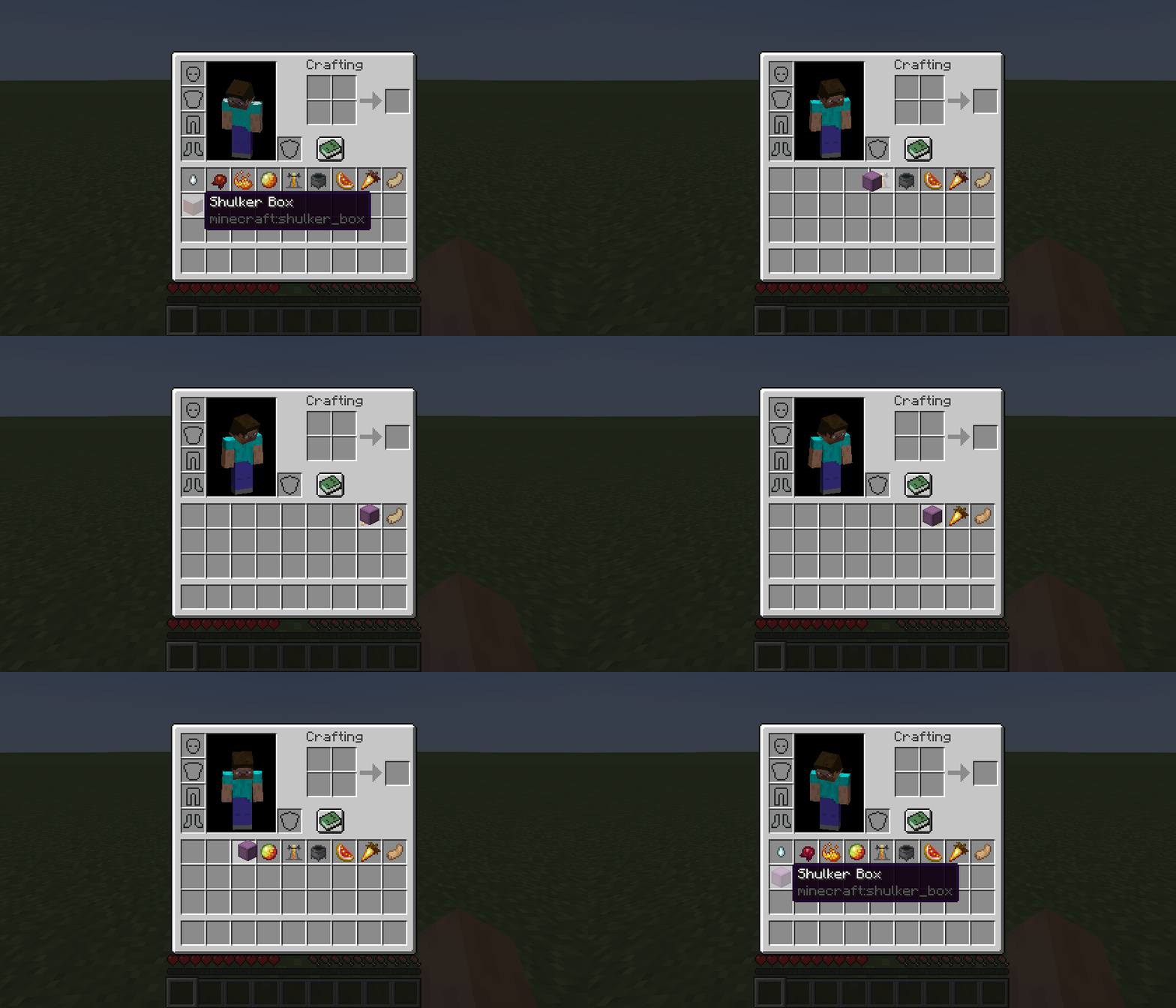
Inventory-providing items (shulker boxes, ender chests and others) gain bundle-like functionality for quick item transfers.
To store items in container:
- Pick up container and press
kon items - Pick up container and press
kon other containers - Pick up items and press
kon container
To retrieve items:
- Pick up container and press
kon empty slots - Pick up container and press
lorctrl + kon slots - Press
lorctrl + kon container
To dump all items:
- Pick up container, move outside inventory frame and press
k
Tooltips
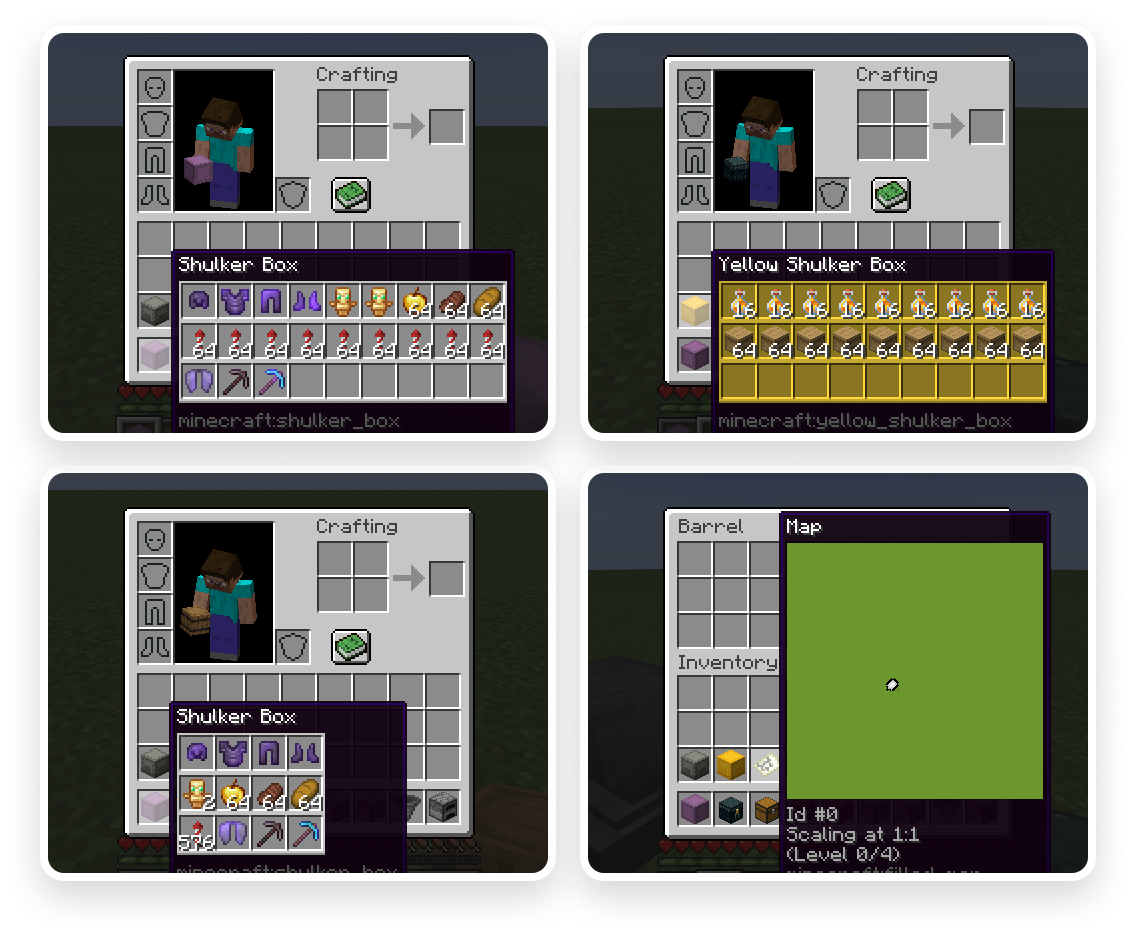
The mod adds informative tooltips for various items:
- Container tooltips
- Colored container tooltips
- Compact tooltips
- Filled map tooltips
Key Bind Configuration
Keys can be configured in the game's control settings:
- Open
Options - Select
Controls - Go to
Key Binds - Find
Packed Inventorysection - Configure desired keys
| Name | Description | Default |
|---|---|---|
Interact with item |
Opens item screen or manages contents | k |
Toggle interaction mode |
Changes main key behavior | Left Control |
Extract from item |
Extracts items from container | l |
Invert tooltip visibility |
Toggles tooltip display | Left Shift |
Invert compact mode |
Toggles compact tooltip mode | c |
Configuration
With Cloth Config mod installed, you can configure Packed Inventory behavior via ./config/packed-inventory.json file:
{
  "defaultTooltipConfig": {
    "showWhenEmpty": false,
    "rows": -1,
    "columns": -1,
    "usePredefinedColor": false,
    "enable": true,
    "compact": false
  },
  "tooltips": {
    "minecraft:shulker_box": {
      "showWhenEmpty": false,
      "rows": -1,
      "columns": -1,
      "usePredefinedColor": false,
      "enable": true,
      "compact": false
    },
    "minecraft:ender_chest": {
      "syncInterval": 5000,
      "showWhenEmpty": false,
      "rows": -1,
      "columns": -1,
      "usePredefinedColor": false,
      "enable": true,
      "compact": false
    },
    "minecraft:filled_map": {
      "size": 128,
      "enable": false,
      "compact": false
    }
  },
  "defaultValidationConfig": {
    "suppressValidationInCreative": true,
    "requiresPlayerOnGround": true,
    "enable": true
  },
  "validation": {
    "minecraft:shulker_box": {
      "suppressValidationInCreative": true,
      "requiresPlayerOnGround": true,
      "enable": true
    },
    "minecraft:ender_chest": {
      "requiresSilkTouch": true,
      "suppressValidationInCreative": true,
      "requiresPlayerOnGround": true,
      "enable": true
    }
  }
}
For Developers
Dependency Installation
Add Packed Inventory as a dependency to your project:
build.gradle:
repositories {
  maven {
    name = "Modrinth"
    url = "https://api.modrinth.com/maven"
    content {
      includeGroup "maven.modrinth"
    }
  }
}

dependencies {
  modImplementation "maven.modrinth:packed-inventory:${project.packed_inventory_version}"
}gradle.properties:
packed_inventory_version=/ version (e.g., 0.3.0+1.20.3) /Entrypoints
The API provides two entrypoints for integration:
| Name | Description | Interface | Side |
|---|---|---|---|
packed-inventory |
Runs first in any environment | PackedInventoryInitializer |
* |
packed-inventory-client |
Runs only on client side | PackedInventoryClientInitializer |
client |
fabric.mod.json:
{
  "entrypoints": {
    "packed-inventory": [
      "a.b.c.MyMod"
    ],
    "packed-inventory-client": [
      "a.b.c.MyClientMod"
    ]
  }
}
Inventory Views
The core concept of the mod is inventory views, allowing editing of item contents without placement.
Example of registering a viewer for ender chest:
public class MyMod implements PackedInventoryInitializer {
    @Override
    public void registerInventoryViewers(InventoryViewerRegistry registry, PackedInventoryApiConfig config) {
        registry.register(
            (inventory, slot, player) -> player.getEnderChestInventory(),
            Items.ENDER_CHEST
        );
    }
}
Action Validation
For setting restrictions, you can use validators:
public class MyMod implements PackedInventoryInitializer {
    @Override
    public void registerInventoryViewers(InventoryViewerRegistry registry, PackedInventoryApiConfig config) {
        registry.register(
            (inventory, slot, player) -> player.getEnderChestInventory(),
            InventoryValidators.IS_IN_CREATIVE.or(
                InventoryValidators.IS_ON_GROUND.and(InventoryValidators.HAS_PICKAXE_WITH_SILK_TOUCH)
            ),
            Items.ENDER_CHEST
        );
    }
}
Tooltips for Developers
Registering a tooltip provider for ender chest:
public class MyClientMod implements PackedInventoryClientInitializer {
    @Override
    public void registerTooltipProviders(TooltipProviderRegistry registry, PackedInventoryApiConfig config) {
        registry.register(
            TooltipProvider.builder()
                .useSyncData(GenericContainerTooltipSyncData::of)
                .tooltipData((stack, context, syncData) -> GenericContainerTooltipData.of(syncData.getInventory()))
                .build(),
            Items.ENDER_CHEST
        );
    }
}
Installation
Requirements:
- Minecraft
1.20.x - Fabric Loader
>=0.15.0 - Fabric API
>=0.83.0
Building from Sources
Requirements:
- JDK
17
Linux/MacOS:
git clone https://github.com/Kir-Antipov/packed-inventory.git
cd packed-inventory

chmod +x ./gradlew
./gradlew build
cd build/libs
Windows:
git clone https://github.com/Kir-Antipov/packed-inventory.git
cd packed-inventory

gradlew build
cd build/libs


