Portal Room
Your personal space for moving between locations
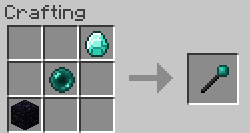
The mod adds only one item - a magic teleportation wand that becomes the key to your personal portal hall.

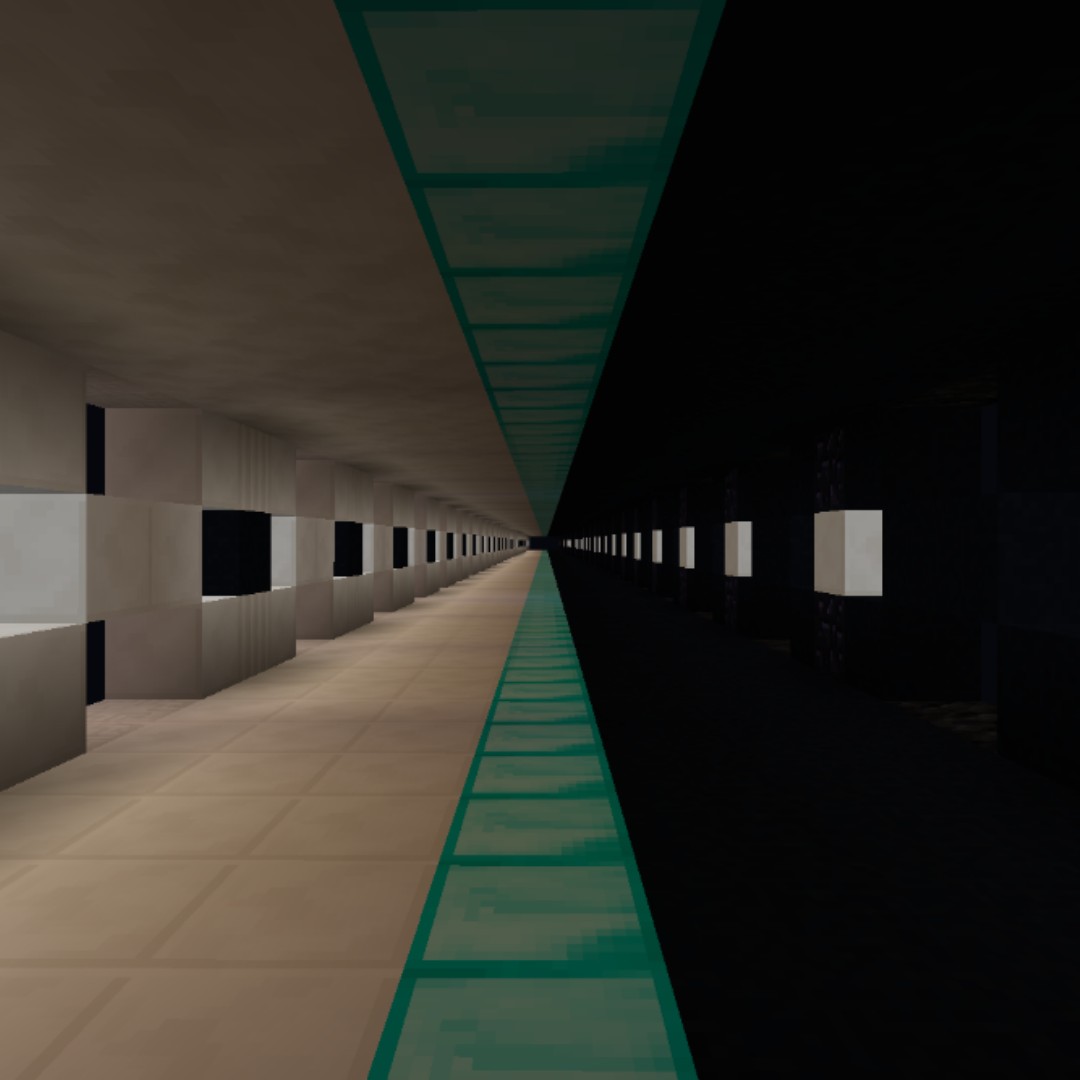
With this wand, you can turn any block into a portal leading to your private portal room - an exclusive space where all your portals are collected.
How to use:
- Hold Shift and right-click any block to create a portal (the original block doesn't change)
- Simple right-click on a block with a portal transports you to the portal room
- In the room itself, right-clicking on a portal (they're positioned between two torches) returns you back
- To remove a portal, use Shift+right-click on an existing portal
Don't worry if you accidentally break a portal block - just place a new block in the same location, and everything will work!
Additional features:
Customizable parameters:
- Room size can be adjusted to your needs
- Automatic lighting option via random glowstone inclusions in floor and ceiling (disabled by default to preserve symmetry)
- Ability to freely break and place blocks in the room (disabled by default)
Shared usage:
The /shareRoom <username> command allows sharing your portal room with others. Both players need to execute the command with each other's usernames, with the first participant's room becoming the common one.
Additions:
Players can always place signs in the portal room and remove them by using Shift+right-click on the sign with the teleportation wand.
We hope you enjoy the mod! Have fun playing!


