Restore Hardcore World
A convenient way to restore a lost hardcore world in Minecraft when death is no longer the final verdict.

In the standard hardcore gameplay mode, death in single-player leads to irreversible world loss. Technically, it's possible to restore it by modifying the level.dat file in the world folder, but not every player has the necessary skills or is willing to spend time on such manipulations.
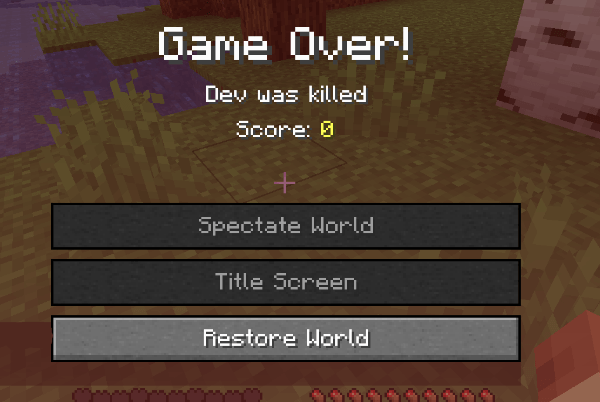
The Restore Hardcore World mod solves this problem in the simplest and safest way. After dying in a hardcore world, a new "Restore World" button appears, allowing you to instantly resume the game.

Restoration Settings
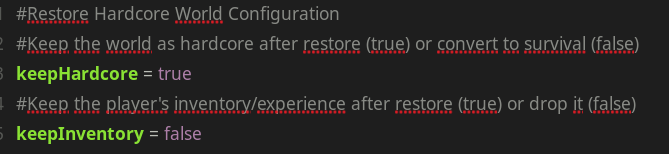
Depending on your preferences, the restored world can be kept in hardcore mode or converted to standard survival mode. This is configured in the config/restorehardcoreworld-client.toml configuration file.
Data Backup
To ensure the security of your world, the mod automatically creates a backup of the data named "level.dat_backup_restorehardcoreworld" in the same world folder. This guarantees that in case of unexpected errors, you can restore the original state of the data.

Currently, for the FORGE version, settings are only available through the configuration file, but future updates plan to add an in-game interface. In the NeoForge version, the GUI is already in development.

Future development prospects include a possible option to respawn the player at the same location where they died, making the restoration process even more convenient.


