
ServerLinksZ

About the Plugin
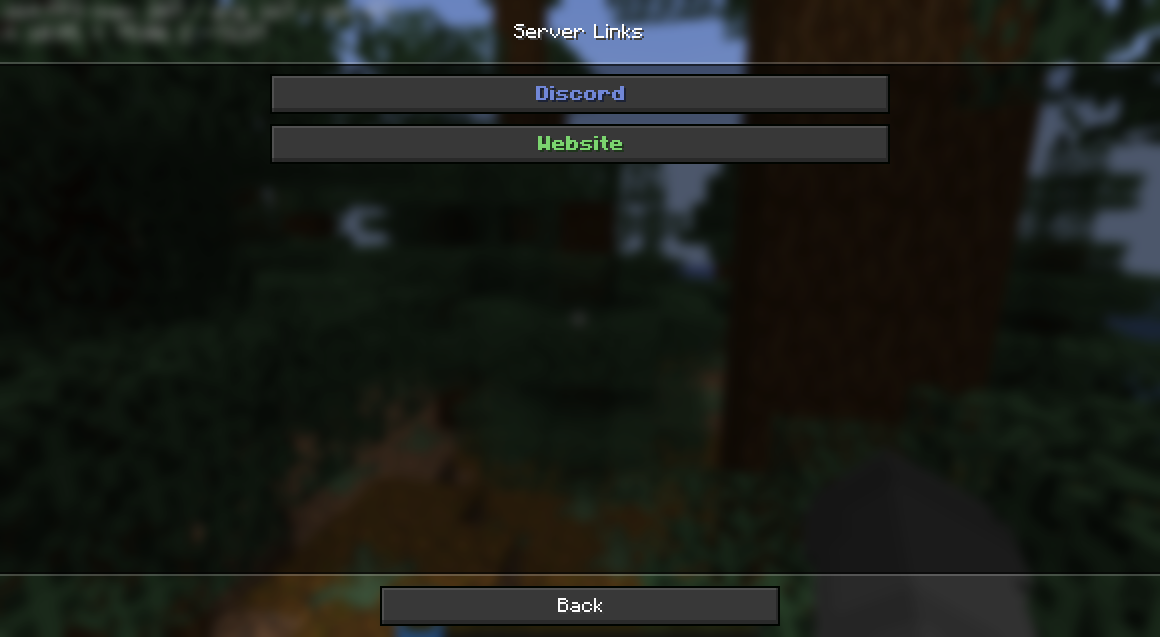
ServerLinksZ offers a convenient solution for adding various links to the special "Server Links" section available in the game's pause menu. The plugin also creates separate commands for quick access to important resources, such as /discord or /website.
Key Features
- Creation of custom links with arbitrary names
- Support for color formatting of link names
- Use of HEX colors for fine-tuning appearance
- Automatic creation of commands for quick link access
- Flexible configuration system tailored to your server's needs
- Simple and intuitive setup process
- Multi-language support
Available Commands
- /sl help - opens the help menu with command information
- /sl add
<allowCommand?> - /sl remove
- removes the link by the specified identifier - /sl reload - reloads the plugin configuration
- /link
- opens the link with the given identifier
Permissions
- serverlinksz.admin - grants rights to manage links and perform administrative tasks (default available to operators)
Configuration Settings
Example configuration file:
# === COLOR CODES ===

# The plugin supports traditional color codes: &c, &l, &o, etc.
# Also supports MiniMessage for advanced formatting:
# https://docs.advntr.dev/minimessage/format.html
# MiniMessage allows using HEX colors, gradients, hover and click events

# === GENERAL SETTINGS ===

# Set the language to any code available in the "lang" folder (without .yml extension)
# You can add your own language files. Use en-US.yml as a template
#  | en-US | de-DE |
lang: "en-US"

# Whether to show hints when using commands
hints: true

# Whether to add the /link command for viewing links
linkCommand: true
Plugin Demonstration