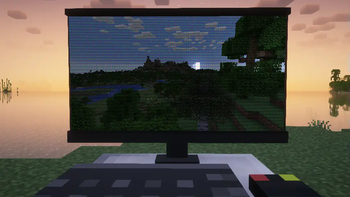

Shoot Screen
This modification dramatically changes the appearance of your game screen, creating the effect of viewing a screenshot directly during gameplay. Using the hotkey 'Z', you can activate or deactivate this unique display mode.
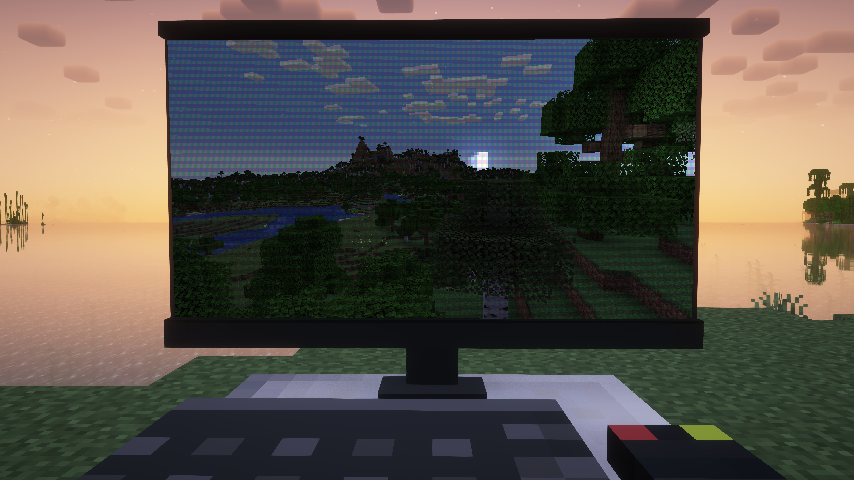
Custom Background Setup
For personalized appearance, the mod provides the ability to load custom backgrounds. Place the following files in the resource pack folder:
├───assets
│   └───<namespace>
│       └───custom_background
│           └─── <image_name>.json //background configuration
│       └───texutres
│           └───custom_background
│               └─── <image_name>.png
If multiple background images are available, the system will randomly select one each time it starts.
Configuration Example
//Background configuration example
{
  "name": "example_background", //image name
  "screenRect": {               //screen corner definition on background
      "leftDown": [             //coordinates in percentages [0-1] from bottom left corner
        0.106,
        0.249
      ],
      "leftUp": [
        0.0879,
        0.876
      ],
      "rightDown": [
        0.952,
        0.256
      ],
      "rightUp": [
        0.951,
        0.92
      ]
  },
  "moireStrength": 0.6, //moire effect intensity (0-1, where 0 - disabled)
  "lightColor": [       //lighting color
    1.0,
    1.0,
    1.0
  ],
  "lightPos": [         //light source position
    1.7,
    1.0,
    2.0
  ],
  "viewPos": [          //camera position
    0.6,
    0.5,
    1.0
  ],
  "ambientStrength": 0.2,   //ambient lighting intensity
  "specularStrength": 5,    //specular reflection intensity
  "shininess": 16,         //shininess coefficient
}
The mod uses the Phong lighting model to create realistic highlighting effects. Screen area is mapped to a rectangle from coordinates (0,0,0) to (1,1,0) towards (0,0,1).
To completely disable highlighting effects, set the specularStrength parameter to 0.


