Cobblemon - Show Held Items
This is an extension for the Cobblemon modification that doesn't function independently - requires the main Cobblemon mod to be installed.
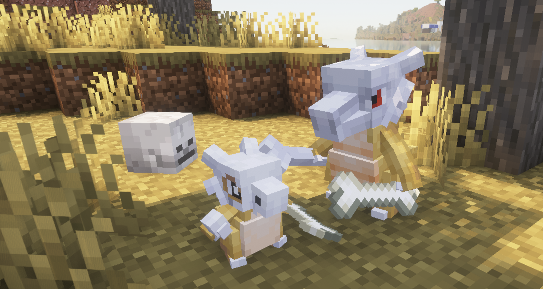
The main purpose of this mod is to display items that Pokémon hold in the game world. An interesting feature: if you join a server without this modification, only your own Pokémon will show their items, while those of other players won't be visible to you.

Technical Information
Server Configuration
Server administrators can control item display by hiding them or transforming them into headwear/glasses. This is done by adding a datapack to the server that replaces the item tag files: "hidden_items.json", "wearable_eye_items.json", or "wearable_hat_items.json". Note: hidden items will still be visible to the Pokémon's owner.
The path for hidden items:
datapacks[YOUR_SERVER_DATAPACK]\data\show-held-items\tags\item\hidden_items.json
Default file settings:
{
  "replace": true,
  "values": [
    "#cobblemon:held/is_held_item",
    "#cobblemon:berries"
  ]
}
Any items can be added here - both modded and vanilla ones.
Paths for eye items and headwear:
datapacks[YOUR_SERVER_DATAPACK]\data\show-held-items\tags\item\wearable_eye_items.json
datapacks[YOUR_SERVER_DATAPACK]\data\show-held-items\tags\item\wearable_hat_items.json
Here's an example using Villager Hats and Simple Hats:
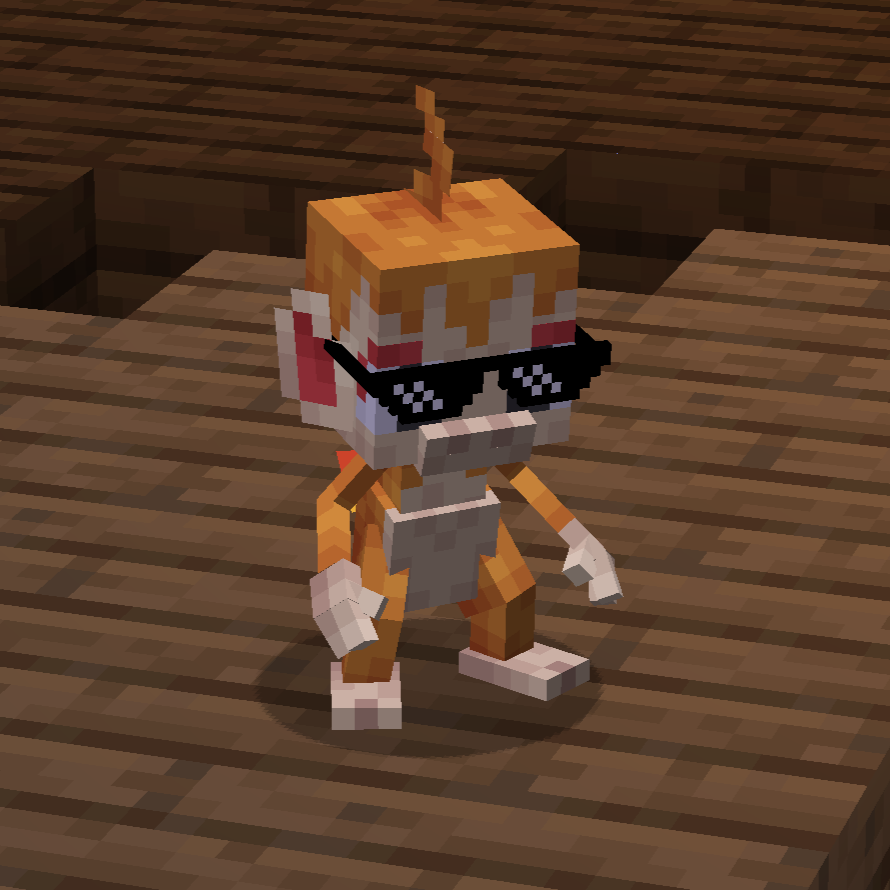
wearable_eye_items.json:
{
  "replace": false,
  "values": [
    "simplehats:clockface",
    "simplehats:sunglasses"
  ]
}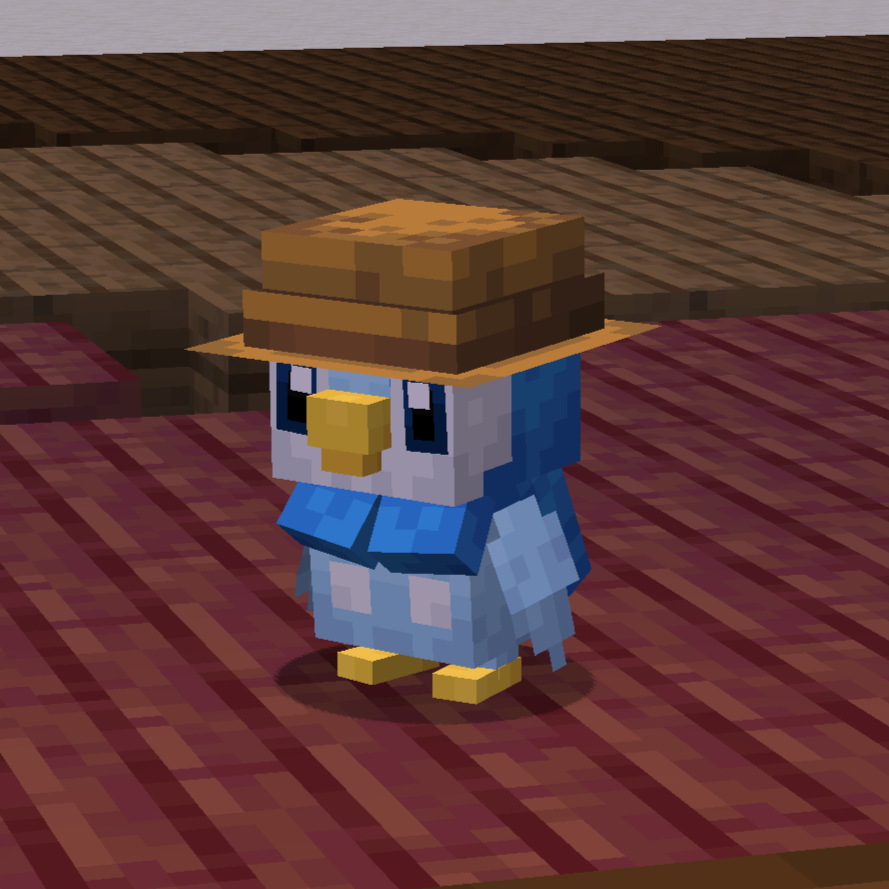
wearable_hat_items.json:
{
  "replace": false,
  "values": [
    "#villagerhats:hats"
  ]
}
Compatibility With Other Models
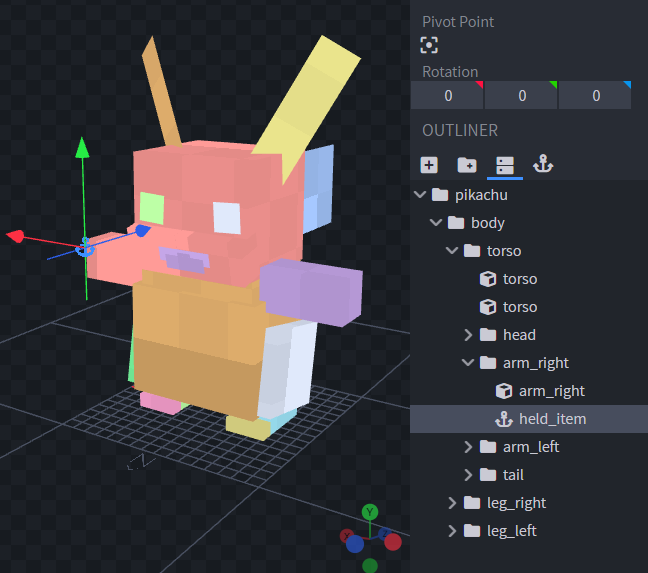
If certain Pokémon don't display their held items, or you want custom Fakemon to also show their items, you can add a locator to the model named "held_item" or "held_item_fixed".
The "held_item" locator displays items in the same way as for players. This works particularly well with items like spyglasses, tridents, and other tools.
Sometimes standard item holding doesn't look natural for certain Pokémon. For bird-like or dog-like Pokémon, it's better to use "held_item_fixed" - it will show the flat default item model.
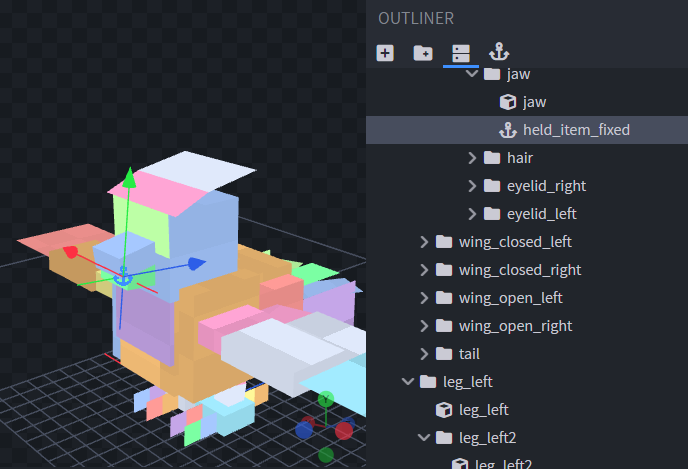
To change the item's rotation, simply modify the locator's rotation.
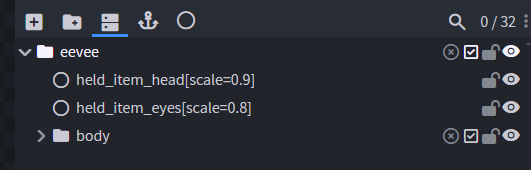
To support headwear and glasses, add locators "held_item_head" (on top of the head) and "held_item_eyes" (near the eyes) to the model.
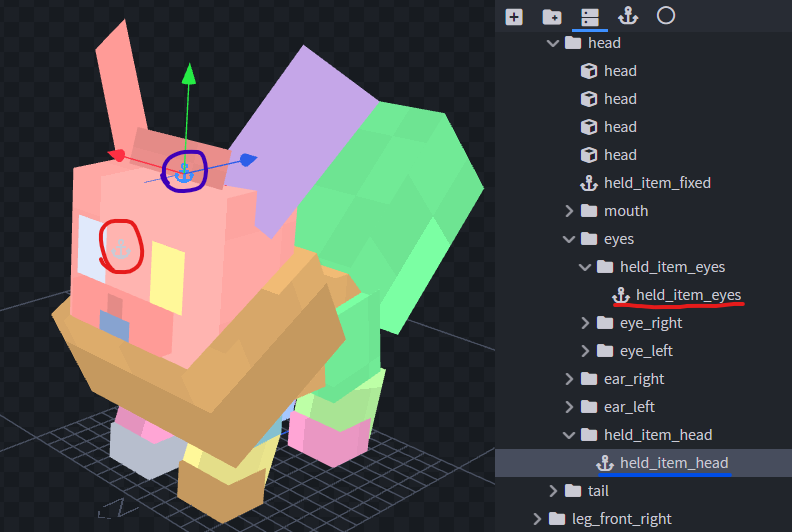
If the item size isn't quite right, you can use modifiers through Null objects. Give the Null object the name of the locator you want to modify, adding square brackets with a scale value, for example: "held_item_head[scale=2.25]".