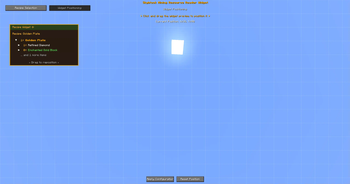

Skyblock Mining Resource Reader - Your Comprehensive Helper for All Aspects of Hypixel Skyblock Gameplay
This Minecraft Fabric mod is specifically designed for automatic monitoring and analysis of your resources in real time. It tracks all your inventories, including player inventory, storage containers, and resource sacks, providing a complete picture of available materials.
Key Features:
Automatic Resource Tracking - The system continuously collects information from your inventory, backpacks, ender chests, and various containers, automatically registering any changes.
Easy Recipe Management - You can view and analyze crafting recipes, learn the exact amounts of required materials, and understand exactly what items you're missing to create objects.
Convenient Interface - The user interface can be customized to your preferences, and commands are easily activated using hotkeys.
Reliable Data Storage - All information is stored locally and accessible between gameplay sessions.
System Requirements:
Make sure you have installed:
- Minecraft version 1.21.5 or newer
- Fabric Loader 0.16.11+
- Java 21
How to Use:
On your first launch, open all your resource sacks, backpacks, and ender chest contents for proper resource accounting. The mod will automatically collect and analyze all changes to your material supplies in the background.
Mod data is saved in the .ir-data/data/ folder within your Minecraft directory. Here you'll find information about container contents, inventory details, and user interface settings.
Useful Commands and Keyboard Shortcuts:
| Action | Command or Key Combination |
|---|---|
| View resources and recipes | /ir menu or V key |
| Interface customization | /ir widget or B key |
| Reset mod data | /ir reset |
| Disable reminders | /ir done |
If you encounter issues, verify version compatibility and try restarting the game. The /ir reset command helps resolve most technical problems if the systems malfunction.