
Inventory Reader (Skyblock Resource Calculator)
A Minecraft modification based on Fabric (previously known as Skyblock Mining Resource Reader) that automatically tracks the contents of inventory, storage, and sacks in Hypixel Skyblock, providing advanced recipe and resource management capabilities.
Compatibility with Various Platforms
This mod should work correctly on all supported platforms.
Main Features
Inventory Reader continuously monitors resource changes in your game inventory, containers, and sacks. The modification offers enhanced resource tracking, recipe calculations, and crafting planning - all available directly in the game without the need for external applications.
Key Functions
- Automatic Resource Tracking: Real-time monitoring of player inventory, storage containers (e.g., backpacks, ender chests), and sacks.
- Recipe Management: View, expand, and calculate crafting recipes for Hypixel Skyblock items.
- Crafting Calculator: Display required ingredients and missing resources for any recipe and quantity.
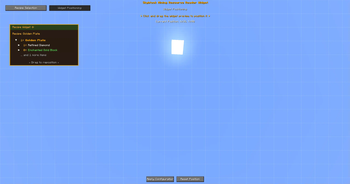
- Customizable HUD Widget: In-game overlay for quick access to resource and recipe information with full customization.
- Data Persistence: All data is saved locally and remains accessible between gaming sessions.
- In-Game Commands and Hotkeys: Access to all functions through chat commands or assigned keys.
- New User Onboarding: Welcome message and instructions on first launch.
- Reminders: In-game reminders to open sacks for initial setup.
System Requirements
- Minecraft 1.21.5+
- Fabric Loader 0.16.11+
- Java 21
Usage
- Play normally on Hypixel Skyblock. The mod tracks your resources in the background.
- Use the in-game HUD widget and interface to view resources, recipes, and plan crafting.
- All data is saved to local JSON files in your Minecraft directory.
- On first launch, open all Sacks, Backpacks, and Ender Chests to initialize tracking.
Created Files
All mod data is stored in the .ir-data/data/ folder inside your Minecraft directory:
allcontainerData.json— storage container datainventorydata.json— player inventory dataresources.json— all tracked resources (automatically initialized with all supported items)widget_config.json— HUD widget settingsforging.json,gemstone_recipes.json— recipe data (automatically generated)sackNames.txt— list of recognized sack names
In-Game Commands
/ir menu— Open Sandbox Viewer (resource/recipe interface)/ir widget— Open widget settings menu/ir reset— Reset all mod data/ir done— Acknowledge reminders/ir credits— Show credits
Hotkeys
- V — Open Sandbox Viewer
- B — Open widget settings
- H — Toggle widget on/off (restores last selected recipe when re-enabled)
- P — Open positioning HUD directly
Troubleshooting
- Ensure your Minecraft version matches the supported version.
- Use
/ir resetto reset all mod data (soft reset) - Open all Sacks, Backpacks, and Ender Chests at least once for complete tracking.
- Use
/ir doneto acknowledge reminders. - Check logs for any error messages.
- Restart Minecraft if you encounter issues.