
SleepCycle
Overview
The SleepCycle modification for Minecraft completely transforms the sleeping system in the game, replacing the instant transition from night to day with a gradual time change. Now, when you fall asleep, you'll observe how darkness turns to dawn gradually around you, creating a much more realistic atmosphere. The mod is designed for Minecraft 1.21 and uses the architectural API version 1.0.4.
Key Features
Progressive Time Change
- Smooth day-night transition: Time passes gradually while the player sleeps, providing deeper immersion in the game world
- Customizable speed: You can adjust how quickly time changes during sleep, personalizing your gaming experience
New Sleep Effects
- Well Rested: Obtained with sufficient sleep duration and provides temporary positive bonuses
- Tired: Occurs when sleeping too long, imposing temporary inconveniences
Achievements and Statistics
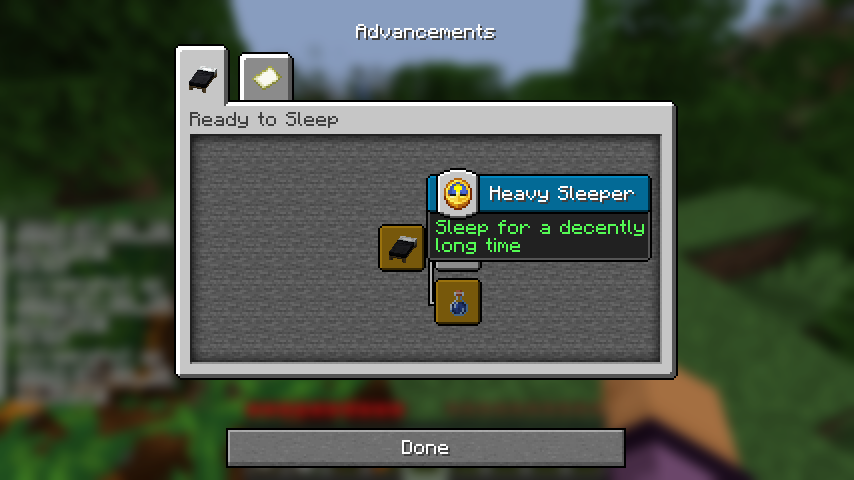
- Ready to Sleep: The first achievement that unlocks when creating a bed
- Well Rested: Obtained for quality sleep with the "Well Rested" effect
- Feeling Tired: Counted when waking up with the "Tired" effect
- Heavy Sleeper: Awarded for uninterrupted sleep lasting 5 minutes
The mod also tracks various statistics: total sleep time, number of quality and excessive sleeps, recovered health.
Sound Accompaniment
- Pleasant sound cues play when obtaining the "Well Rested" effect
- Negative sounds warn about applying the "Tired" effect
Installation
- Download the SleepCycle modification file
- Make sure you have Fabric Loader installed for Minecraft
- Place the mod file in your game's
modsfolder - Launch Minecraft using the Fabric profile
Configuration
The configuration file is located in the config folder and allows you to adjust various aspects of the mod, including time speed and effect durations.
How to Use
Sleep Mechanics
- Using a bed: Interact with a bed to start sleeping - time will begin to change gradually
- Health recovery: Health will slowly recover during sleep
- Sleep assessment: Sleep duration determines whether you receive positive or negative effects
Progress Tracking
Special achievements and statistics will help track your sleep habits and achieve new goals in the game.