StorageBox — Efficient Storage for Single Item Types
StorageBox Mod
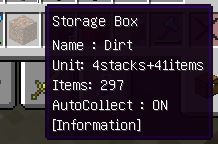
This modification adds a specialized container to Minecraft that can store enormous quantities of a single item type. This solution is perfect for warehouse organization and resource management.
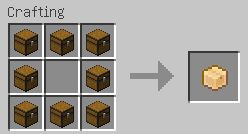
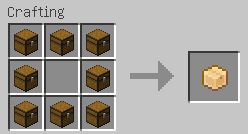
How to Craft StorageBox To craft the container, arrange 8 regular chests in the crafting area following the same pattern as creating a standard chest.
Controls and Usage
The Colon key performs different functions depending on context:
- Adding Items: While holding a StorageBox, press Colon — only items matching the stored type will be placed in the container.
- Removing Items: Use Shift + Colon combination to quickly extract items from the container.
- Bulk Filling: If you're not holding a StorageBox, pressing Colon will place appropriate items into all StorageBox containers of that type in your inventory.


