
World Launcher - Advanced Minecraft Customization Options
The World Launcher modification provides mappers and content creators with a powerful toolkit for deep customization of Minecraft gameplay. With its help, you can completely transform the standard interface and game behavior to suit your project needs.
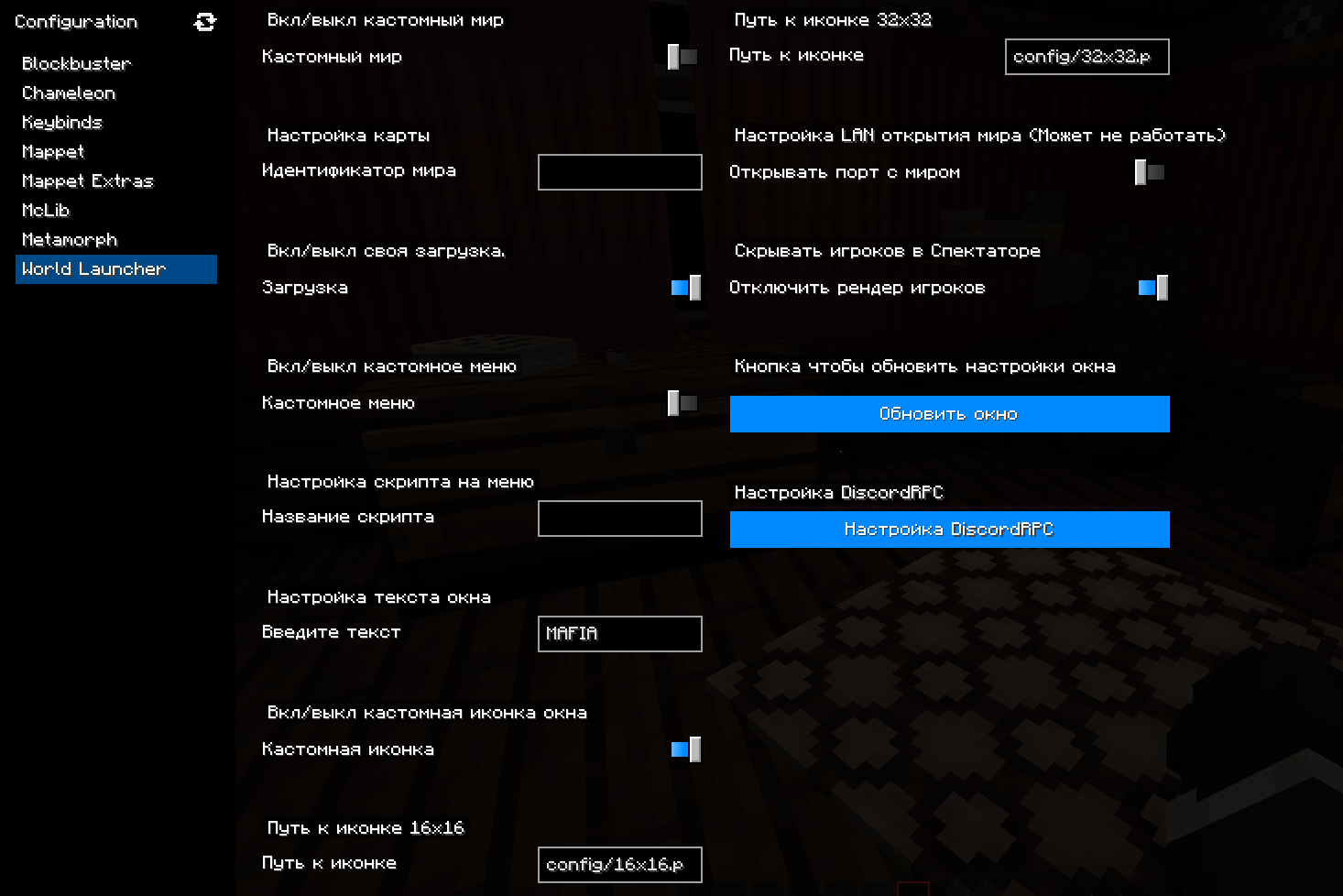
To access the settings, simply press the 0 key and select the corresponding "World Launcher" menu item.
Main features of the modification:
Visual Customization: Change the game window title and icon, set custom loading screens and logos. Configure Discord integration via DiscordRPC to display custom information.
Process Automation: Set automatic loading of a specific world immediately after Minecraft startup. Create unique interfaces by replacing the standard pause menu with custom script execution.
Game Improvements: Hide spectators for cleaner gameplay when creating maps and game modes.
Technical Requirements:
For proper operation, World Launcher requires additional modifications: MixinBooter and McLib. Make sure they are installed in your Minecraft build.


