
WorldEditCUI Forge Edition

Client-side Visualization for WorldEdit Tool
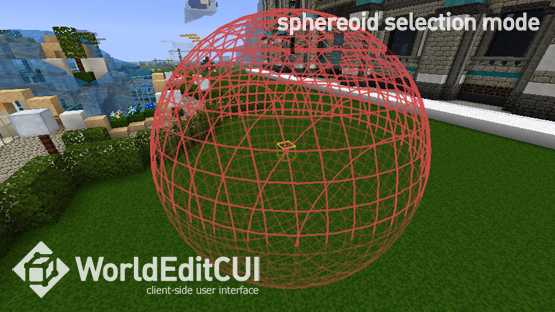
This modification creates a convenient visual representation of selected areas when using the WorldEdit plugin directly in Minecraft. You get instant display of the boundaries of the selected territory, which significantly speeds up work with complex geometric shapes.
WorldEditCUI started as a project by developer lawhran, then it was refined by yetanotherx and Mumfrey (version for liteloader). This version of WorldEditCUI Forge Edition retains all the key features of the original but is adapted for use with the Forge platform in Minecraft versions 1.7.10, 1.8.9, 1.9, 1.9.4, 1.10, 1.10.2 and 1.11.
Advantages of the Modification

- Instant display of the selected area in the game world
- Increased accuracy when working with WorldEdit tools
- Especially useful for complex selection methods: polygons, convex shapes, cylinders
- Real-time operation without delays
Installation and Setup

The installation process is extremely simple:
- Download and install the appropriate Forge version for your Minecraft build
- Download the WorldEditCUI Forge Edition modification and move the file to the mods folder
- Launch the game - everything is ready to work!
How to Use

Simply connect to a server with the WorldEdit plugin installed and start selecting an area - your boundaries will immediately appear on the screen. To remove the current selection, use the command //sel.
Working with various selection methods becomes more intuitive. The visualization of geometric shapes helps to assess the actual dimensions and location of the area being selected.


