
Localization for Netherite & Ancient Debris Lava Mining
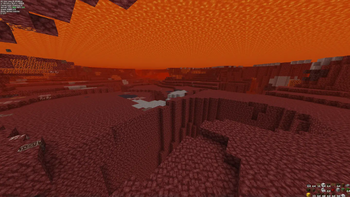
⚠️ Note: screenshots were taken with a mod that removes lava fog!
To fully utilize this resource pack, you need to disable the lava fog effect.
Additional customization options are also available:
- Complete setup for Netherite mining in lava
- Version that highlights only netherite in blue
- Gravel hiding by converting it to netherrack
- Nether ores disguised as netherrack
Check out other projects in my profile!
Having issues or questions? → Message me on Discord: enigmusse
You can also find me on the Modrinth and CurseForge Discord servers.
How to install and use?
- Copy the file to the resource packs folder of your Minecraft client
- Open the Esc menu, select Resource Packs section and activate "Netherite & Ancient Debris Lava mining"
Key point:
As mentioned earlier, you need to disable the lava fog effect. The following mods are suitable for this:
- Clear Water
- See Through Water/Lava
⚠️ Don't forget to configure the mod settings to actually see through lava!
About compatibility
The resource pack works correctly despite the compatibility warning. Simply click Yes when the question appears.
To completely disable this notification, install the mod:
- No Resource Pack Warnings (Modrinth)
Without this solution, I would have to create and upload separate archives for almost every minor Minecraft version, even though the textures remain unchanged — this is unnecessary additional work.

