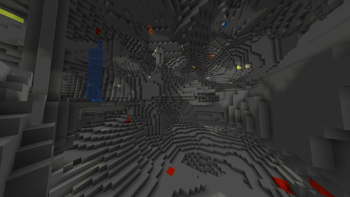

Ores Cave Mining Full Setup
This resource pack performs a significant transformation of the Minecraft game world - it replaces standard cave block textures with a simple gray color scheme. This replacement will help you easily find valuable resources during underground work. At the same time, ores receive brighter and more noticeable textures, speeding up their detection process.
How to install and activate?
The installation process is extremely simple:
- Copy the downloaded file to the "resource packs" folder of your Minecraft instance
- Launch the game, open the pause menu, select the "Resource Packs" section
- Find the "Diamond Ores Full Blue" option in the list and move it to the active zone
Important compatibility note
Ignore the system warning about incomplete compatibility. It's harmless - simply confirm the installation by clicking "Yes". The resource pack is fully functional in all Minecraft versions that support the modern texture system.
If you want to completely disable such notifications, you can install the special mod "No Resource Pack Warnings". This will eliminate the need to create new versions of the pack for every minor game update.
Otherwise, separate versions would have to be continuously released for each small patch - despite the unchanged nature of the textures themselves.

