Custom Enchanting Patched
This resource pack addresses the issue of displaying enchantment levels that exceed the value of 10. Instead of showing cumbersome numerical values for high-level spells, the resource pack converts them into elegant Roman numerals.
When using the standard version of Minecraft, the system displays enchantment levels in numerical format, which looks messy at high values. For example, an enchantment "Sharpness" at level 100 will be displayed as "Sharpness 100".
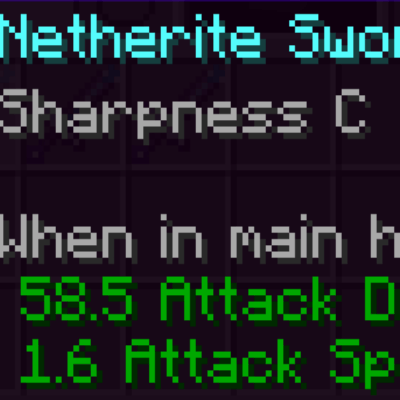
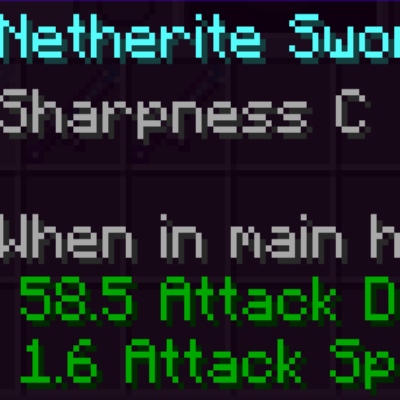
After installing this resource pack, the situation changes dramatically. All enchantment levels from 10 to 100 are converted to corresponding Roman numerals. Thus, the same "Sharpness" enchantment at the hundredth level is now displayed as "Sharpness C" (where "C" is the Roman numeral representing 100).
How to Get Over-Enchanted Items
To create items with high-level enchantments, use the following command. All parameters enclosed in angle brackets (<>) must be replaced with appropriate values.
/give <PLAYER> <ITEM_ID>{Enchantments:[{"id":"<ENCHANTMENT_ID>",lvl:<ENCHANTMENT_LEVEL>}]} <AMOUNT>This resource pack provides clean and readable display of any enchantments, preserving the game's aesthetics when working with powerful enchanted items.

