
LITE shaders (MakeUp edit)
Description
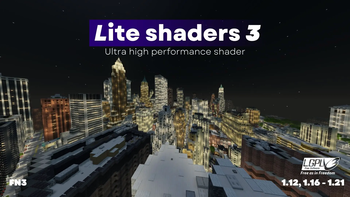
This is an enhanced version of the MakeUp - Ultra Fast shader pack, specifically designed for improved performance. This shader pack maintains impressive visuals while being highly optimized. It includes numerous customization options and Portuguese language support. Suitable for both owners of low-end computers wanting to enhance Minecraft Java Edition visuals and those with powerful hardware seeking high FPS with excellent graphics and sharp shadows.
Use only stable versions of OptiFine, as preview builds contain numerous bugs.
Compatibility
- Minecraft Versions: 1.12 to 1.21.x
- Graphics Cards: NVIDIA, AMD, Intel (no guarantee of working on all devices)
- Operating Systems: Windows 10, 11
Main Features
Most features can be disabled or reduced in quality to increase FPS.
- Shadow casting
- "Style" button for quick switching between realistic and vanilla styles
- Glowing ores
- Colored shadows
- Godrays
- Adaptive contrast TAA (temporal anti-aliasing)
- Material-based reflections (Gloss)
- Realistic and vanilla clouds
- Ambient occlusion
- Bloom and motion blur
- Realistic and vanilla water
- More than 10 color schemes
- Optional auto-exposure
- Fast raymarching and flipped image reflections
- Distant horizons support (Iris only)
- Water refraction
- Depth of Field
- And more...
Configuration
Profiles:
- No effects: Shader without additional effects
- Shadowless: Low, Medium, MAX profiles without shadows
- Very low - MAX: Gradual quality increase of effects at the cost of performance
- Choose the optimal one for your PC!
Color Scheme:
- Change sky color and lighting. "Realistic+" is default and recommended.
Style:
- Switch between Enhanced (realistic) and Vanilla (preserves Minecraft style).
Screen Options:
- Basic: Basic shader settings
- Lighting: Shadow quality, distance, light intensity
- Effects: Main options divided into subgroups (rendering, camera, etc.)
- Info: Information about the shader
Installation
- Install Iris Shaders or OptiFine
- Place LITE shaders.zip file in .minecraft/shaderpacks folder
- Launch Minecraft with Iris or OptiFine installed
- Open: Options → Video Settings → Shaders
- Select LITE shaders
Recommendations
- Minecraft Java 1.12, 1.11 work but with minor bugs
- Intel HD 4000 or better graphics card
- "Medium" profile for quality/performance balance
- Disable "Smart leaves" as they may break lighting
Credits
Original creator: Javier Garduño
Modified and translated: Entokito Dezonze
Made in Brazil!
Thank you for 100K downloads!
Important: This shader is available only on official platforms. Downloading from other sources may be unsafe. I have not officially uploaded it anywhere else.
Project members

Entokito-Dezonze
Developer
EntokitoDezonze
Developer

tasxatzial
Developer
Created: 12 Dec 2024
ID: 225037
