Blueprints
This client-side mod allows you to project reference images and schematics into the Minecraft world to assist with building. Simply upload any blueprints or images, and they will appear directly in the game space.
Main Features
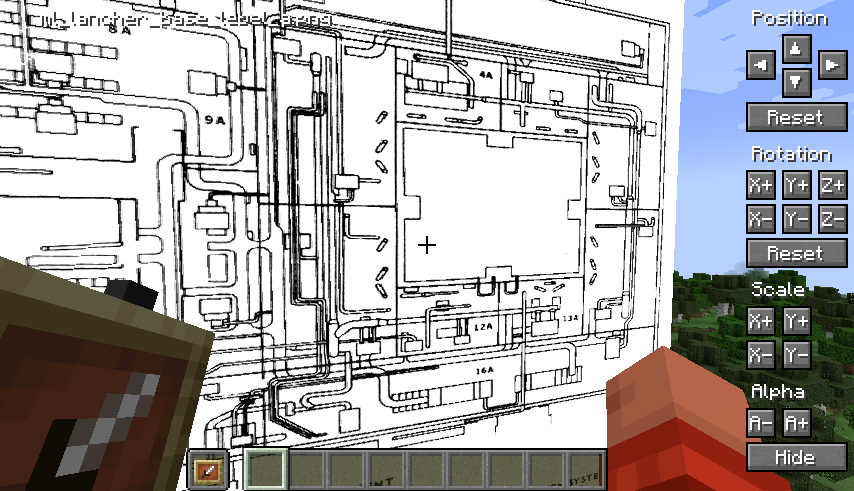
Each image can be freely customized: change position, scale, rotate, and adjust transparency. To display projections, you need to hold an item frame in your main or off-hand.
Configuration and Management
By default, the "O" key opens the configuration menu. The mod automatically creates folders for your images at the following path:
{Minecraft}/config/blueprints/{world name}/{dimension name}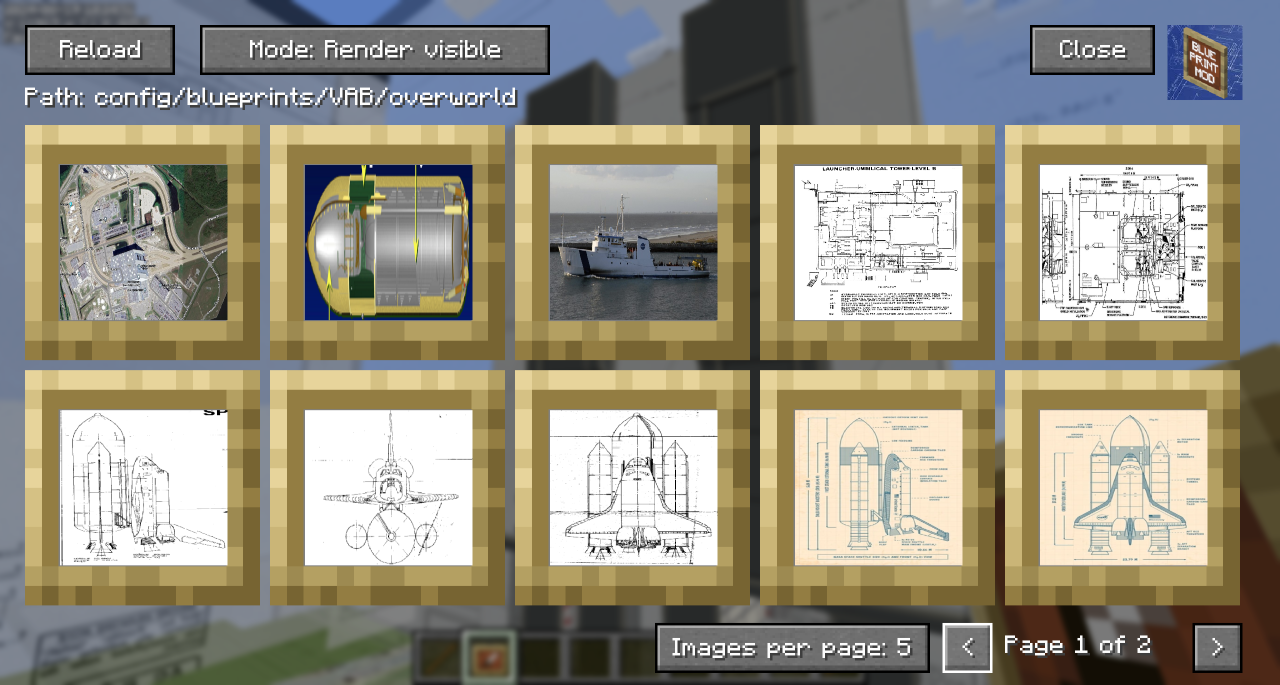
The main menu offers the following functions:
- The "Reload" button updates the file list after adding new images
- Shows the relative path to folders for working outside the game
- You can choose the display mode: hide behind blocks or show over them
- Hidden blueprints are marked with a dark overlay
- Ctrl+Click quickly shows/hides the blueprint in the world
- Clicking on a blueprint opens the positioning screen
- In the bottom right corner, you can change the number of images per page and switch between pages
Precise Position Adjustment
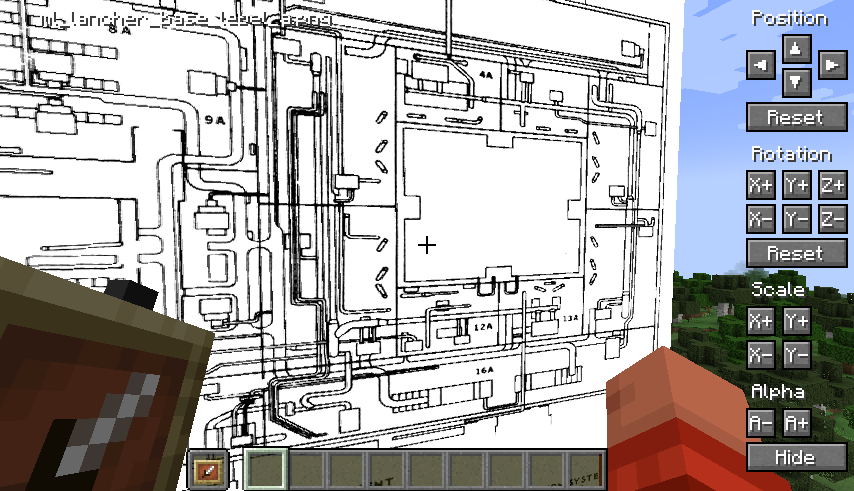
The positioning system takes into account the player's viewing direction - for example, "left" always means the left side relative to you. For precise adjustments, use:
- Holding Shift increases the amount of change for quick correction
- Holding Ctrl reduces the step of changes for fine-tuning
- Pressing Shift+Ctrl simultaneously allows making significant parameter changes
Video Overview
A quick overview of the functionality can be seen in this video, which inspired me to create the mod: