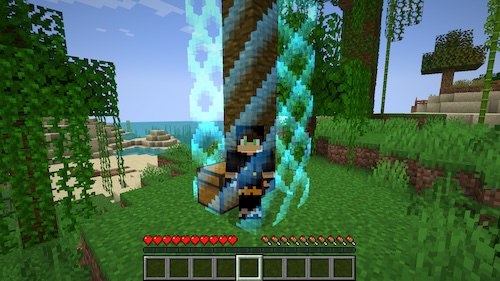

Border Modification
The Border mod creates a visible boundary around islands that players cannot cross. Two border types are available:
- Standard in-game world border
- Custom border that appears when player approaches (visual effects can be customized)
Installation
- Place the addon JAR file into the plugins/BentoBox/addons folder
- Restart the server (to activate the addon and generate config.yml file)
- Configure settings in config.yml (optional)
- Restart the server to apply new settings
Commands
/border
- Format:
/[player command] border - Purpose: Enables/disables border display
- Permission:
[gamemode].border.toggle- default available to operators
border type
- Format:
/[player command] border type {barrier | vanilla} - Purpose: Select border type
- Permission:
[gamemode].border.set-type- default available to all - Example:
/[player command] border type barrier
Configuration Settings
Disabling Game Modes
Allows deactivation of the addon for specific modes. By default Border works in all server worlds.
To disable BSkyBlock:
disabled-gamemodes:
  - BSkyBlock
Default value:
disabled-gamemodes: []Return Teleport
Determines whether players will be automatically returned to their islands if they manage to cross the border.
return-teleport: trueUsing Barrier Blocks
Applies only to custom borders (not vanilla):
- true: border will consist of barrier blocks
- false: barrier blocks absent
use-barrier-blocks: trueDefault Border
- true: border enabled on first login
- false: border disabled
show-by-default: trueMaximum Protection Border
Shows particles on the protection zone boundary (similar to 🚫 particles). Useful in modes where protection zone can move.
show-max-border: trueDisplay Particles
Enables/disables all types of border particles.
show-particles: trueUseful Tip
If the addon is needed only for visual border display without movement restriction:
use-barrier-blocks: false
return-teleport: false
