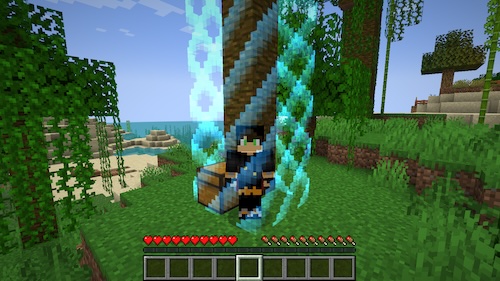

Boxed for BentoBox
This amazing BentoBox addon places each player in an identical play area that starts as a tiny 2x2 block region bounded by world borders. As players complete achievements, they can gradually expand their territory, opening up new possibilities for exploration and construction.
Compatibility and Requirements
- Minecraft version 1.20.4
- Paper recommended for optimal performance
- BentoBox version 2.0.0
- Compatible with MyWorlds, but does not work with MultiVerse
Important Technical Information
The Boxed mod consumes significant RAM resources and may take up to 10 minutes to load during the first startup as it pre-generates worlds. Subsequent launches will be considerably faster. On systems with 12GB RAM and a fast ARM processor, the initial startup takes approximately 8 minutes.
Insufficient memory may lead to various anomalies on the server, including errors related to chunks. To allocate sufficient memory to JVM, appropriate startup flags should be used:
#!/bin/sh
java -Xms12G -Xmx12G -XX:+UseG1GC -XX:+ParallelRefProcEnabled -XX:MaxGCPauseMillis=200 -XX:+UnlockExperimentalVMOptions -XX:+DisableExplicitGC -XX:+AlwaysPreTouch -XX:G1HeapWastePercent=5 -XX:G1MixedGCCountTarget=4 -XX:G1MixedGCLiveThresholdPercent=90 -XX:G1RSetUpdatingPauseTimePercent=5 -XX:SurvivorRatio=32 -XX:+PerfDisableSharedMem -XX:MaxTenuringThreshold=1 -XX:G1NewSizePercent=30 -XX:G1MaxNewSizePercent=40 -XX:G1HeapRegionSize=8M -XX:G1ReservePercent=20 -XX:InitiatingHeapOccupancyPercent=15 -jar paper.jar nogui
For proper functionality, it's also recommended to install the Border and InvSwitcher mods.
World System
Boxed creates two sets of seed worlds and one set of game worlds:
- A base world containing geography, caves, water bodies, and other landscape features
- A seed world applying custom biomes (from the biomes.yml file) to the base world
The second world is used to create the game world where players interact. All players have identical play areas copied from the region around coordinates 0,0 of the seed world.
Currently, the overworld and Nether are supported, but the End is not yet available.
Creating New Territory
After creating a new area for a player, Boxed begins placing vanilla structures: villages, shipwrecks, pillager outposts, and others. These objects appear gradually after the player arrives in their zone to prevent server load.
Templates for placed structures can be configured in the structures.yml file. The x and z coordinates are specified relative to the player's starting point, while the y coordinate is absolute. Administrators can edit this file or use the boxadmin place command to place additional vanilla structures.
If a structure is accidentally placed in the wrong location, you can delete the corresponding line in structures.yml or manually adjust the coordinates.
The boxed place command is similar to the /place command but also registers placements for use by new players.
It should be noted that some structures cannot be placed: fortresses and underwater monuments are not supported due to their use of legacy code for generation instead of the template system.
Installation
- Install BentoBox
- Place Boxed in the Addons folder
- Install Border and InvSwitcher
- Start the server
- Wait 8-10 minutes for world pre-generation
- Log into the server and use the /box command to start playing
- Enjoy the game!

