BoxHud
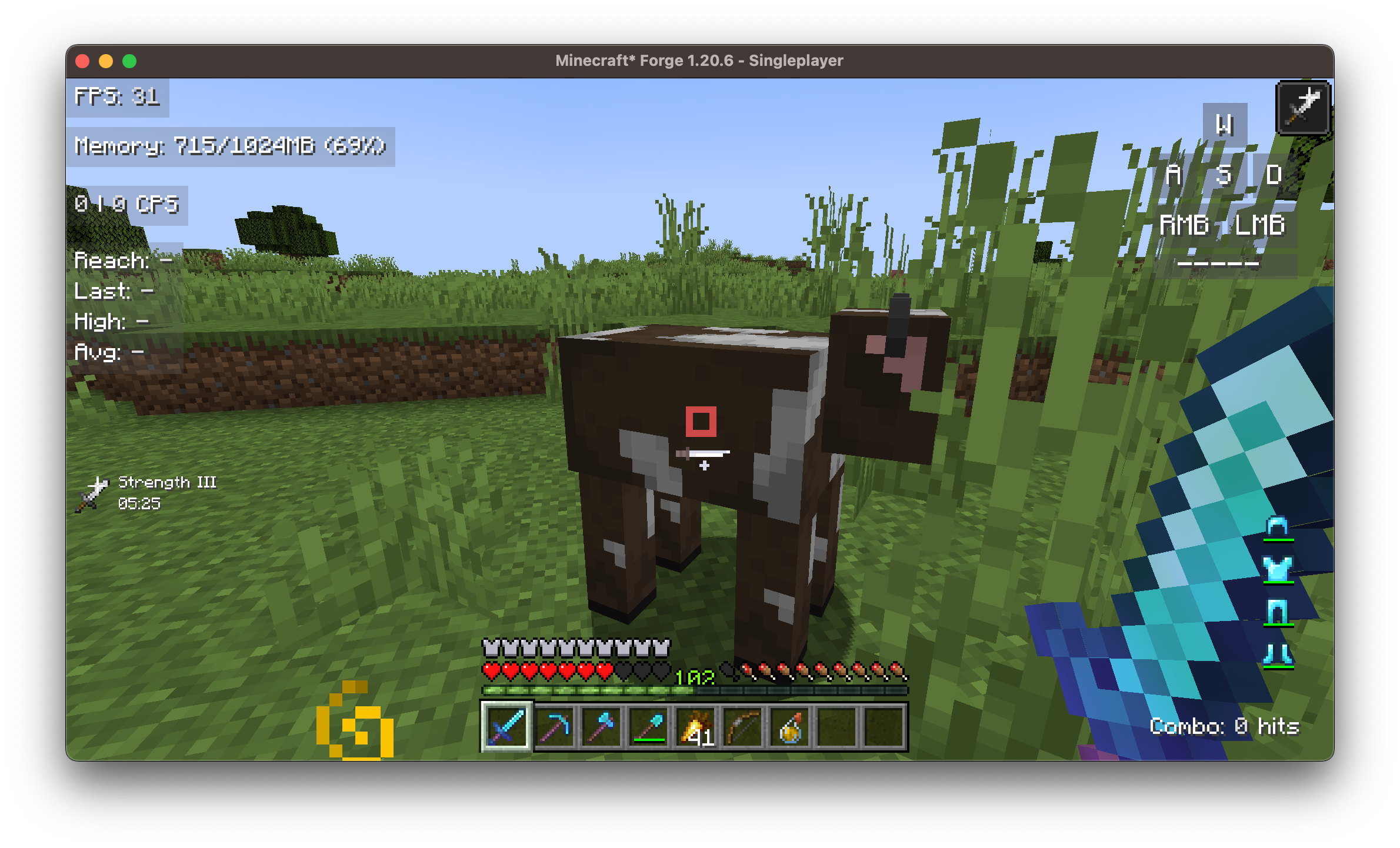
BoxHud is a Minecraft modification that significantly expands the game's interface capabilities, offering a set of powerful and fully customizable PvP-style widgets. This modification is compatible with three main mod loaders: Fabric, Forge, and NeoForge, allowing it to be used in almost any modern Minecraft setup.
🔧 Support for All Mod Loaders
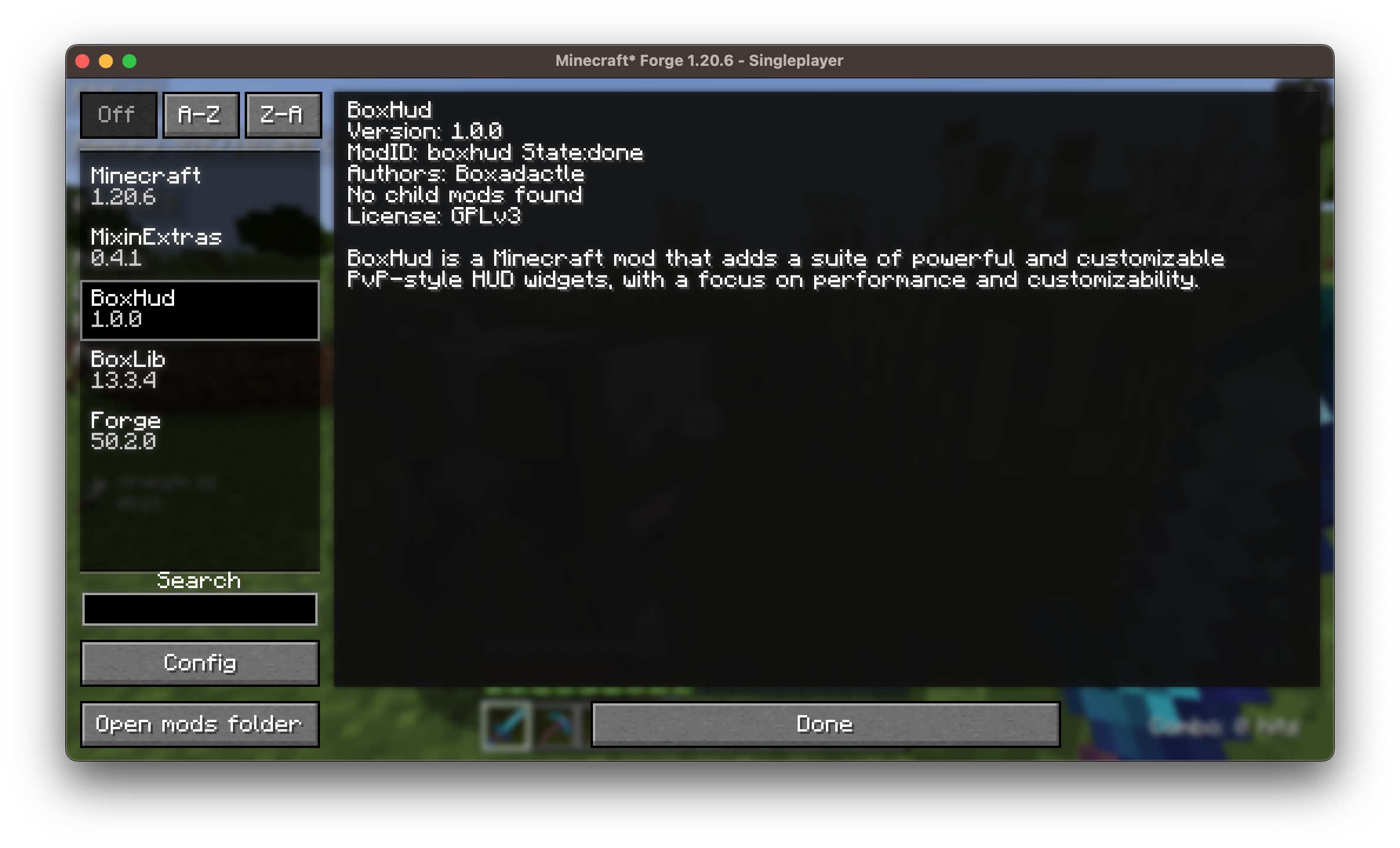
BoxHud works out of the box with Fabric, Forge, and NeoForge, ensuring full compatibility with most modern Minecraft configurations.
🎮 Standard Interface Customization
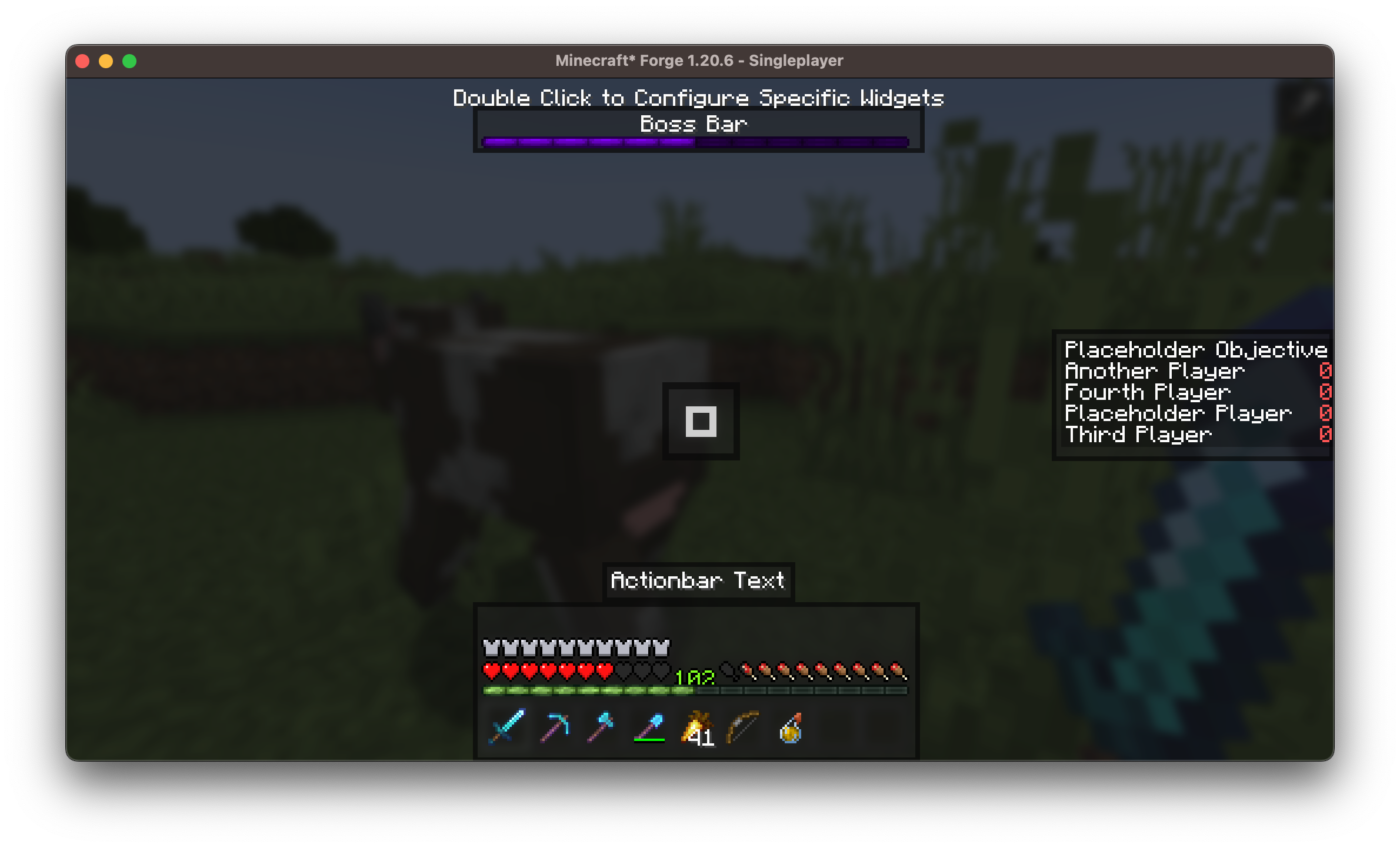
The modification allows moving or hiding standard Minecraft interface elements:
- Hotbar: can be positioned anywhere on the screen
- Boss bar: can be moved out of the way or completely disabled
- Scoreboard: can be aligned according to your preference
🧩 25 Fully Customizable Widgets
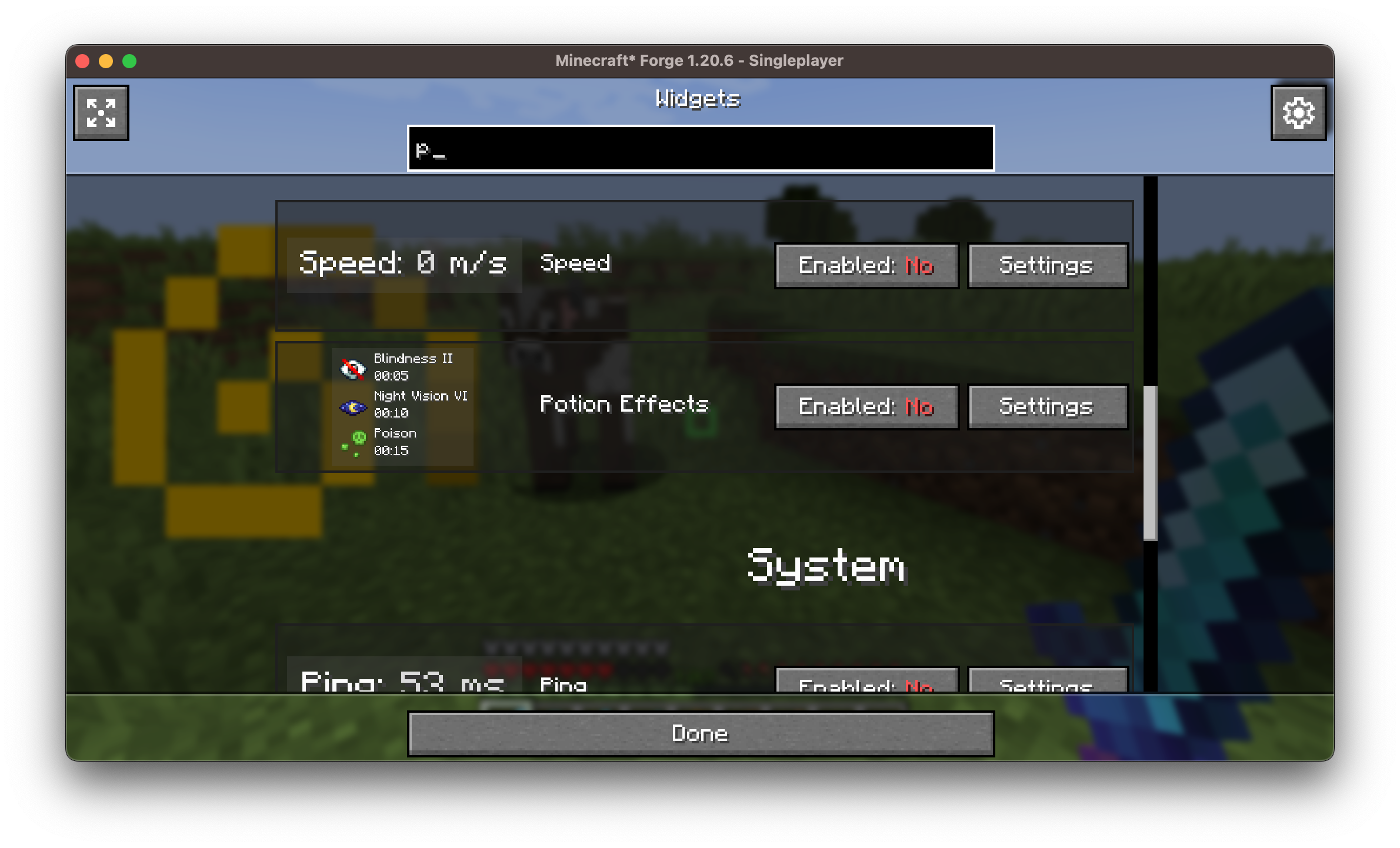
Each widget can be individually configured:
- Drag to change position
- Adjust scale, color, outline, background, and alignment
- Enable or disable with one click
📍 Compatibility with Coordinates Display
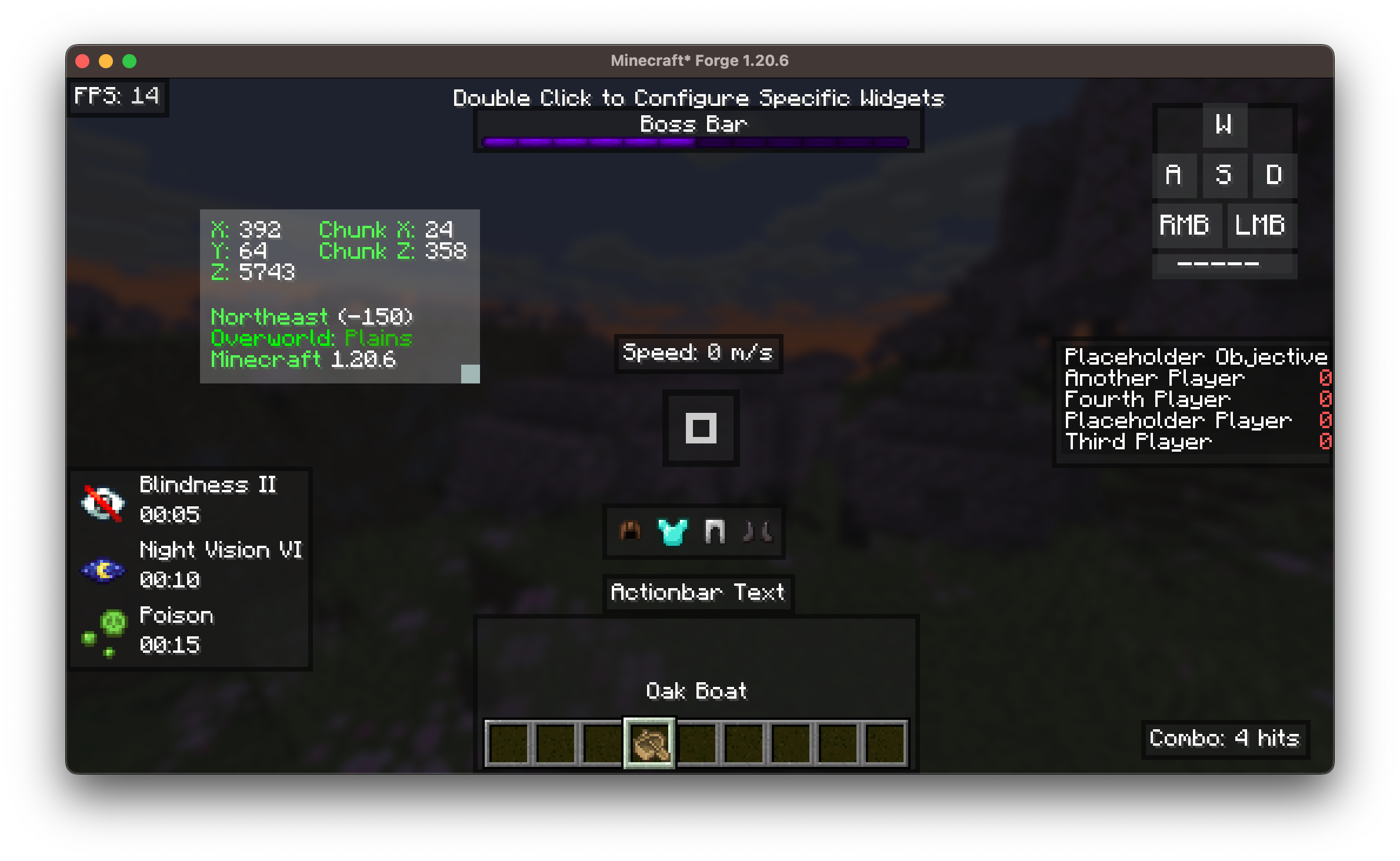
BoxHud includes its own coordinates widget to display X, Y, Z position on screen. If you like the features of the Coordinates Display mod, BoxHud automatically enhances the corresponding widget:
- The widget looks and works the same as in Coordinates Display
- When trying to configure it in BoxHud, you're taken to Coordinates Display's settings
- Additional features are added, such as dimension scaling and improved formatting
Both mods use Boxlib, so they work together seamlessly. Simply add Coordinates Display to the mods folder, and BoxHud will handle the rest.
🎯 Advanced Crosshair Customization
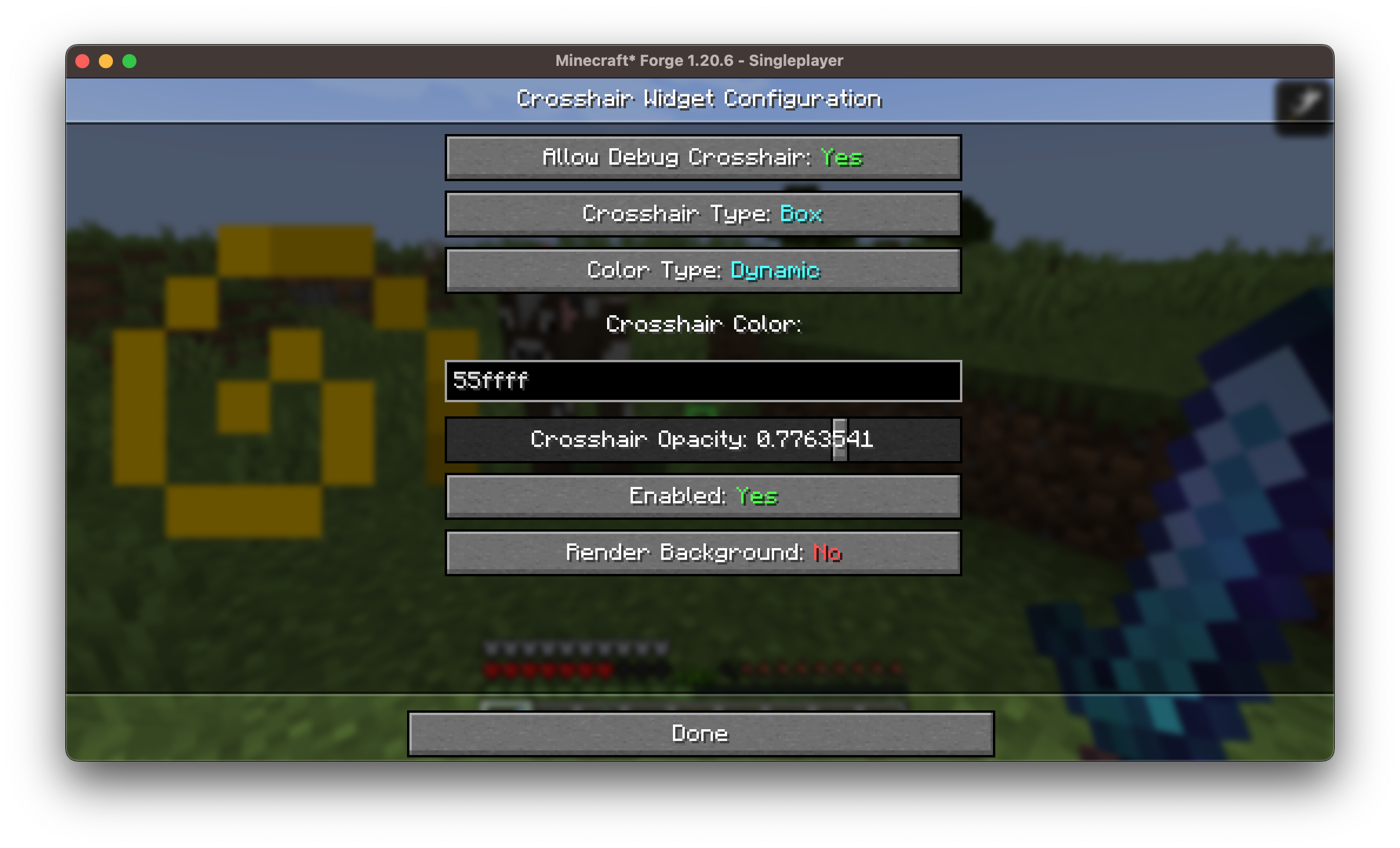
Choose from 10 crosshair styles with full color control. Includes Dynamic Crosshair Mode that changes color depending on:
- Entity being in range (red)
- Possibility of landing a critical hit (dark red)
- Block being within interaction range (green)
🖱️ User-Friendly Configuration Interface

Clean and intuitive in-game interface allows:
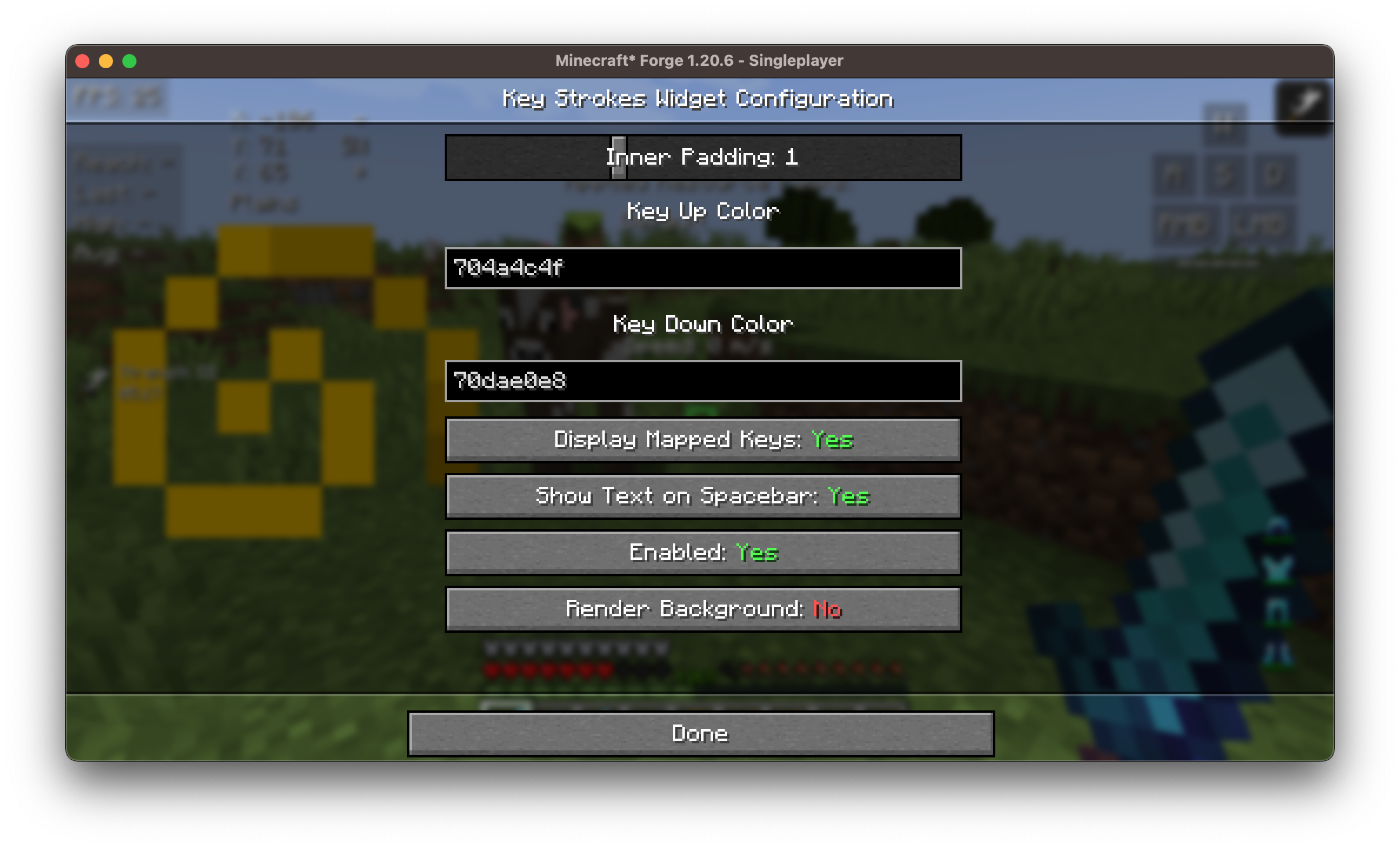
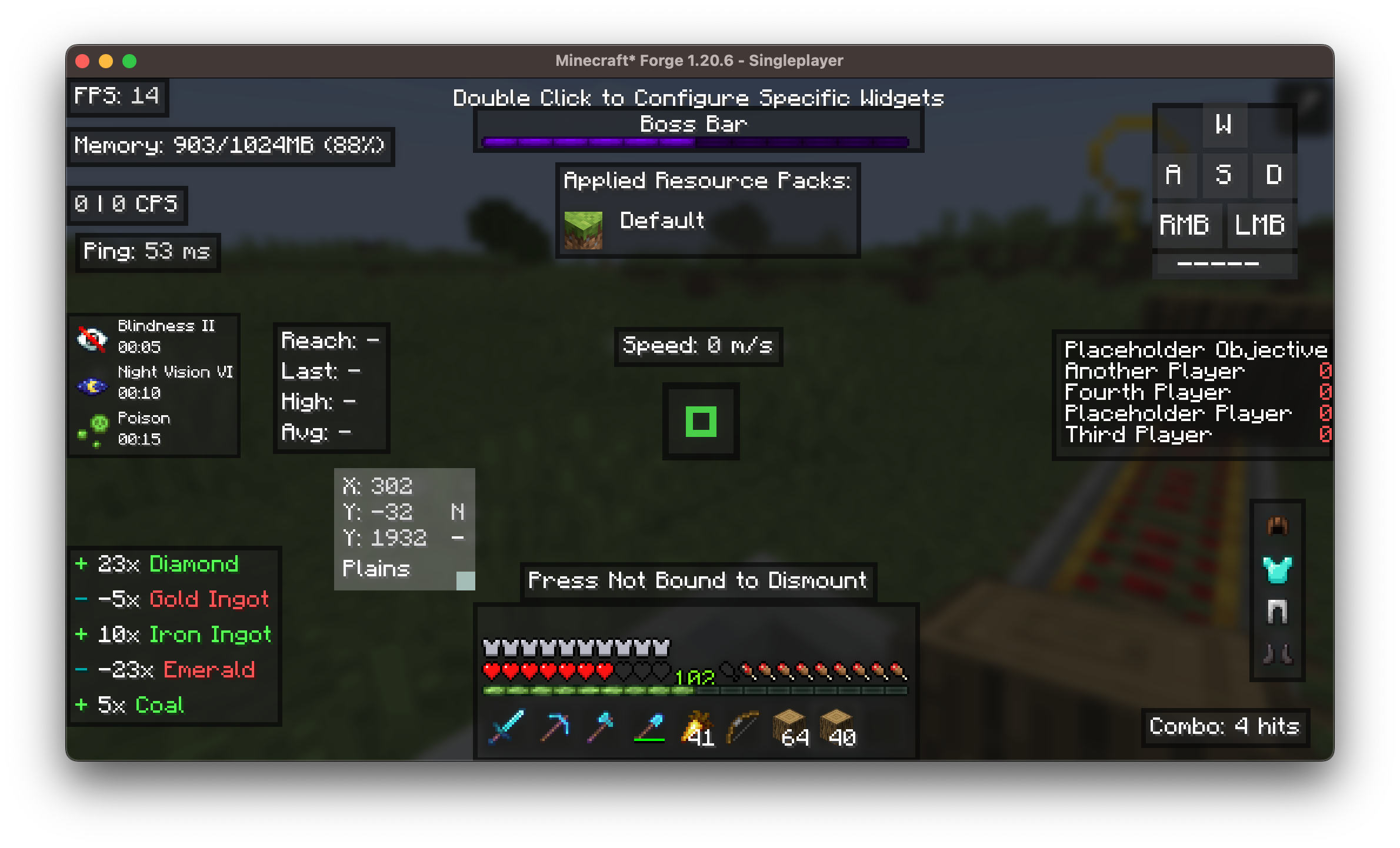
- Double-click any widget to configure it
- Access all configuration parameters without editing configuration files
- View widgets in real time during configuration
Example of configuration screens for more than 25 widgets is shown below:
⌨️ Built-in Keybinds
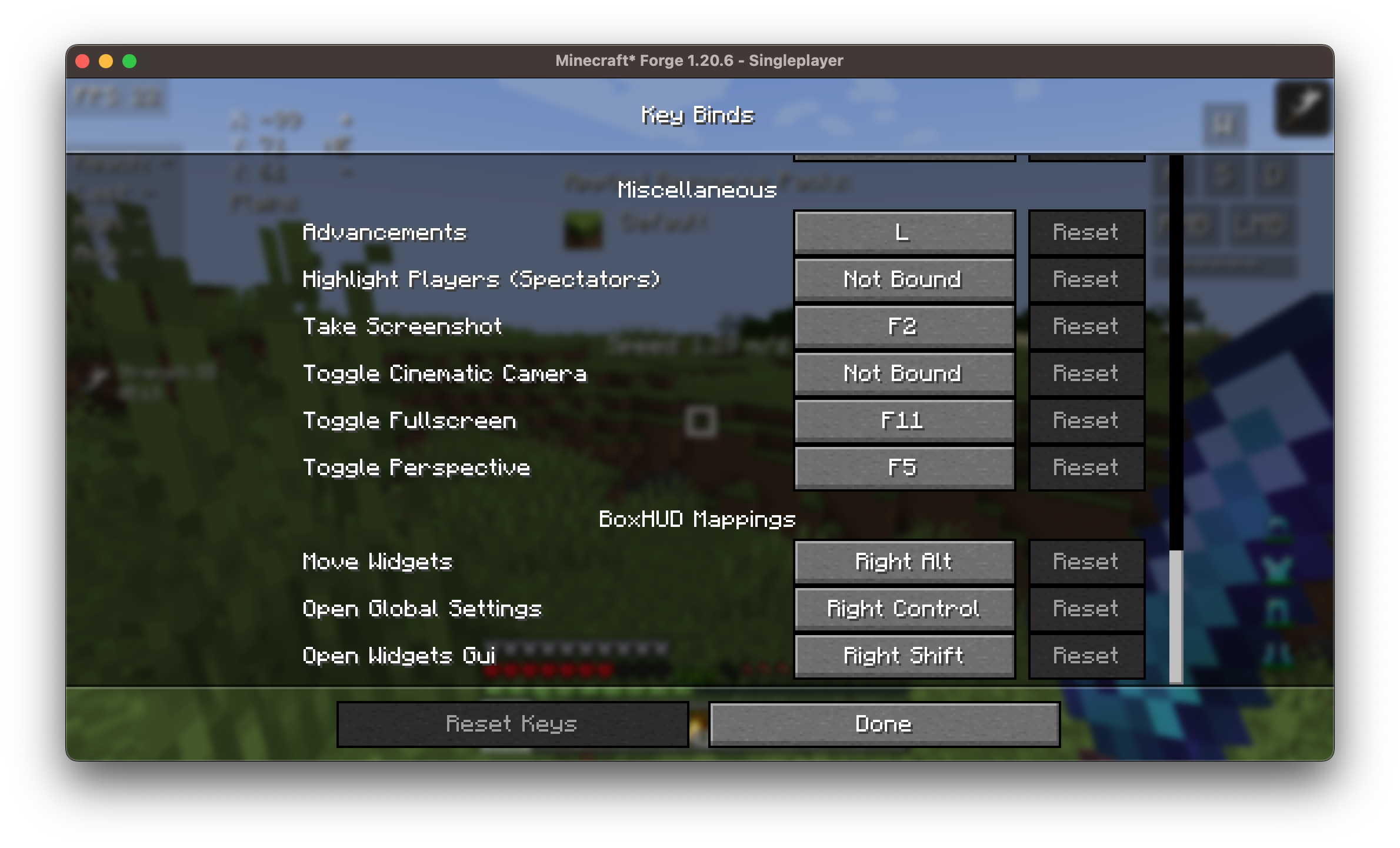
BoxHud adds several useful keybinds for quick and convenient configuration right in the game. You can set or change them in the Minecraft controls menu.
📊 Available Widgets
Here is the complete list of all available widgets included in BoxHud:
| Widget | Description |
|---|---|
| Ping | Shows connection latency |
| FPS | Frames per second counter |
| CPS | Clicks per second tracker |
| Armor | Visualization of current armor durability |
| Potions | List of active potion effects |
| Keystrokes | Shows pressed movement keys (WASD, etc.) |
| Server IP | Displays current server address |
| Speed | Movement speed in blocks/sec |
| Scoreboard | Replaces or customizes standard scoreboard |
| Crosshair | Dynamic crosshair with 10 presets |
| Coordinates | Player XYZ position in real time |
| ActionBar | Customization or hiding of action bar |
| BossBar | Moving/resizing boss bar |
| Arrow | Tracking arrow count in inventory |
| Item Update | Shows item update information |
| Pack Display | Information about active resource/texture packs |
| Real Time | Local system time |
| Reach | Displays attack reach distance |
| Hotbar | Custom positioning of hotbar |
| Memory | JVM memory usage |
| PlayerCount | Number of online players on server |
| Compass | Cardinal direction display |
| TPS | Ticks per second (server performance) |
| Combo | PvP combo counter |
| Game Clock | Game time (ticks/daylight clock) |
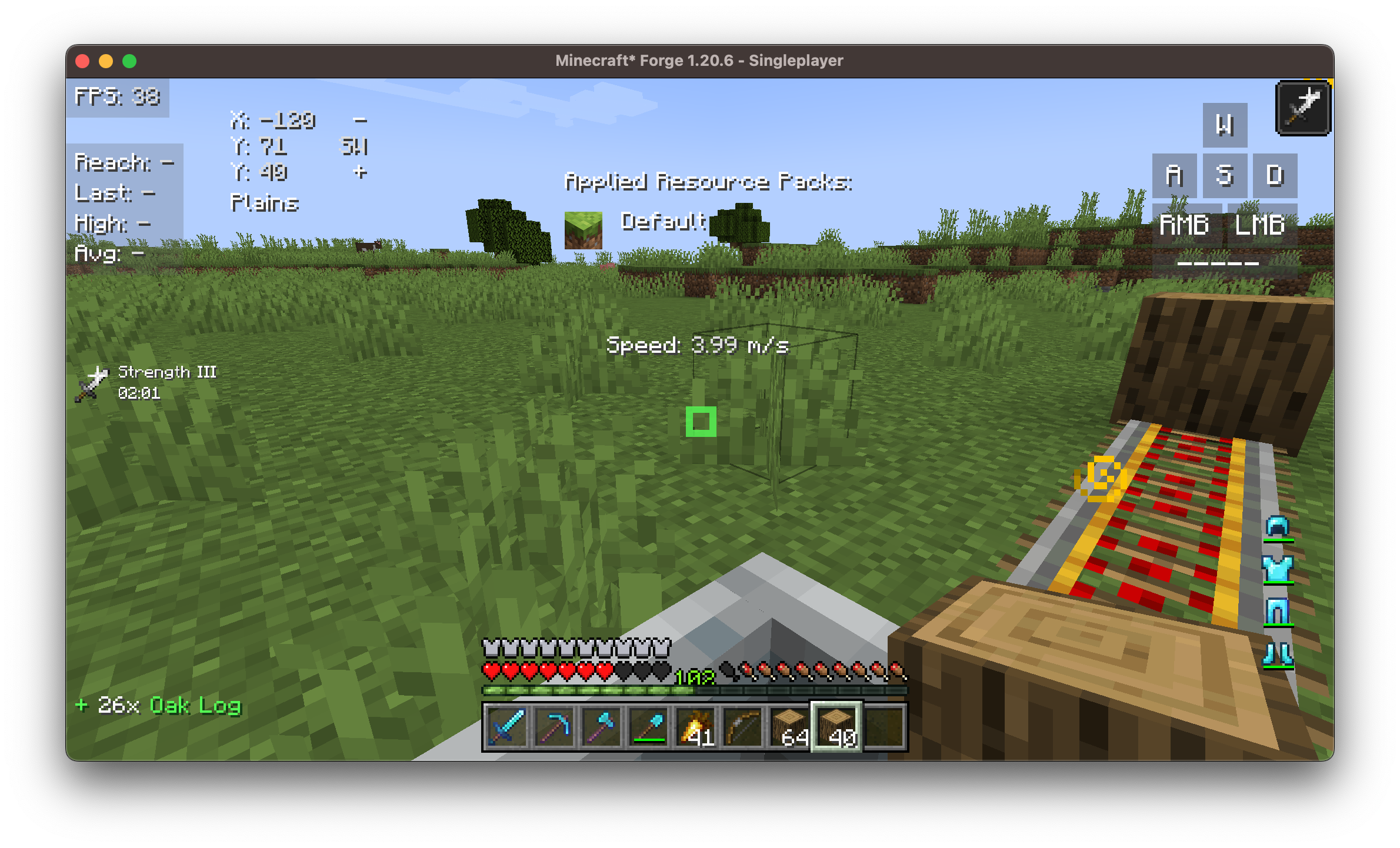
⚙️ Customization Capabilities
Each widget supports:
- ✅ Dragging and scaling
- 🎨 Adjustable color, scale
- 📏 Padding and alignment
- 🗂️ Optional background
Installation/Dependencies
This modification requires BoxLib - a client-side library mod developed by me.
- Install Minecraft Forge/Fabric/Neoforge: Download and install the appropriate mod loader for your Minecraft version.
- Download the mod: Download the latest version of BoxHud for your specific mod loader and Minecraft version
- Download BoxLib: Download the latest version of BoxLib for your specific mod loader and Minecraft version
- Place mod jar files: Move the downloaded jar files to the Minecraft mods folder. The location of this folder depends on your operating system.
Fabric Dependencies
Requires Fabric API. Mod Menu is recommended for configuration purposes.
Forge/NeoForge Dependencies
This modification requires BoxLib - a client-side library mod developed by me.


