
Chat Patches
A client-side mod for Minecraft that dramatically improves the game's standard chat, providing players with numerous customizable features and capabilities.
Main Features
The mod significantly expands Minecraft chat functionality:
- Increased message limit - instead of the standard 100 messages, you can now store up to 16,384 messages in chat history
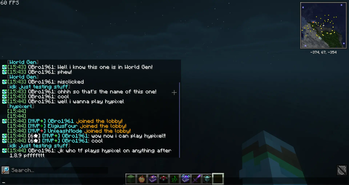
- Timestamps - each message is accompanied by time in [HOUR:MINUTE:SECOND] format in pink color, hovering displays the full date
- History preservation - chat history and sent messages are preserved across all worlds and servers
- Chat logging - ability to save messages for restoration in future gaming sessions
- Name customization - modifying standard player names to any other names (for example, without triangular brackets)
- Spam prevention - counter showing the number of identical consecutive messages
- Interface adjustment - chat shifts 10 pixels up to not overlap with the armor bar
- Data copying - menu for copying text and other information from messages
- History search - search function through all received messages
All these features can be enabled and disabled according to your preference through settings.
Compatibility and Requirements
The mod works with the latest Minecraft versions on Fabric, including 1.18.x. Also compatible with Quilt, although versions are not specifically developed for it.
Required dependencies:
- For versions 1.19.2+, Yet Another Config Lib and one of the menu mods (Mod Menu or Catalogue with Menulogue) are required
- For versions 1.18.x, Cloth Config and Mod Menu are required
The mod is completely client-side - servers don't require its installation to work.
Configuration
Configuration can be edited in several ways:
- Through the in-game menu (when appropriate mods are installed)
- Directly in the
(directory)/config/chatpatches.jsonfile
When updating the mod, a backup of old settings is created in the chatpatches_old.json file.
Technical Information
The mod combines the functionality of several existing chat mods, offering a comprehensive solution for improving user experience.