CoordinateOffset
A Minecraft Spigot/Paper plugin that configurably hides players' real coordinates.
Minecraft has a convenient debug menu (F3) that allows any player to easily see their coordinates in the world. This makes it easy to save interesting locations and share locations with friends (or enemies).
However, not all multiplayer servers want coordinates to be so easily accessible. The /gamerule reducedDebugInfo rule can administratively hide coordinates from the F3 menu, but a player only needs to install a client-side mod to display them.
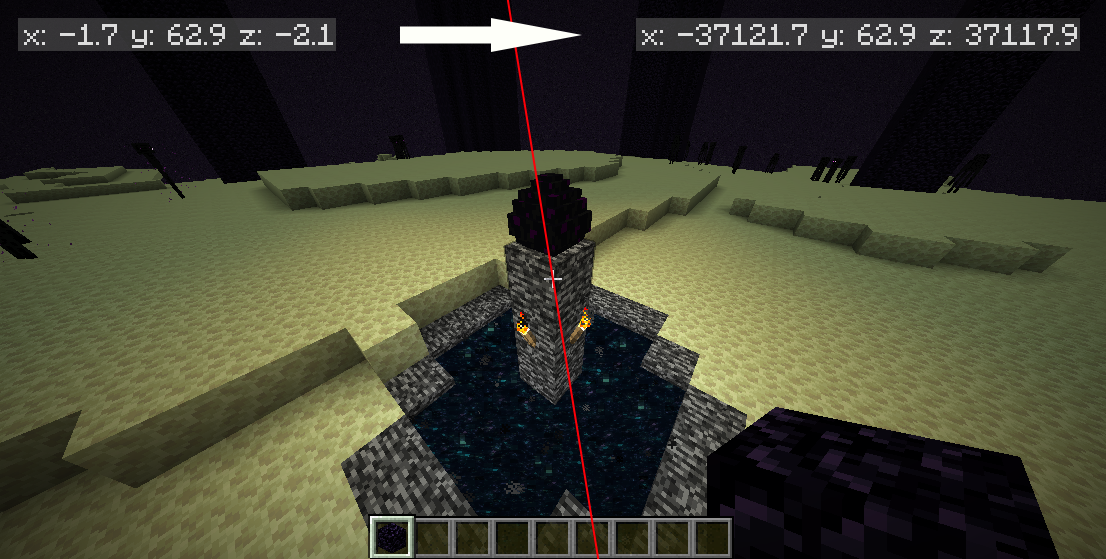
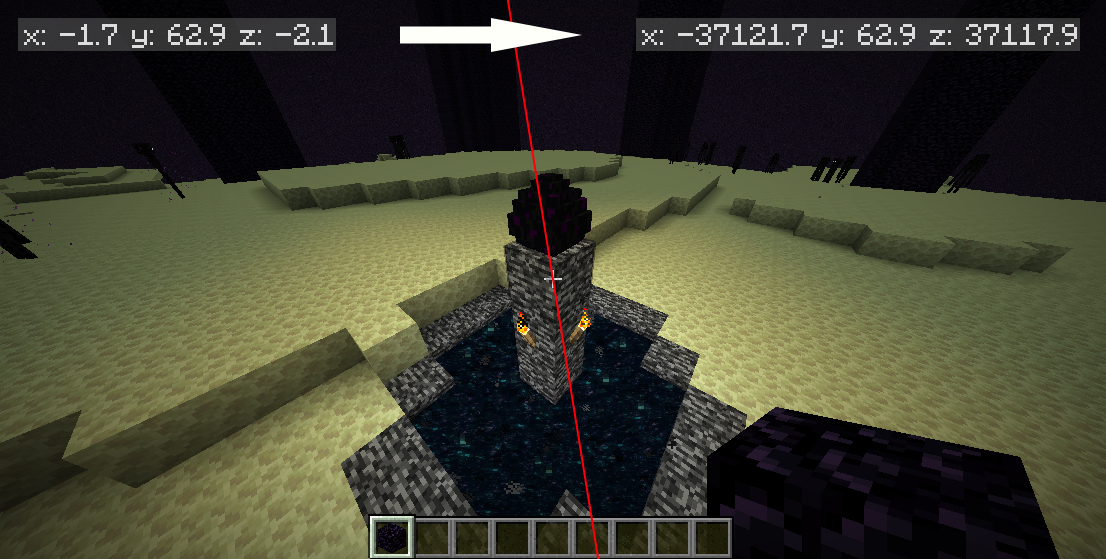
CoordinateOffset is a plugin for Spigot and Paper servers that modifies every coordinate in packets between the server and client. The player still sees the exact same world as usual. But regardless of what mods they install, they cannot see their real coordinates.
What is it for?
This plugin is not suitable for all servers. Here are a few ideas where CoordinateOffset can be useful:
- Preventing metagaming: If you consider using and sharing coordinates as metagaming, this plugin prevents it.
- Enhancing in-game items: Compasses, lodestones, recovery compasses, and maps are no longer inferior to coordinates when those coordinates are inconsistent.
- Preventing coordinate leaks: If everyone sees different coordinates, players cannot determine each other's coordinates from an accidental leak in a screenshot.
- Protecting the world seed: Any unknown offset makes seed-cracking methods more difficult.
- Centering the origin: Place the coordinates (0, 0) anywhere you like.
Features
- Fully configurable, flexible methods for determining how to apply offsets
- Randomize offset when the player joins, dies, or changes world
- Match offsets to the player's position so they see themselves near the world's origin
- Maintain the same offset every time a player joins so they don't notice coordinate changes
- Configure different offsets per player, per world, and with permissions
- Extensible API for flexibly getting and setting offsets
- (Beta) Compatible with ViaVersion, ViaBackwards, BungeeCord, Waterfall, and Velocity
Requirements and Installation
- Spigot, Paper (recommended) or a fork for Minecraft 1.17.x, 1.18.x, 1.19.x, 1.20.x, 1.21, 1.21.1, 1.21.2, 1.21.3, 1.21.4
- Understanding the implications of installing this plugin.
After ensuring you meet the requirements, simply take the latest release and place it in your server's plugins folder.
Configuration
The main configuration file is automatically generated after the first run at plugins/CoordinateOffset/config.yml.
defaultOffsetProvider: randomThe default configuration contains four predefined "offset providers". "Offset" refers to the amount by which the player's coordinates should appear shifted from their real location. Start by choosing a strategy that matches the type of offsetting you're trying to achieve:
constant- Specify the exact offset you want players to have.disabled- Players will see their real coordinates.random- Individually randomize each player's offset every time they join the server.zeroAtLocation- Use an offset based on the player's starting location so they see themselves near (0, 0).
You can further customize these providers, use different providers for different players/worlds/groups, and define your own providers.
Commands
/offset [player]Gets your or someone else's current offset and real coordinates.
/offsetreloadReloads the configuration from config.yml.
Permissions
-
coordinateoffset.bypassPlayers with this permission will never have their coordinates offset. It's a good idea to give this permission to anyone who needs to use coordinates for commands or administration. -
coordinateoffset.queryAllows you to use the/offsetcommand, which tells you your current offset. -
coordinateoffset.query.othersAllows you to query other players' offsets with/offset <name>. -
coordinateoffset.reloadAllows you to reload the plugin configuration with/offsetreload.
API
You can use or extend CoordinateOffset in your own plugin using the API.
Credits
Special thanks to Cavallium for developing CoordinatesObfuscator, from which CoordinateOffset was forked. CoordinateOffset's packet translation logic was heavily modeled after the work done by CoordinatesObfuscator.
Used libraries:
- bStats
- PacketEvents
- MorePersistentDataTypes