Crafting Panel
The Crafting Panel mod is compatible with Minecraft versions 1.16, 1.17, and 1.18 on the Fabric platform. To activate the crafting panel, assign a hotkey through the control settings.
Features
- Specialized interface for crafting management
- Unlimited item selection capability
- Accurate resource calculation for single and multi-output items
- Client-side mod compatible with all other modifications
- Integration with Litematica for material list conversion
- Detailed tooltips for every displayed item
- Material display in items, stacks, or shulkers format
- Automatic adaptation to different GUI scales
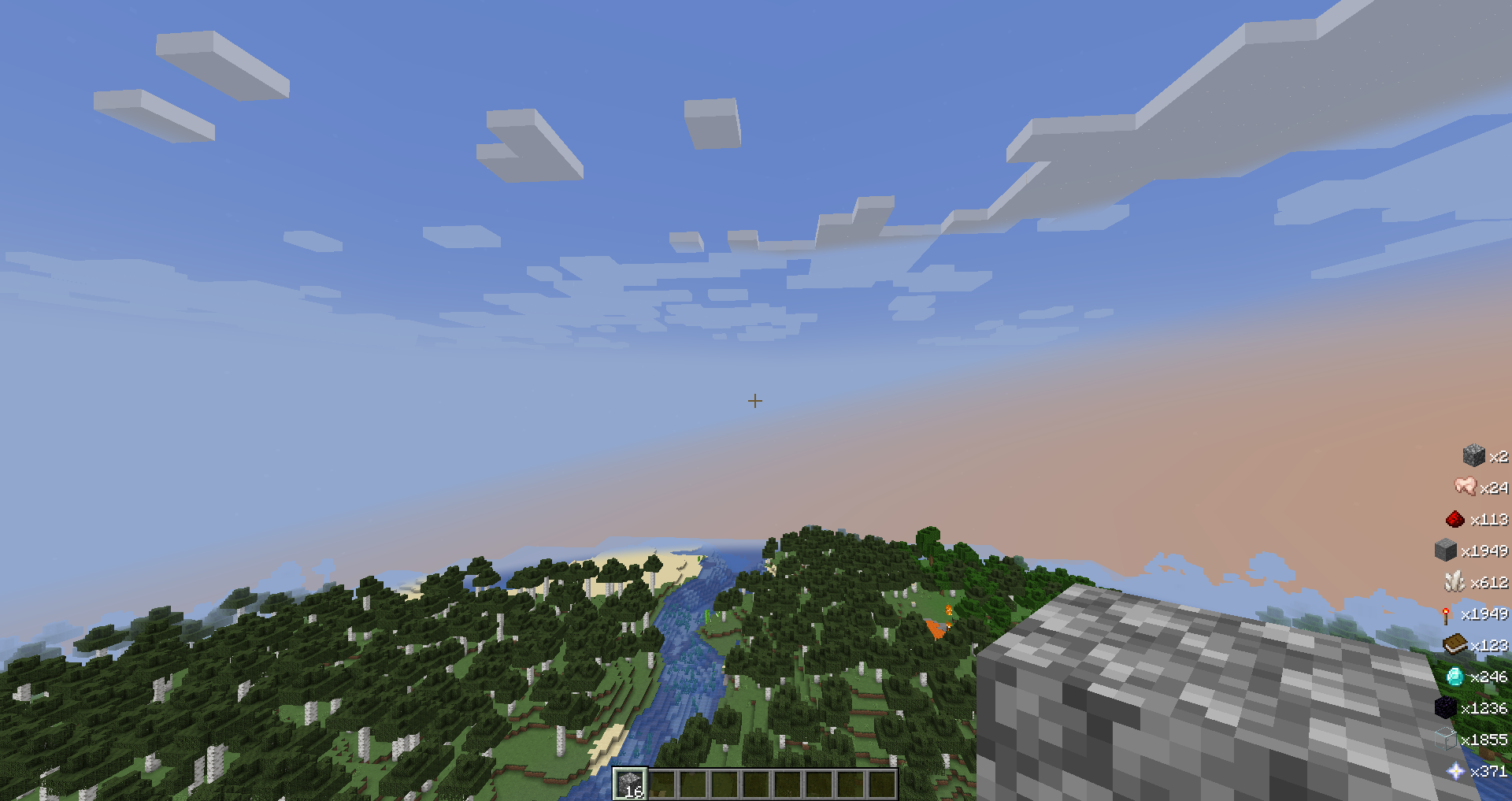
- Dynamic HUD panel for tracking required resources
- Export of material lists to text files
The HUD system automatically updates information about missing resources, taking into account player inventory and shulker box contents.
Requirements
For proper functionality, Fabric API and Malilib must be installed.
User Guide
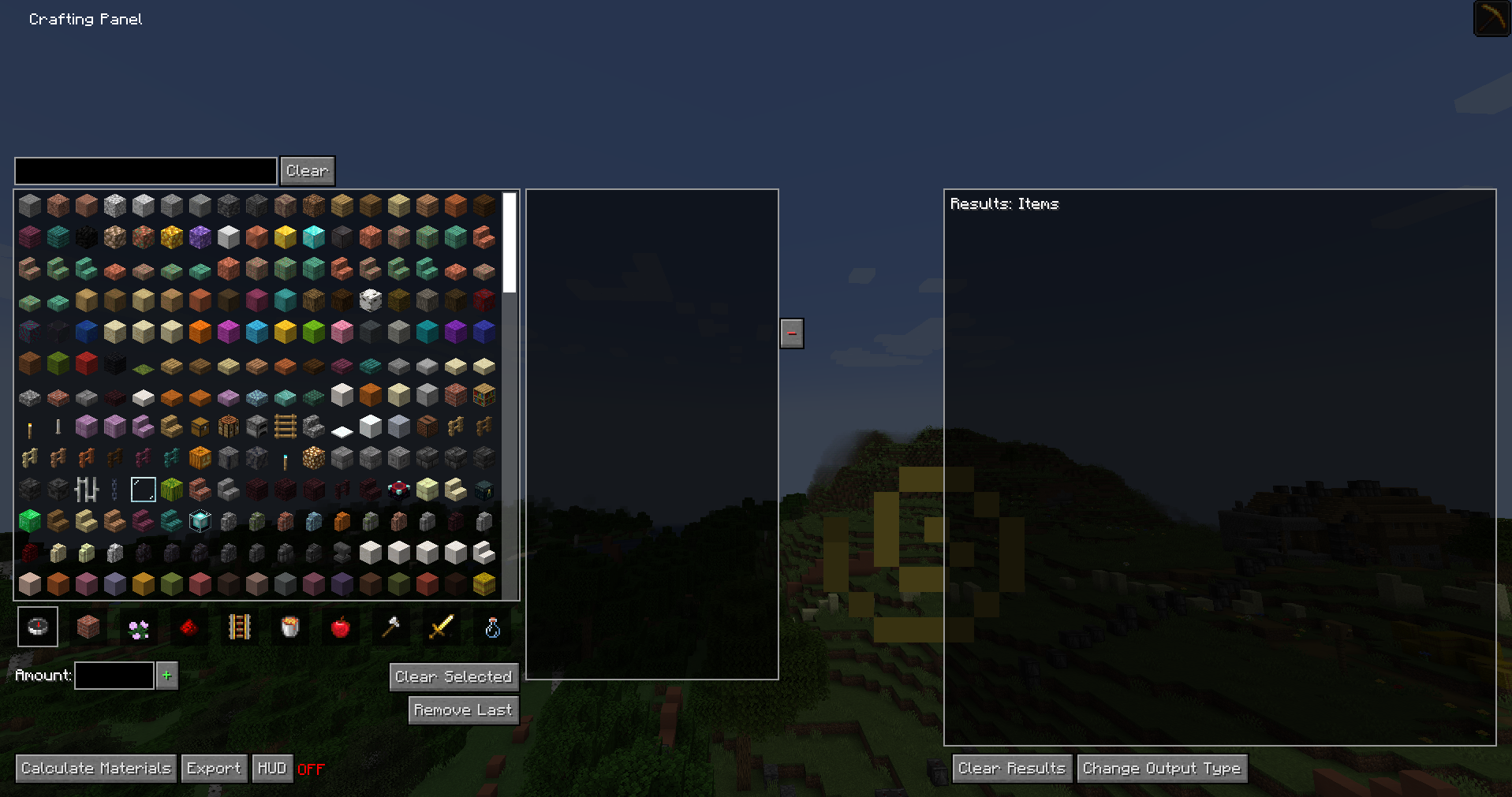
On the left side of the screen, you'll find a list of all available craftable items. Select the desired object and specify the required quantity in the input field. Added items will appear to the right of the list. To calculate required components, click the "Calculate Materials" button in the bottom left corner.
The results panel will display a complete list of required raw materials. For quick analysis of a single item, simply select it and perform the calculation without intermediate steps.
Control Elements
- Clear - clears the search field
- "+" - adds current selection to the list (requires item selection)
- Clear Selected - completely clears the item list
- Remove Last - removes the last item from the list
- "-" - removes highlighted item from the list
- Calculate Materials - calculates resources for the current list
- Export - creates a file with detailed material information
- HUD - activates on-screen display of missing resources
- Clear Results - clears the results panel
- Change Output Type - changes the format of result display