Debug Keybind
Problem with F3 menu on laptops?
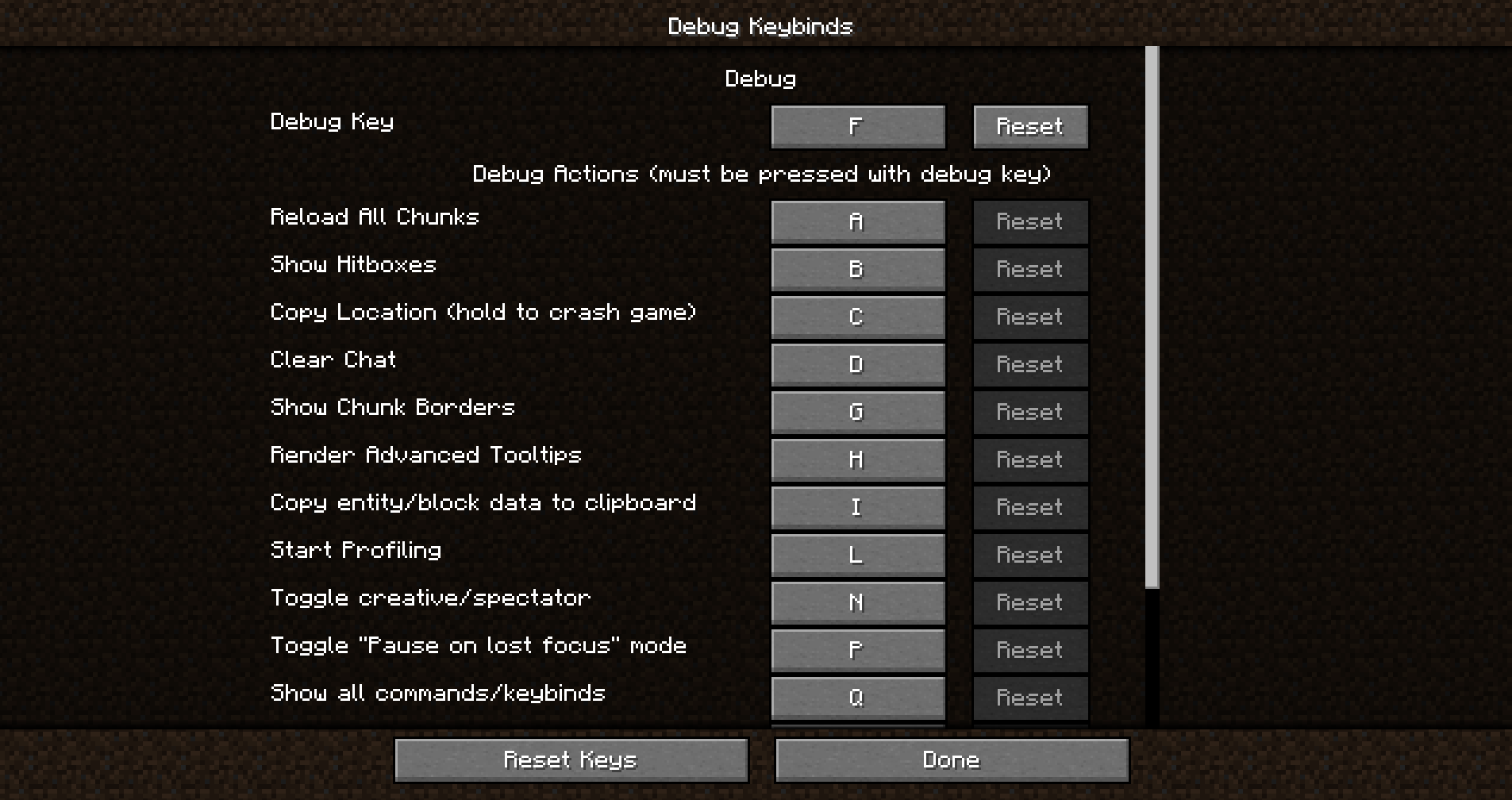
Tired of constantly pressing FN + F3 to open the debug menu on a laptop? Wanted to reassign F3 menu keys but they were hardcoded in the game? This problem is familiar to many players!
Solution found!
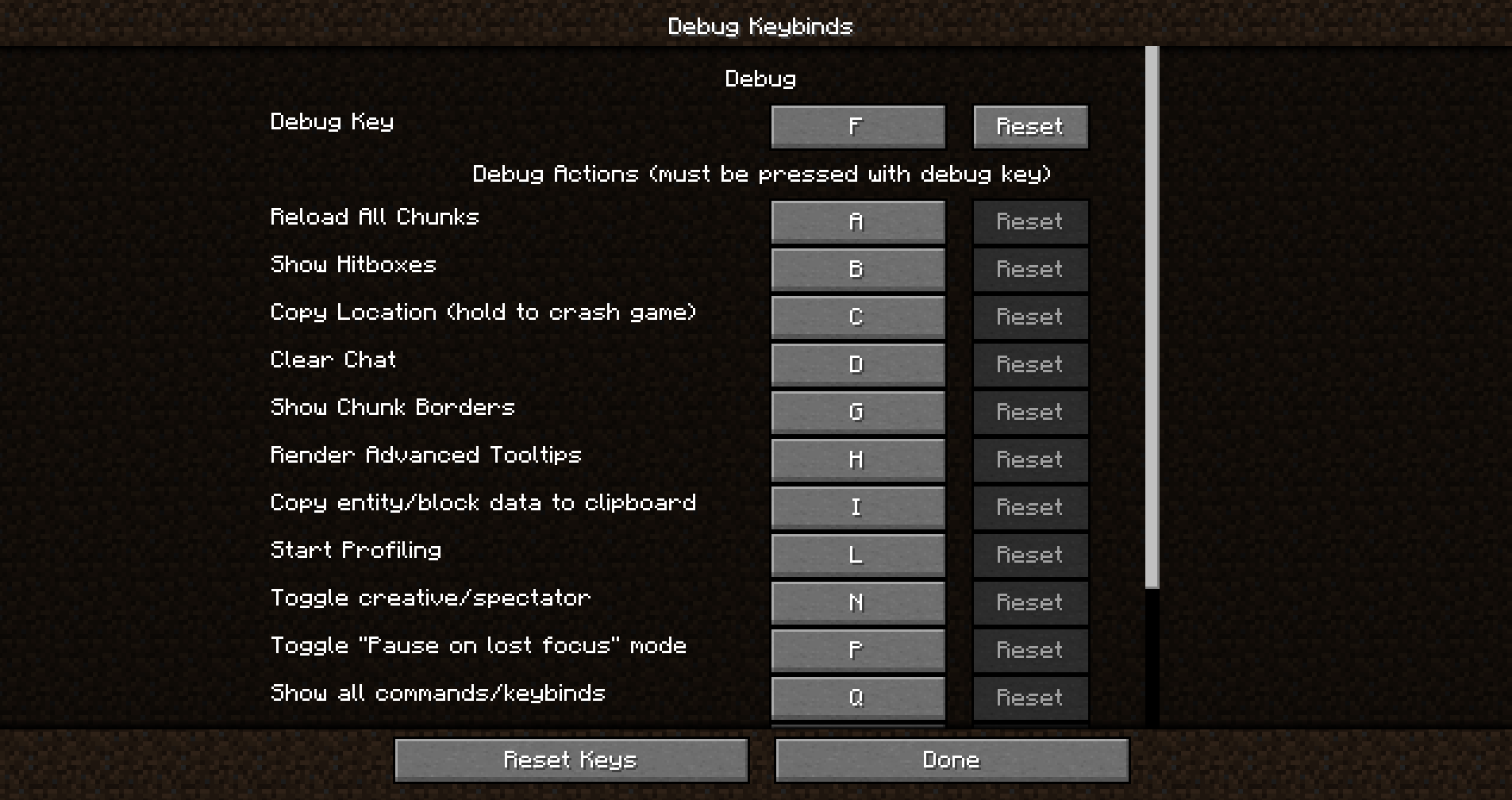
Debug Keybind is a mod that allows you to reassign all F3 menu actions that were previously hardcoded in the game. Don't like the F3+Q combination anymore? Easily replace it with any other! Not satisfied with F3+G? You can change this combination in the same way.
Just open the debug key assignment menu — and everything is ready!
How to open the Debug Keybind menu?
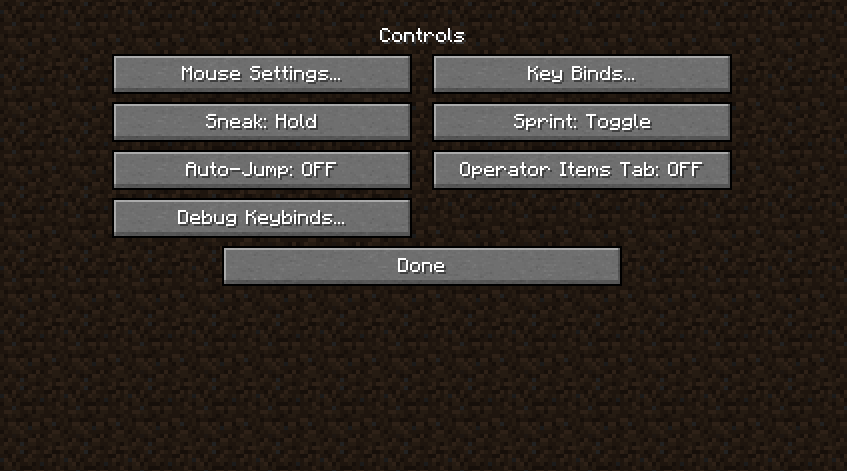
Opening the menu is very simple. You can access it through your modloader's configuration screen, as well as through a convenient button located next to the regular key assignment button!
Main features
- Assign any keys on your keyboard to activate individual debug actions or their combinations
- Enhance gameplay convenience by placing these keys at your fingertips
- Improve accessibility for users with special keyboard layouts or preferences
Installation and dependencies
This mod requires BoxLib — a client-side library developed by the author.
- Install Minecraft Forge/Fabric/Neoforge: Download and install the appropriate modloader for your Minecraft version
- Download the mod: Download the latest version of Debug Keybind for your modloader and Minecraft version
- Download BoxLib: Download the latest version of BoxLib for your modloader and Minecraft version
- Place mod files: Move the downloaded jar files to the Minecraft mods folder. The location of this folder depends on your operating system
Dependencies for Fabric
Requires Fabric API. Mod Menu is recommended for configuration purposes.
Dependencies for Forge/NeoForge
This mod requires BoxLib — a client-side library developed by the author.


