
DynamicHUD for Minecraft Fabric
DynamicHUD is a specialized library for Fabric mod developers designed for creating customizable interface elements in Minecraft. Compatible with game versions 1.19.4 and newer.
Key Features
Automatic Saving and Loading - all interface elements automatically save their settings and restore upon game restart.
Dynamic Values - widgets can display real-time information, responding to changes in game events and data.
Built-in Components - includes ready-made elements such as TextWidget for simple text display, with the ability to extend functionality.
Helper Tools - provides DrawHelper, ColorHelper, and TextureHelper classes to simplify the development process.
Context Menu - multifunctional customization menu with boolean value selection, sliders, actions, color choices, and enumerations.
Screen Border Control - interface elements automatically stay within screen boundaries, preventing them from going off-screen.
Grid Snapping - when pressing the Shift key, widgets automatically align to an imaginary grid on the screen.
Multi-Mod Support - designed for compatibility and easy integration with various modifications.
Simple Integration - minimal setup for quick implementation into projects.
Important Information
DynamicHUD is exclusively a developer library and does not add any interface elements or functionality on its own. Interaction with the library's capabilities is only possible through mods that use it. Players wanting additional HUD elements should install mods built on DynamicHUD.
The library is intended only for Fabric and is not planned for porting to Forge.
Installation for Users
For proper operation of mods dependent on DynamicHUD:
- Ensure you have Fabric and Fabric-API installed
- Download the dynamichud-
.jar file from the releases page - Navigate to the Minecraft directory:
- Windows: %APPDATA%.minecraft
- macOS: ~/Library/Application Support/minecraft
- Linux: ~/.minecraft
- Find or create the mods folder
- Place the downloaded file in the mods folder
- Launch Minecraft with the Fabric loader
For Developers
To integrate DynamicHUD into your mod, add the dependency to the build.gradle file:
allprojects {
    repositories {
        maven { url 'https://jitpack.io' }
    }
    maven {
        name 'Xander Maven'
        url 'https://maven.isxander.dev/releases'
    }
}

dependencies {
    // Dynamic HUD
    modImplementation 'com.github.V-Fast:DynamicHUD:<Version>'
}
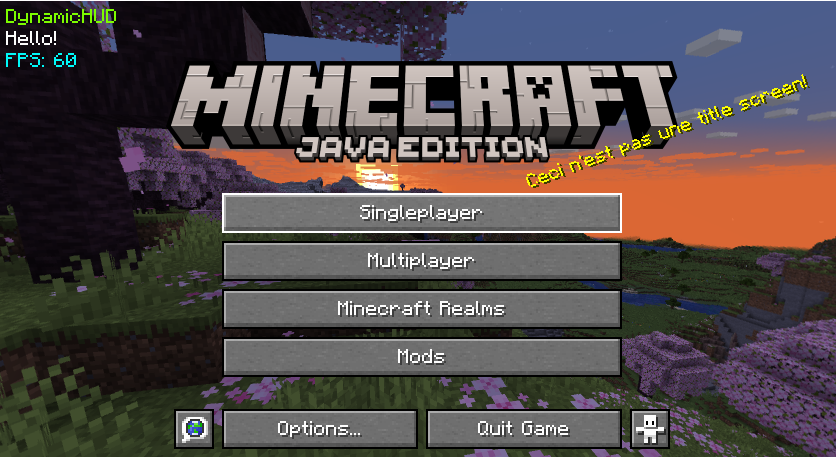
Demonstration