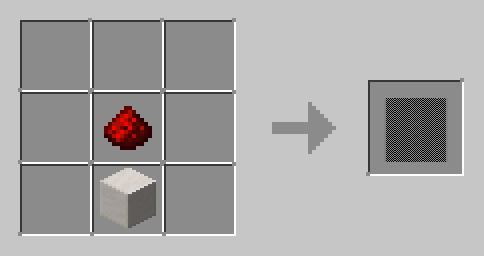

Gateway Gun
The Gateway Gun mod is a reworked version of Immersive Portal Gun with numerous new features and completely updated design!
Core Component - Gateway Core
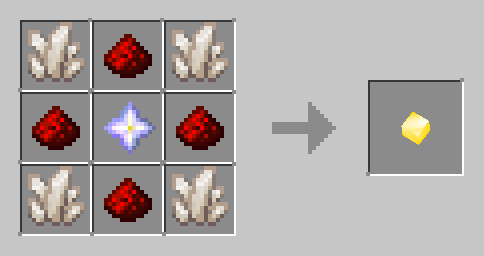
Gateway Core is the central element of the mod, containing all necessary information for creating portals. The core stores the following parameters:
Portal Code - a unique number determining connection between portals. Portals with identical codes automatically connect. When set to 0, the code generates randomly in player's inventory. Change with /core code <code>
Colors - portal shades in HEX format (for example, ffffff or ffd700). Configure via /core color1/color2 <hex>
Gravity - option to change gravity when passing through portals. Requires gravity api installation. Managed by /core gravity true/false
Allowed Blocks - list of surfaces for portal placement. If empty - all solid blocks are suitable. View: /core blocks list, add: /core blocks add <block>, remove: /core blocks remove <block>
Entity Capture - ability to capture mobs and other creatures. Settings: /core pickup true/false
Size - portal dimensions in blocks. Change via /core width/height <size>
Side - determines which portal sides can be placed. If not specified - both sides available. Command: /core side NONE/ONE/TWO
Portal Gun
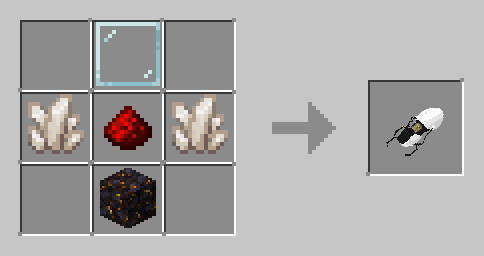
Handheld tool for creating portals. Works only with installed Gateway Core. To install the core, hold the gun in main hand and core in offhand, then press core swap key (default G). To extract the core, press the same key while holding the gun.
After core installation, use attack to place first portal and interact for second. If specific side is specified in core, the gun can only create indicated portal, always using attack key. Clear portals key (R by default) closes created portals. With entity capture enabled, V key allows grabbing or releasing target creature.
Control Network Gategrid
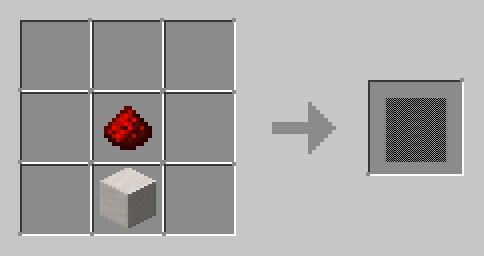
Crafting recipe doesn't require specific shape
Gategrid provides portal creation automation using redstone. Like the gun, requires Gateway Core installation. Interaction with block while holding core installs it into network, with empty hands - extracts.
When receiving redstone signal, network creates specified portal side (second by default). When signal turns off, portal closes.
Weighted Cube
Creature affected by gravity and capable of movement. Visually represents a reduced block. Has immunity to most damage types except instant death, void falling, fire and lava. Main purpose - activating pressure plates after capture by portal gun.
Created by command /cube <block> with block identifier specification (for example, "minecraft:dirt") or through cube dispenser.
Cube Dispenser
Block activated by redstone to create weighted cubes. Interaction with block while holding item sets type of created cube. When activated, destroys existing cube (if present) and creates new one. If cube dies with dispenser enabled, automatically creates new one.
Quantum Field
Block resembling glass panel without collisions. When touched, clears all portals from portal guns in player's inventory, but only if field isn't powered by redstone.
Additional Features
Air Resistance - command /airResistance changes horizontal air resistance for all creatures. Default 90, range from -1000 to 1000.
Portal Clearing - command /cleargateways works with command blocks to remove portals. Syntax: /cleargateways <code> <side>, where code - portal identifier, side - ONE, TWO or BOTH.
Configuration via Mod Menu - convenient interface for configuration.
Static Portal Rendering - alternative display mode with texture instead of rendering layer. Recommended for overlay issues.
Static Quantum Field Rendering - similar mode for quantum fields.