HotSwap

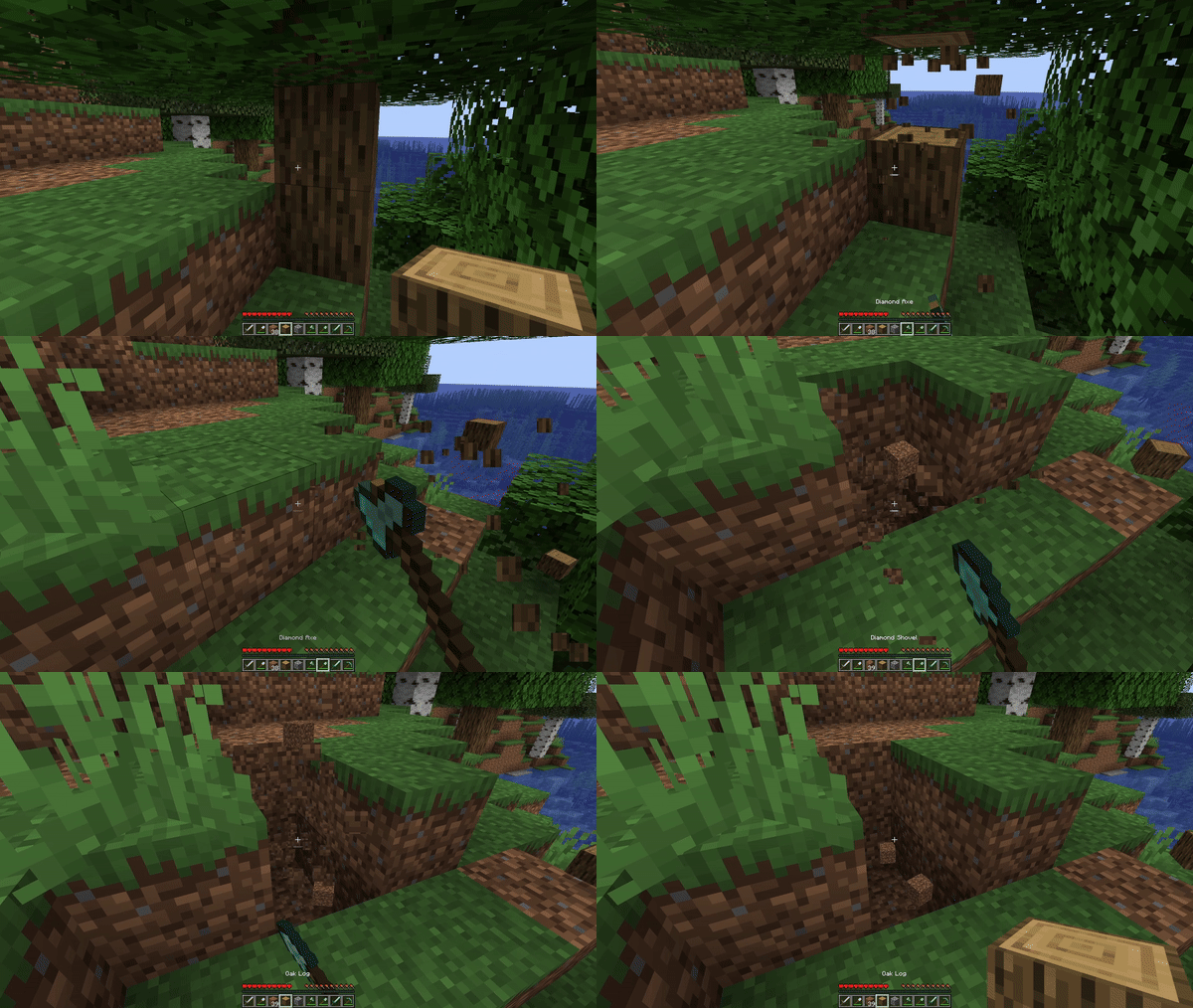
HotSwap is a compact client-side Minecraft mod that automatically selects the most suitable tool or weapon from your hotbar based on the action being performed — whether it's mining, chopping wood, fighting enemies, or digging. Using Minecraft's standard item tagging system, HotSwap guarantees that you always have the optimal tool in hand without needing to manually manage your inventory.
🔥 Key Features
Smart Automatic Switching The mod automatically switches to the "best" tool in your hotbar for the block being broken or mob being attacked, taking into account enchantments and material levels.
Customizable Priority
You can define your own tag priorities and create blacklists in the hotswap.json5 file to precisely configure which tools should be preferred or excluded.
Quick On/Off Toggle
Activate or deactivate HotSwap with a single keypress (default: ;). When the mode is disabled, your hotbar remains unchanged.
Lightweight and Unobtrusive No additional interfaces or complex configuration menus — just a simple JSON5 file for editing and a compact, high-performance mod jar file.
📥 Installation
- Install Fabric (or Forge, depending on the build) for Minecraft 1.20 and above
- Download the latest version of
HotSwap-x.y.z.jarfrom appropriate sources - Place the jar file into your Minecraft
mods/folder - Launch Minecraft with the selected Fabric (or Forge) profile
🎮 How to Use
- Toggle — activate or deactivate HotSwap using the assigned key (default
;) - Mining and Chopping — when breaking blocks, the mod automatically selects the pickaxe/axe/shovel with optimal characteristics according to tags
- Combat — when attacking mobs, the sword or weapon with the highest damage will be chosen
- Return — after completing an action (breaking a block or killing a mob), the previous hotbar slot is automatically restored
🎹 Controls
| Action | Default Key | Description |
|---|---|---|
| Enable/disable HotSwap | ; |
Activate or deactivate automatic switching |
| Temporary disable | Left Alt |
Temporarily disable automatic switching |
Tip: These settings can be changed through the Options → Controls menu in the "HotSwap" section.
🎥 Video Tutorials
We recommend watching YouTube video reviews that demonstrate the mod's functionality in action.



