
Lua Runtime
This mod opens up the possibility for players to use the Lua programming language to create their own scripts directly in Minecraft.
The project is in active development stage.
Important points to consider
It is extremely important to check the source code of scripts before using them, as they may contain malicious code. The mod developers are not responsible for possible account bans or other problems caused by script execution.
If the game suddenly crashes after installing this mod, the cause in most cases is the scripts themselves, not the mod software. If crashes occur after an update, it is recommended to delete the configuration file located at [Minecraft folder]/config/lua_runtime_config.json.
Benefits of using the mod
Backwards compatibility is maintained: all scripts created for older versions of Minecraft continue to work correctly in new game releases. It's important to note that critical changes are only made in alpha versions of the mod.
Practical application
Installing mods and scripts
To add Lua scripts, simply drag and drop the corresponding files into the special lua folder located in the root directory of your Minecraft installation.
Example working script
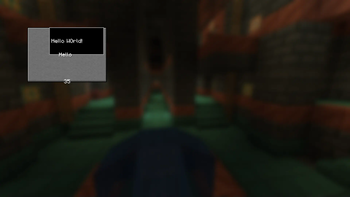
print("Hello World!")
Minecraft.AddClientLoadedListener(function()
  local gui = Minecraft.CreateNewGUI("Lua Screen")
  gui.Display()
end)