
Microphone Text Input Mod: Voice Text Input

What is it?
This modification allows using a microphone for text input in Minecraft. Recognized speech is automatically converted into text messages and sent to the game chat. This is a client-side mod, so it doesn't require server installation.
How it works?
The mod uses VOSK speech recognition technology that works completely offline. When you press the V key, the system starts recording your speech through the microphone, converts it to text, and automatically sends the resulting message to the chat.
Main features of version 1.1.x
- Switch to VOSK instead of CMU Sphinx for improved recognition accuracy and speed
- Added graphical configuration interface through MidnightLib
- Ability to select language models
- Language models are now downloaded separately from the official VOSK website
Installation and configuration guide
Installation
- Install Minecraft with Fabric loader
- Add required dependencies: Fabric API, MidnightLib and Mod Menu
- Download version 1.1.x of the mod
- Place the mod file in the mods folder
Language model configuration
Important: Starting from version 1.1.0, language models are not included with the mod and are downloaded separately.
- Download the required language model from the official VOSK website
- Extract the archive to the folder:
.minecraft\versions\YOUR_VERSION.mcmti\models - Launch Minecraft and go to the mods menu
- Find the Microphone Text Input mod and open its settings
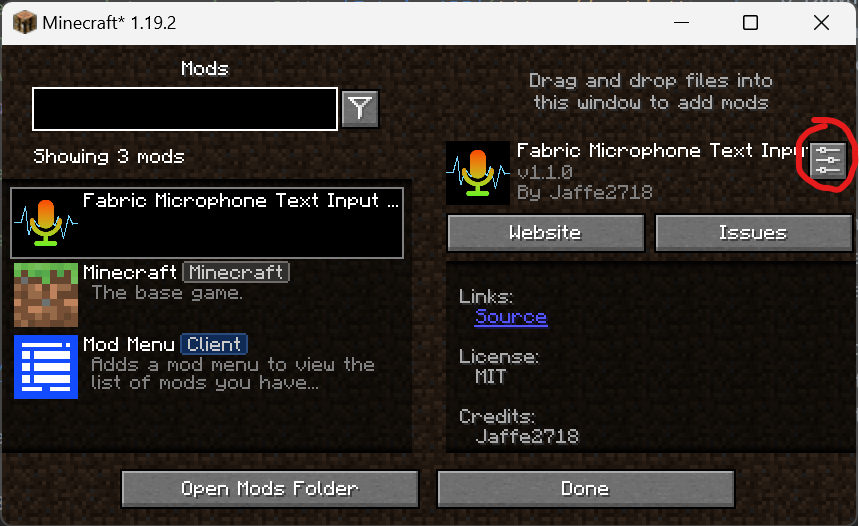
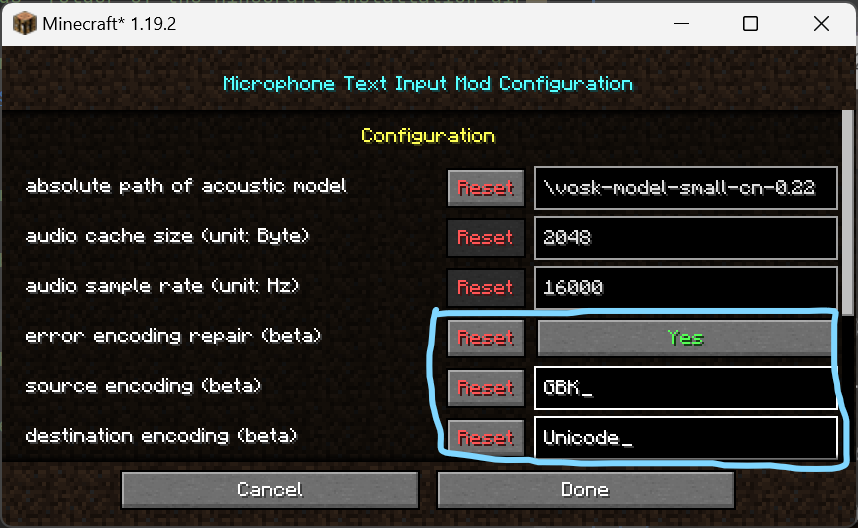
- Specify the full path to the extracted language model
- Save changes and restart the game
Usage
After successful configuration:
- Press the V key to start recording
- Speak the text you want to send
- The message will automatically appear in the chat
Troubleshooting
Recognition doesn't work
Possible reasons:
- Incorrect microphone settings in the system
- Java doesn't have permission to access the microphone
- Incorrect path to the language model
Garbled characters appear instead of text
The problem may be related to system encoding. Recommended:
- Set UTF-8 as the default encoding in the operating system
- In versions 1.1.x, you can try the encoding repair function (experimental feature)
Technical details
Recognition accuracy depends on the selected language model. Higher quality models provide better results. The mod supports various language models available on the VOSK website.