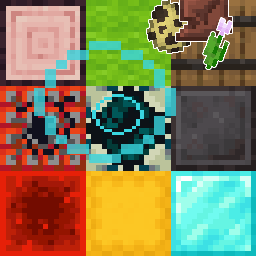
NineBlock - Enhanced Version
Your adventure begins with just 9 blocks beneath your feet. Every time you break any of them, all nine blocks instantly replace with completely random ones. This can be absolutely any block from the game, and sometimes - a chest containing any non-block Minecraft resource! Your goal is to reach the naturally generated End portal and complete the game.
Main Improvements
This version represents a pure datapack that activates when creating a world and is compatible with more game versions. Important optimizations have been implemented:
- Dropped items are no longer pushed out by new blocks
- Automatic leaf disappearance doesn't trigger block updates (only when manually broken)
- Items in chests remain in place after block updates, even if the chest hasn't been opened
- Replaced chorus plant probability with budding amethyst, which cannot be placed on blocks other than end stone
- Simplified commands to speed up system response to updates
Additional Features
The player who created the world automatically receives rights to modify datapack settings. To grant rights to other players, use commands:
/tag [player_name] add op - grant rights
/tag [player_name] remove op - revoke rights
On servers, the first player to join automatically receives rights.
Available Settings:
- Dropped Item Protection - items from broken blocks become invulnerable to explosions and lava (protection is removed after pickup). Disabled by default - command
/trigger invul - Barrier Particles - display particles under random blocks. Enabled by default - command
/trigger prtcl - Multiplayer Mode - creation of additional 3x3 block zones. Command
/trigger creatcreates a new update point beneath you - Language Switching - support for Russian and English languages. Russian by default - command
/trigger lang
When using multiplayer mode, it's recommended to set respawn points with the /spawnpoint command, as the system isn't optimized for automatic player respawn point determination.