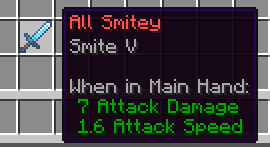
Pepsi's Item Name Recolorer
Main Features
This mod provides extensive options for customizing item names within the game.
- Recolor item names using any available dyes
- Apply custom color schemes through RGB format and hexadecimal codes
- Add various visual effects: bold text, italics, underlining, strikethrough, and shimmering text
Color Changing Process
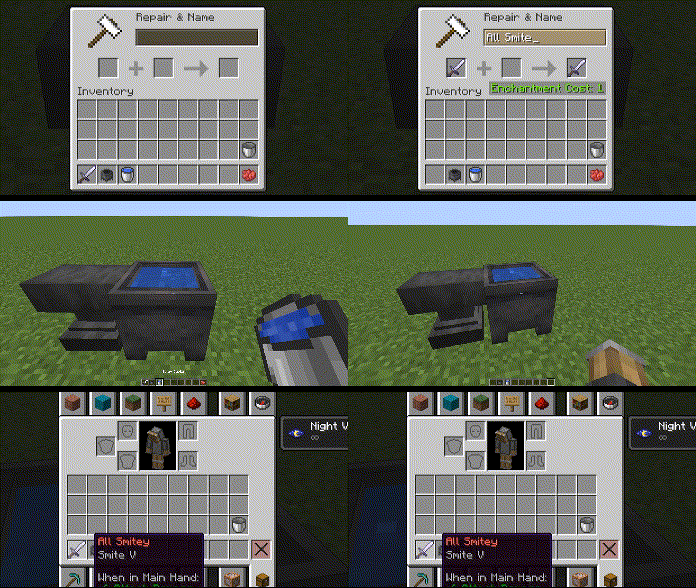
The mod's mechanics are simple and intuitive. You'll need a standard cauldron filled with water to any level.
Important requirement: every item you plan to recolor must be previously renamed using an anvil. To preserve the original name, you can simply add a space at the end.
After renaming, throw the item into the cauldron with water. Now you can set the desired color and text styling.
For example, to create a red name, throw red dye into the same cauldron. Wait a few seconds - and the item's name will change color. Note that applying dye resets all previously set formatting effects, so it's recommended to set the color first and then add additional effects.
Text Formatting Work
Applying text styles works similarly to changing colors - the item and corresponding formatting element are placed in the cauldron with water.
Below are available formatting options and their corresponding items:
- Bold text: Ink Sac
- Italics: Stick
- Underline: String
- Strikethrough: Feather
- Shimmering text: Glow Ink Sac
You can combine multiple formatting effects simultaneously, creating unique visual styles for your item names.
Custom Colors via RGB Codes
For advanced customization, a system for working with hexadecimal color codes is available. For example, pure red corresponds to the code #FF0000.
To use this feature:
- Take any paper item and rename it via anvil, specifying the desired hexadecimal code (must start with the
#symbol without spaces) - Place the paper with color code into the cauldron along with the item whose name you want to change
- The mod will automatically apply the specified color to the item name