
Reminders - Organize Your In-Game Tasks
Never forget important tasks in Minecraft again! This mod allows you to easily create reminders and notes directly during gameplay.
How to Open the Interface
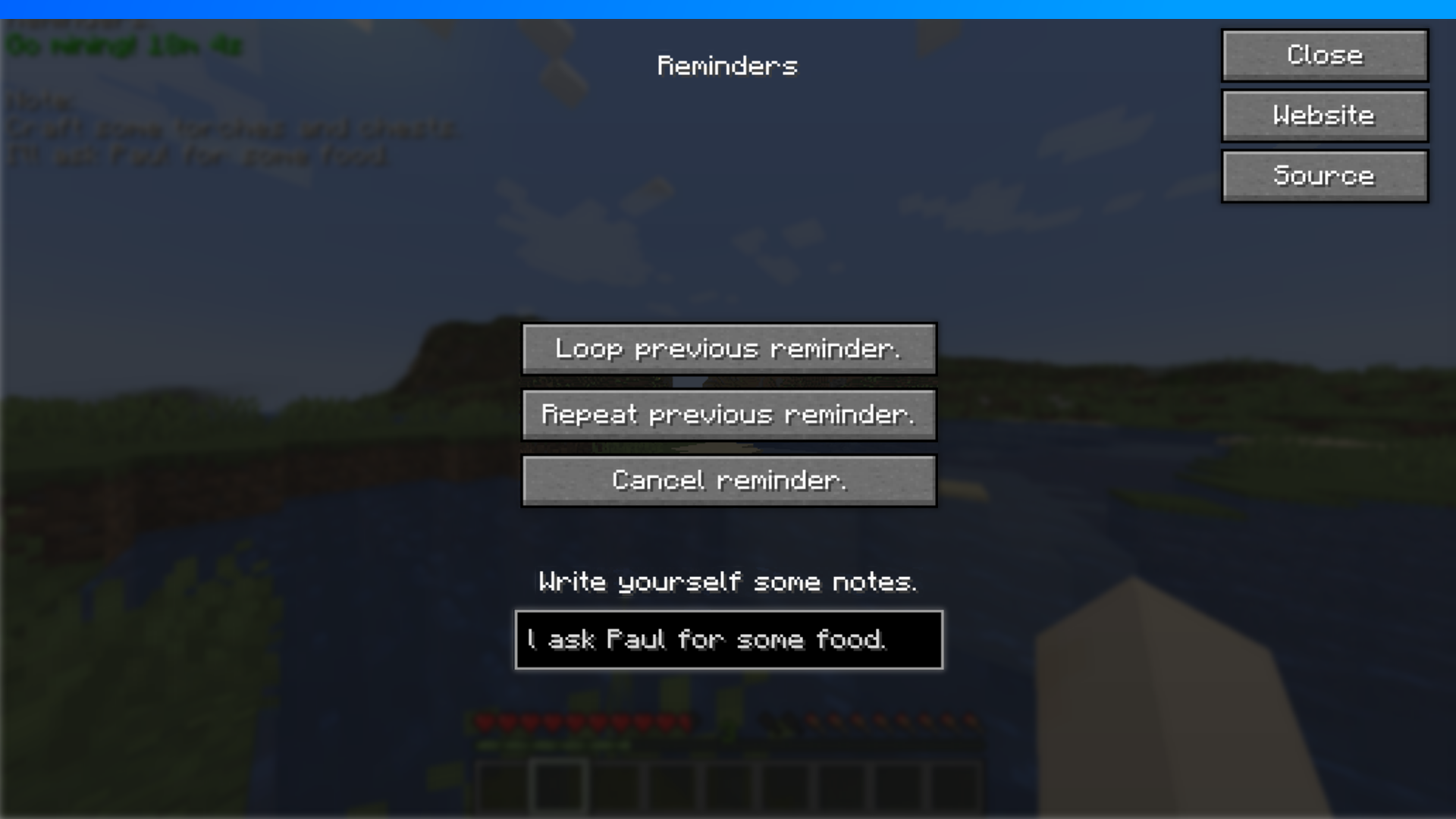
Access the mod's features in two ways: by pressing the "O" key (configurable in controls menu) or through the /reminders command.
Creating Reminders
The reminder setup process is very simple:
- First, set a basic reminder using the
/remind <seconds> <message>command - Then in the Reminders interface, choose one of the options:
- Loop previous reminder
- Repeat previous reminder
- To cancel a reminder, use the corresponding button in the interface
Creating Notes
The notes feature helps you record important information:
- Open the Reminders interface
- Find the input field under the text "Write yourself some notes"
- Start typing - your notes will appear in the top left corner of the screen
- To delete notes, simply clear the input field
Available Commands
/remind <seconds> <message> - creates a reminder with specified parameters
/reminders info - shows information about the mod
/reminders - opens the user interface