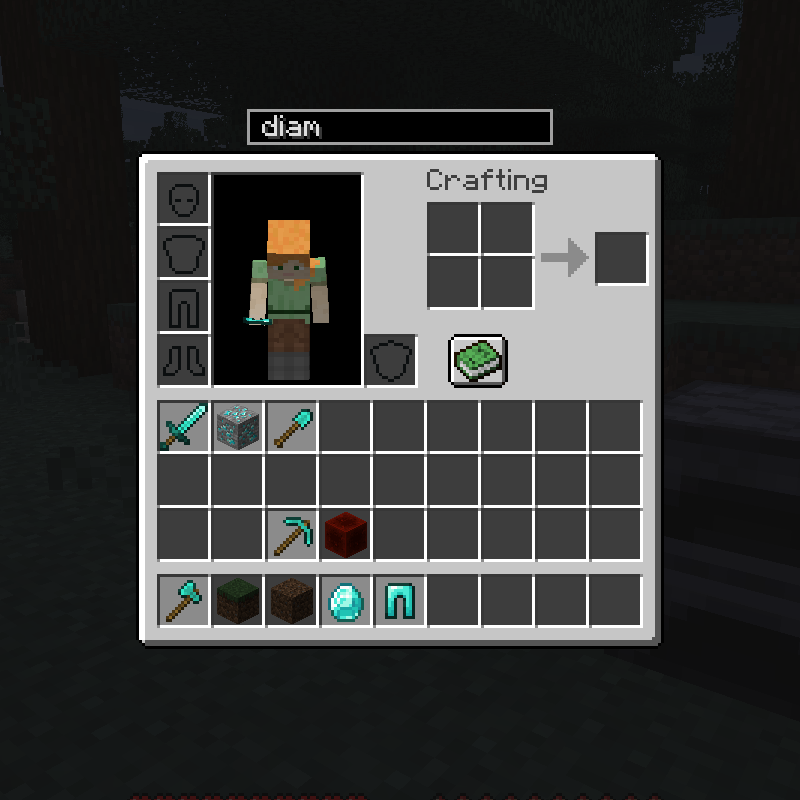
Searchable Containers
This lightweight client-side mod enhances Minecraft's interface with a convenient search bar that appears above the player's open container.

When accessing any inventory, you can filter specific items using the search field.

Right-click the search bar to clear it and activate it for typing.
Thanks to the arrow buttons located to the right of the search bar, you can quickly transfer selected items between inventories.
Button tooltips are enabled by default, but this feature can be disabled in the configuration settings.
By default, the search function only looks through item display names. By enabling the "searchTooltips" configuration option, the system will also scan item tooltip texts.
The search bar can be hidden by pressing Ctrl + H while any container is open. The key combination is customizable, though Ctrl must remain part of the shortcut.
The distance between the search panel and the interface is controlled by the "verticalPadding" setting in the configuration.


