
Server Finder by BlockAtlas
Overview
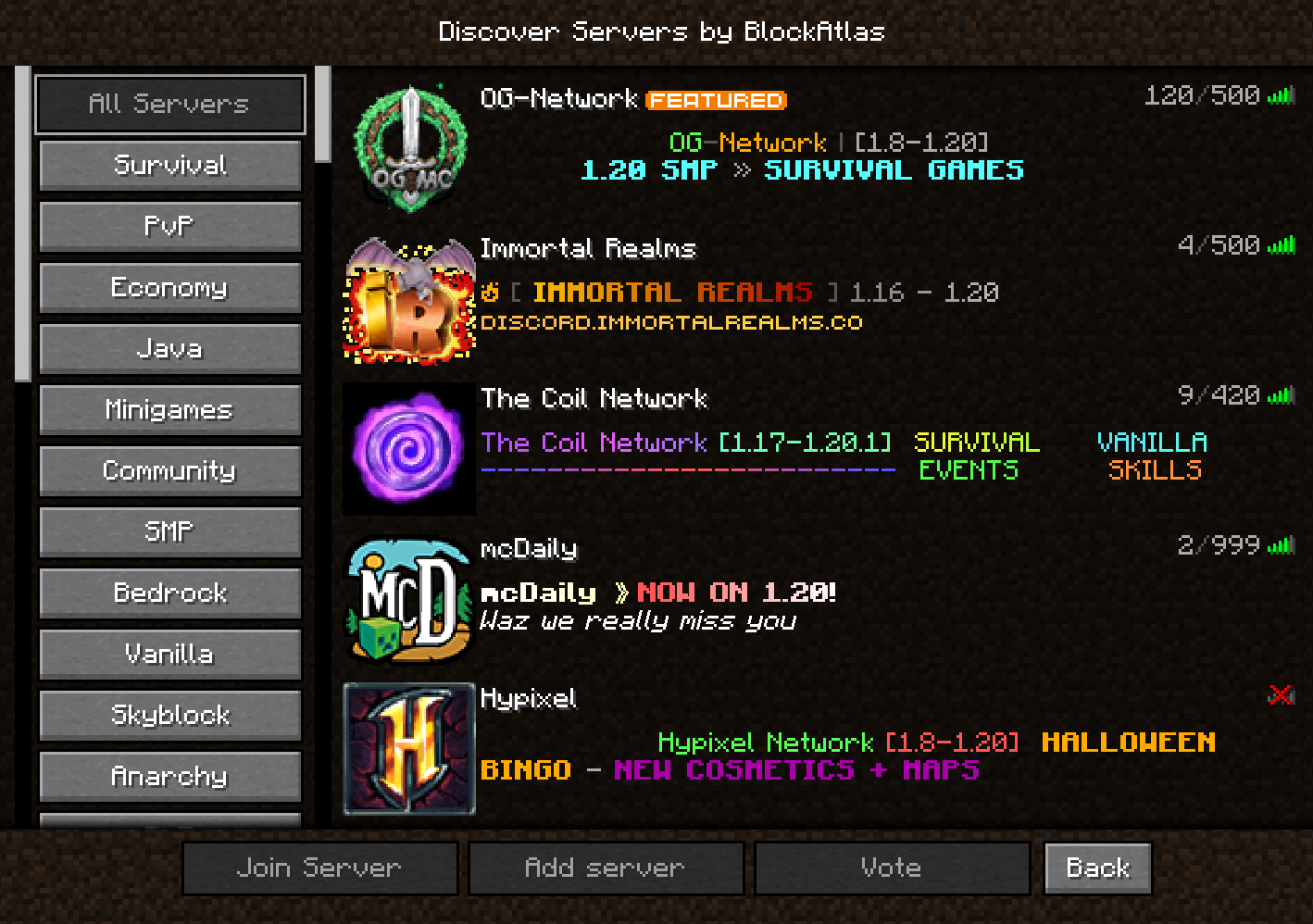
The BlockAlas mod provides a convenient way to search for game servers directly within Minecraft. Using an intuitive interface, players can find, add, and connect to servers without leaving the gameplay.
Main Features
Server Categories (Left Panel)
In the left part of the screen, various categories are available for convenient searching:
- All Servers - complete list of available servers
- Survival - servers focused on survival mode
- PvP - servers with player versus player
- Economy - servers with in-game economic system
- Java - servers for Java version of the game
- Minigames - servers with various mini-games
- Community - servers with active community
- SMP - survival multiplayer servers
- Bedrock - servers for Bedrock version
- Vanilla - servers without modifications
- Skyblock - servers with survival on floating islands
- Anarchy - servers with minimal rules
- And many other categories
Server List (Right Panel)
The right part displays the server list with the ability to:
- Double-click to connect (like in the standard menu)
- Scroll to view current servers
Functional Buttons
The following actions are available:
- Join - direct connection to the selected server
- Add Server - adding a new server to the list
- Vote - ability to vote for favorite servers
- Back - return to multiplayer menu
Also, a new button has appeared in the ESC menu for quick switching between servers during gameplay.
Note: Statistics on connections through the list are collected.
With BlockAlas, finding the perfect server for your play style has become simpler than ever. Enjoy smooth transitions between server searching and gameplay right in the Minecraft interface.
All servers are updated in real time from blockatlas.net
Report found bugs through our Discord.