Spawn Structures Island - Protected Starting Island
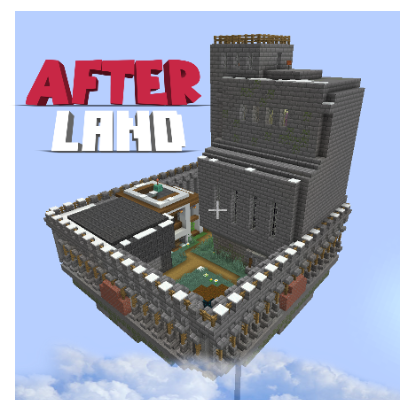
Spawn Structures Island mod automatically generates a floating island in the overworld that serves as the world spawn point. This structure functions as a protected hub, perfectly suited for multiplayer servers or custom maps.

Main Features
The mod places an .nbt structure at coordinates that can be configured through configuration files. The world spawn point is automatically set inside the island, with the coordinates of this point also being configurable. In the spawn area, players automatically switch to Adventure Mode, preventing block breaking and placement while allowing interaction with chests, doors, buttons, and other objects.
The protected territory blocks all explosions, fire spread, and PvP combat. New players are automatically teleported to the island upon first entering the world.
Flexible Configuration
All parameters are fully configurable through the spawn_structure_sky-common.toml file, including structure position, spawn point offsets, and protection radius. The protection zone is a vertical cylinder from -64 to 320 on the Y-axis. When players in Survival or Adventure mode leave this zone, their mode automatically changes to Survival.
Creating Custom Structures
You can replace the default structure with your own by creating a datapack and placing your .nbt file at data/spawn_structure_sky/structures/floating_island.nbt. To create custom islands, you can use the /structure command in Minecraft.
Additional Features
The modification includes built-in portals to the Nether and the End, located directly on the floating island. These portals are activated only using special items from the Afterland_items mod, adding additional depth to the gameplay.
With the FTB Chunks mod installed, it becomes possible to purchase territory fragments of the island to expand the protected area using items from Afterland_items.