AZOTH Cobblemon Minimap Icons
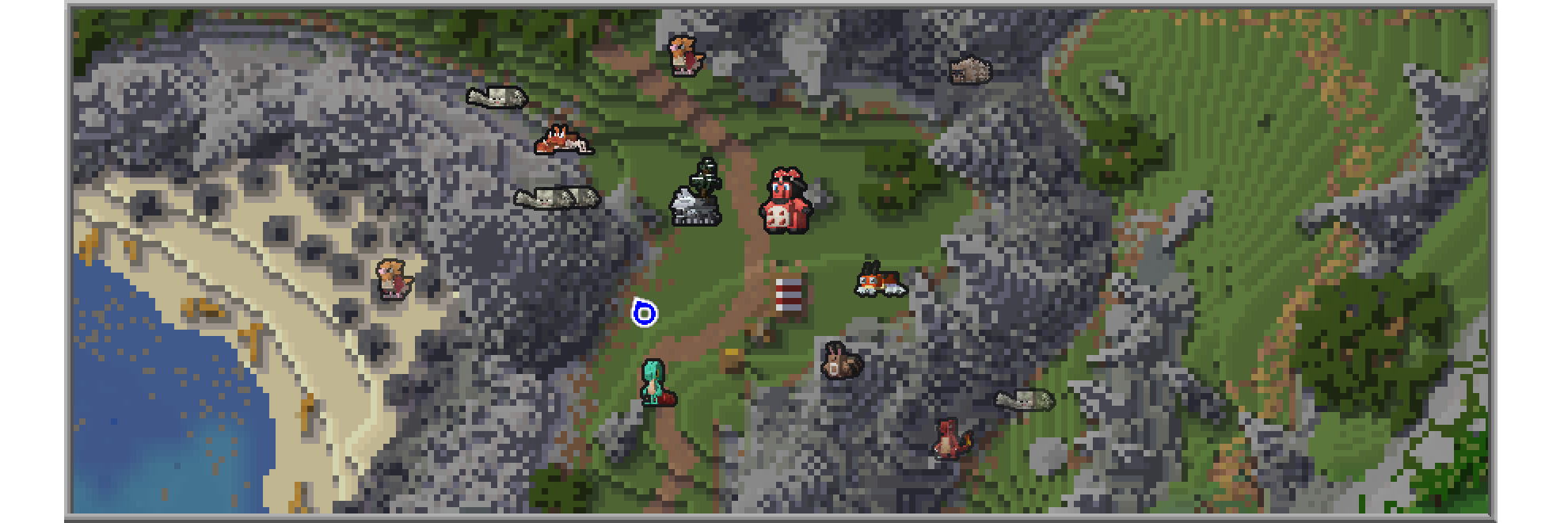
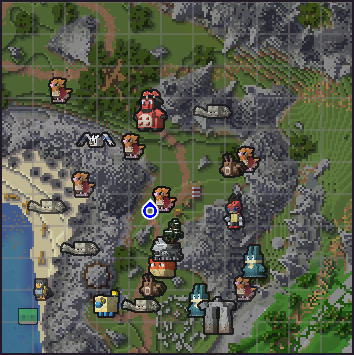
This resource pack introduces unique icons for Pokémon from the Cobblemon modification, which will appear on the minimaps of popular mapping mods.
JourneyMap Setup
Activating Pokémon Icons
To display Pokémon icons in JourneyMap, follow these steps:
- Open the in-game menu and go to «JourneyMap Settings» (default key
J) - Click the «Options» button at the bottom of the screen
- Select «Minimap Preset» or «Full Map Preset» depending on your preferences
- Set «Mob Display» → «Outlined Icons»
- Adjust the entity icon size to your liking
Xaero’s Minimap Guide
Enabling Pokémon Icons
To activate Pokémon icons in Xaero’s Minimap:
- Open the in-game menu and navigate to «Xaero’s Minimap Settings» (typically key
Y) - Choose the «Entity Radar Settings» section
- Set «Display Icons» to «Always»
- Adjust the entity icon scale according to your preference