
Catppuccin UI
Catppuccin UI is a Minecraft resource pack that completely transforms the game's interface, offering elegant pastel color schemes known as Catppuccin. This pack is built around four different variations of color palettes, each with 14 accent colors to choose from, allowing you to create a unique, visually pleasing interface.
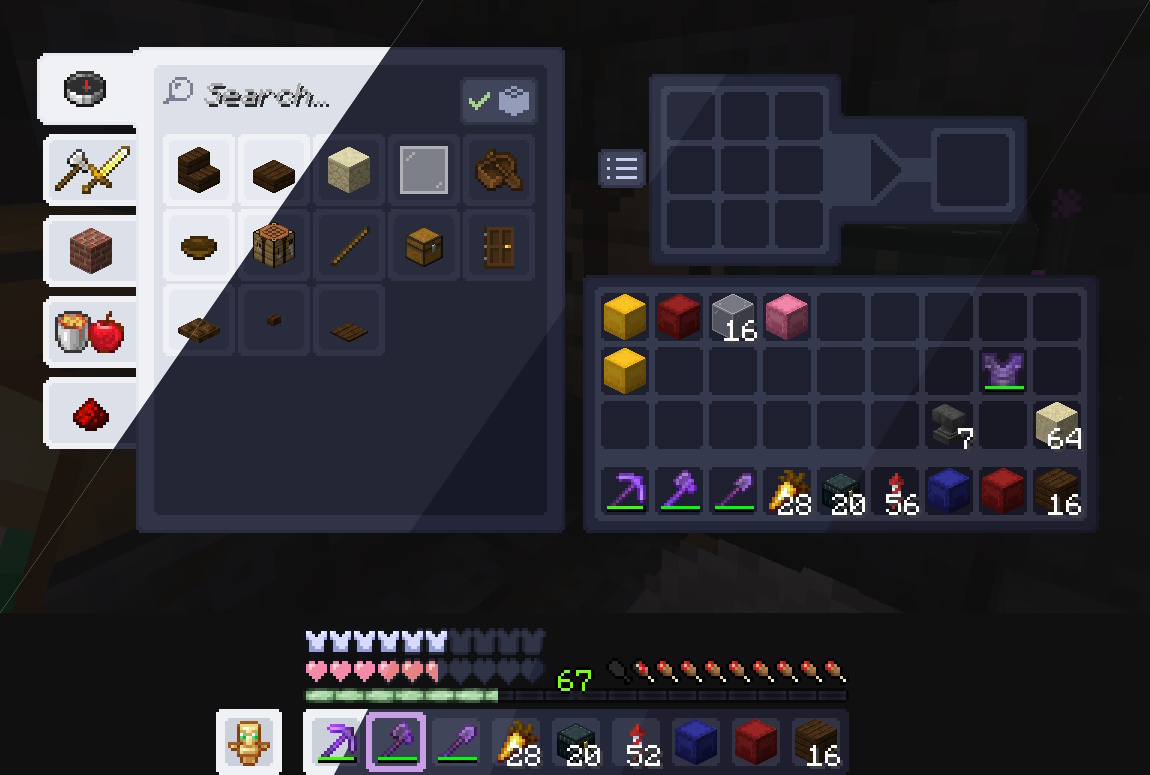
What Makes Catppuccin UI Special?
- Variety of options: Choose from four main palettes with various accent colors. Not sure which option suits you? Browse available color schemes to find your perfect combination.
- Broad compatibility: The resource pack supports Minecraft versions from 1.6.1 up to the latest releases (including 1.21.7) and offers compatibility with a wide range of popular mods.
- Universal theme: Catppuccin isn't limited to just Minecraft. This harmonious color scheme can be used in many other programs and websites, including Modrinth, allowing you to maintain a consistent visual style across all your applications.
How to Install Catppuccin UI
- Find the resource pack version for your Minecraft version and preferred color scheme.
- Download the archive matching your selected palette.
- Move the downloaded file to the resourcepacks folder within your .minecraft directory.
- Launch Minecraft, open the resource packs menu in settings.
- Enable Catppuccin UI and enjoy the refreshed interface.
Updating the resource pack manually following the described steps is recommended. Automatic updates through launchers might not work correctly due to the organization of different color scheme versions.
Mod Compatibility
Addition of support for new mods is temporarily paused. Further expansion of compatibility with new modifications is planned, so you can make suggestions for adding support.
If you find a mod that isn't yet supported by Catppuccin UI, or have improvement ideas, you can report this in the appropriate GitHub repository section.
Full list of supported mods (click to expand)
Updated December 5, 2024 [ALL] — Support for all compatible Minecraft versions | Mod Name | Known Issues | |----------------------------|-----------------------------------------------------------------------------------| | AdvancementInfo | Info panel background color is incorrect | | Alloy Forgery | | | AppleSkin | | | Auth Me | | | Axiom | Wrong text colors, cannot be fixed | | BedrockIfy | | | Better Advancements | | | Better Furnaces Reforged | Issues with sliders, some textures cannot be changed | | Capes | | | Chat Patches | | | Cherished Worlds | | | Cloth Config API | | | Condensed Creative | | | EMI | Incorrect textures for grinding and brewing recipes | | EMI Loot | Wrong text color for "Minecraft Gameplay Drops" | | Expanded Storage | Page number color errors, re-login required when changing resource pack | | Iris Shaders | Compatible with Iris 1.6+ for versions 1.18.2-1.21, except 1.19.3 | | Tech Reborn | Slot borders are thinner, unchangeable textures | And other popular mods, ensuring broad compatibility.Credits
Special thanks to the Dracula Theme team, as Catppuccin UI is based on their developments. We also express gratitude to all contributors of the GitHub repository for their contributions to the resource pack's development.

