
RealPix 32x
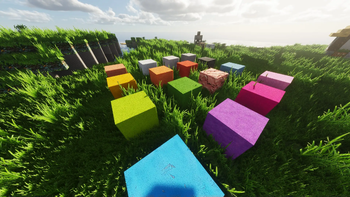
This resource pack transforms the Minecraft world with genuine realism through meticulously crafted 32x resolution textures. Every element from mobs to vegetation has received an updated appearance with maximum natural color reproduction and improved detailing.
Images

Recommended Shaders
For the best visual effect, we recommend trying the following shaders:
Sildur's Vibrant Shaders - one of the most popular and feature-rich shaders with settings for any PC specifications
Derivative Shader - an excellent option for quality graphical design
Potato Shader - the perfect solution for computers with limited performance
Design Features
- Updated mob appearance with redesigned shapes, materials, and facial expressions for a natural living style
- Animated mobs with random elements create more variety in groups, herds, and during encounters with enemies
- Foliage and grass textures redesigned considering natural colors, density, and harmony with the environment of different biomes
- 3D modeling of weapons and tools adds depth and silhouette clarity without complicating combat readability
- Unified approach to item and block design ensures consistent material representation and inventory clarity improvement
- Customizable system compatible with popular community animation solutions
Compatibility and Performance
The resource pack is created to work with the standard version of Minecraft with functionality extension possibilities through well-known client tools and animation systems. All models and visual elements were developed focusing on Blockbench and tested in combination with OptiFine.
Textures and models are optimized to reduce system load while maintaining excellent clarity in motion, making the pack ideal for survival and PvP modes.
Installation
- Download the resource pack archive
- Place the file in the resourcepacks folder
- In-game, go to the "Resource Packs" menu and activate the pack
- Position this pack above others when using multiple resource packs simultaneously
- Restart the world or reload resources for correct model and animation application
Recommended Settings
- Enable entity animations and smooth lighting transitions for better immersion
- Set medium or high plant detail level to demonstrate grass and foliage quality while maintaining performance
- When using graphical mods, avoid options that override entity textures to preserve the author's concept

